
Best iPhone Data Recovery Software 2026
- Recover deleted photos, messages, contacts & WhatsApp chats from your iPhone
- Works without a backup & without jailbreaking
- Compatible with iOS 26 & the iPhone 17 line
- Trusted by thousands of iPhone owners worldwide
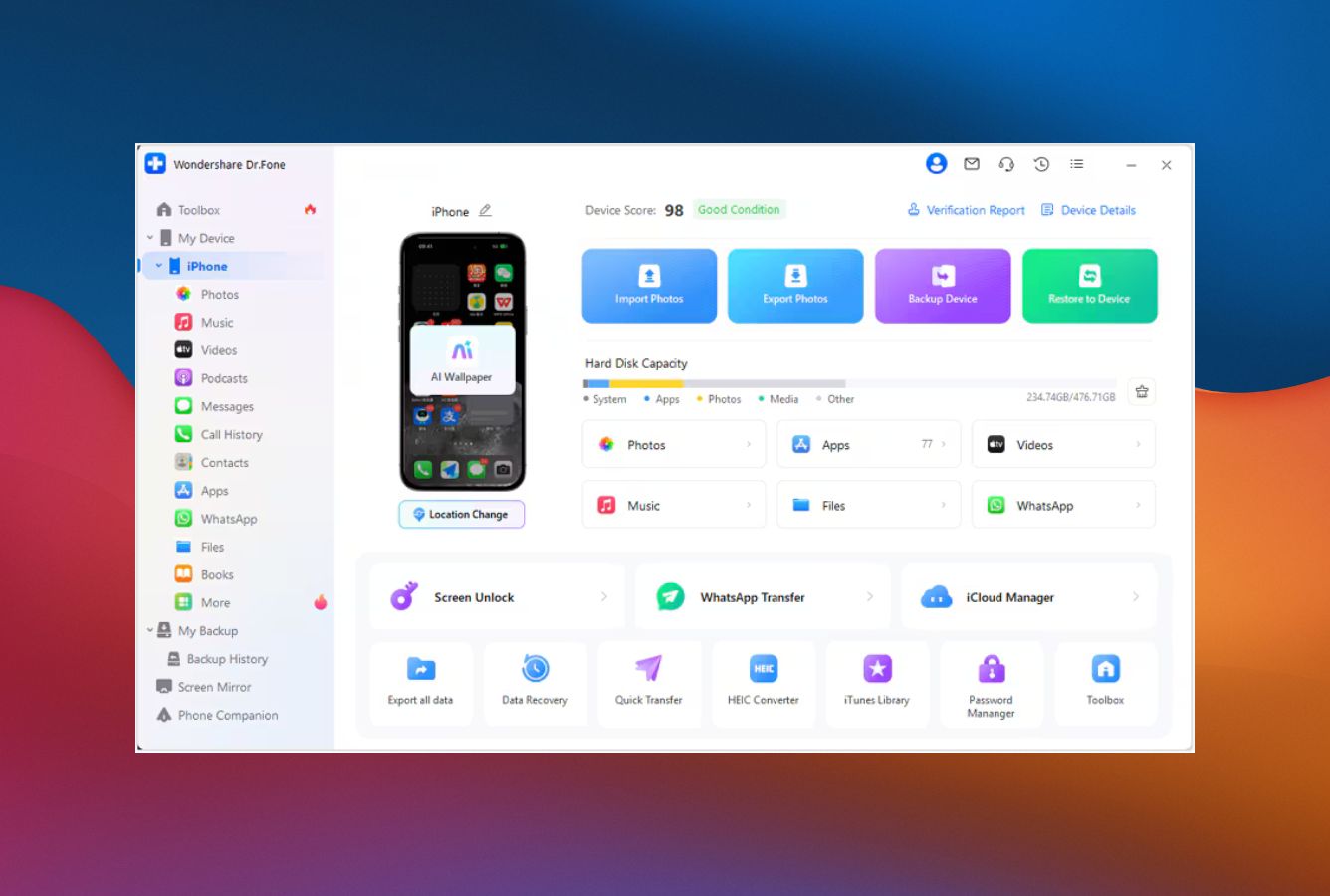

iPhone recovery from device, iTunes & iCloud. Fixes Apple-logo loops & DFU. 24/7 support.
- Works with iOS 26 & iPhone 17 on day one
- 3 sources: device, iTunes & iCloud
- System repair fixes Apple-logo & DFU loops
- Encrypted iTunes backup & in-app data support
- No-jailbreak recovery, no data risk
- 35+ recoverable data types (incl. WhatsApp)

Wizard-style recovery built for first-timers. Reliable extraction across device, iTunes & iCloud with 24/7 support.
- Step-by-step wizard for non-technical users
- Preview recoverable files before purchase
- WhatsApp, LINE & Kik chat recovery
- 20+ years of corporate track record
- Lifetime license available

Specialist for damaged or corrupted iTunes backups. First to support each new iOS version. 24/7 support.
- Recovers corrupted iTunes backups
- First to support new iOS releases
- Smart Recovery scenario picker
- 31 supported data types
- Lifetime license available

Solid iPhone recovery at the lowest annual price. Handles encrypted iTunes backups & corrupted databases.
- From $39.99/yr — cheapest annual license
- Handles encrypted iTunes backups
- Deep scan for corrupted databases
- 20+ years in data recovery
- Compatible with iPhone & iPad

Strong third-party chat & social-app recovery (WhatsApp, LINE, WeChat, Kik). Repairs 150+ iOS system issues. 24/7 support.
- 35+ recoverable data types
- WhatsApp, LINE, WeChat & KakaoTalk
- Repairs 150+ iOS system issues
- iCloud recovery without overwriting device
- iOS 26 & iPhone 17 supported
Frequently Asked Questions
Can iPhone data really be recovered without a backup?
Yes, often. iOS keeps deleted records in SQLite databases (Messages, Contacts, Call History) and marks deleted photos as unallocated for 30 days. If those records haven't been overwritten and the phone boots normally enough to accept a USB connection, every tool on this page can attempt a direct-device scan.
Success drops sharply for items deleted more than a few weeks ago, after a factory reset, or when the iPhone won't pair — in those cases an iCloud or iTunes backup is the more reliable path.
Do these tools work without jailbreaking my iPhone?
Yes. Every tool listed here works over the standard pairing protocol Apple exposes to Finder and iTunes — no jailbreak, no modification of iOS. The app asks for a trust dialog on the iPhone, then reads from the same backup channels Apple already supports.
How long does iPhone data recovery take?
Direct-device scans usually run 5–30 minutes on a 128 GB iPhone, depending on whether you choose a surface or deep scan. iTunes backup parsing typically completes in 2–10 minutes since the data is already on your computer. iCloud downloads depend on your internet speed — often 20–60 minutes for a fully loaded account.
Is this software safe to install?
From the official vendor website, yes. All five tools are signed binaries from established companies, scanned by major antivirus engines, and the recovery process is read-only against the iPhone — they don't write to iOS storage.
The risk profile shifts entirely when you download from third-party mirrors, cracked-license sites, or torrents, which historically bundle adware or malware. Always grab the installer from the developer's own domain.
Will this work on iOS 26 and iPhone 17?
All five tools support iOS 26 and the iPhone 17 line. Wondershare Dr.Fone and iMobie PhoneRescue typically ship support shortly after Apple releases a new iOS — usually within days. EaseUS MobiSaver and Stellar can lag by one release cycle, so if you own the latest hardware, check the vendor's compatibility page before purchasing.
What can iPhone recovery software NOT do?
Two hard limits apply to every tool. First, data that's been overwritten by new photos, messages or app activity since the deletion is gone — no software reverses a true overwrite.
Second, iOS 8 and later encrypts the local file system with a hardware key tied to the Secure Enclave. If you wiped the device via Erase All Content & Settings, the encryption key is destroyed and the on-device data is mathematically unrecoverable. A backup is your only path after a full erase.
How much does iPhone data recovery software cost?
Pricing in 2026 runs from $39.99/yr for Stellar (the cheapest legitimate annual) up to $139.95/yr for the full Wondershare Dr.Fone Toolkit. Most single-feature licenses sit between $49 and $79 per year. Lifetime plans are available from Dr.Fone, UltData, PhoneRescue and EaseUS — usually the better value if you expect more than one recovery in the next year.
© 2026 datarecoveryfix.com. All trademarks are property of their respective owners.
