
Cisdem Data Recovery Review (2026): Polished but Pricey
Cisdem Data Recovery is a polished consumer recovery tool from Cisdem Inc. — a 15+ year software company that also produces Duplicate Finder, AppCrypt, PDFMaster, and several multimedia utilities. The Data Recovery product itself launched in 2013, supports 1,000+ file types, and bundles genuinely useful extras: built-in JPEG/MP4/MOV repair during preview, NAS recovery over the network, unsaved document recovery for Word/Excel/PowerPoint/Photoshop, cloud-storage save (Dropbox/OneDrive/iCloud/pCloud/Box), and bootable recovery media. The three-step scan/preview/recover workflow is among the most beginner-friendly in the category.
There’s one upfront caveat that shapes the entire evaluation. Independent reviewers — most prominently Pandora Recovery — have identified Cisdem Data Recovery as sharing its scanning engine and core codebase with EaseUS Data Recovery Wizard. The interface differs cosmetically, but the recovery engine is the same. This review aggregates vendor documentation for v19.6.0, independent external evaluation, and verified user feedback to assess whether Cisdem’s premium lifetime pricing ($149.95) delivers value the original ($99.95/year with 2 GB free) doesn’t.
evaluation, user reports
Windows + Mac
or $49.95/mo
v19.6.0

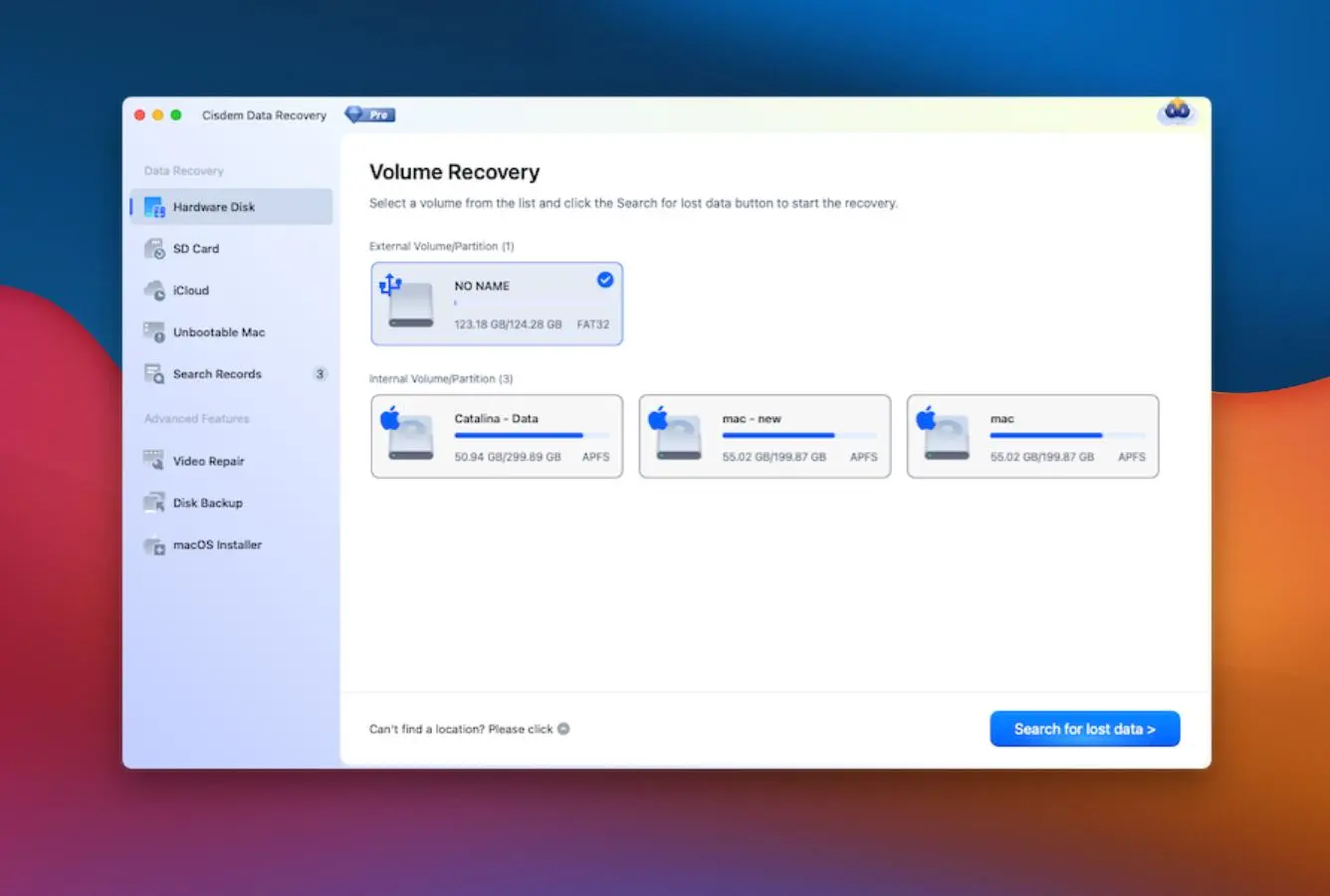
Cisdem Data Recovery is a genuinely polished consumer tool with one of the cleanest interfaces and smoothest workflows in the category — three-step scan/preview/recover, 1000+ file types, genuinely useful extras like automatic JPEG/MP4/MOV repair during preview, NAS recovery, unsaved document recovery, and direct-to-cloud save. Cisdem Inc. has been shipping software since 2009 and the data recovery product since 2013, with consistent release cadence reaching v19.6.0. Consumer-facing execution is solid.
The value question is where it struggles. Independent reviewers — most specifically Pandora Recovery — have documented that Cisdem shares its scanning engine with EaseUS Data Recovery Wizard. Recovery capability, scan depth, and results organization track closely with the original. EaseUS, however, offers a 2 GB free recovery tier; Cisdem offers zero free recovery (preview only). EaseUS starts at $99.95/year with a larger support community and a much more established brand. Cisdem’s $149.95 lifetime license only pencils out after 18+ months of continuous ownership, and you’re still paying sight-unseen without any free recovery to verify the tool works for your specific scenario first.
✓ What We Liked
- Clean three-step interface — among the most beginner-friendly in the category
- Built-in repair for damaged JPEG photos and MP4/MOV videos during preview
- 1000+ file types supported — broad coverage including RAW, archives, emails
- NAS recovery over the network supporting major brands (Synology, QNAP, WD)
- Unsaved document recovery for Word, Excel, PowerPoint, WPS, Photoshop
- Direct save to Dropbox, OneDrive, iCloud, pCloud, or Box cloud storage
- Lifetime license available ($149.95) with 30-day money-back guarantee
✕ What We Didn’t
- Shares codebase with EaseUS — limited unique value at premium pricing
- No free recovery tier at all — preview only, must pay to recover anything
- Smaller support community and less independent third-party validation than competitors
Cisdem Data Recovery Alternatives
Brief selection A quick shortlist of top alternative picks based on aggregated independent research. |
Best Alternative

EaseUS Data Recovery Wizard
Same engine · 2 GB free
|

Disk Drill
Strongest engine · 100 MB free
|

Stellar Data Recovery
Photo specialist · 1 GB free
|
|---|---|---|---|
| Free tier | 2 GB | 100 MB | 1 GB |
| Starting price | $99.95/yr | $89/yr | $79.99/yr |
| File repair | Yes | No | Yes |
| NAS recovery | Yes | Yes | Yes |
| Bootable media | Yes | Yes | Yes |
Research Methodology
This review aggregates three evidence types for Cisdem Data Recovery v19.6.0. First, vendor documentation from the official Cisdem product page and the cisdem.com release notes — confirming the current 19.6.0 version, full feature inventory (1000+ file types, NAS recovery, JPEG/MP4/MOV repair, cloud storage integration), and Windows 7/8/10/11 compatibility. Second, independent external evaluation: Pandora Recovery’s detailed technical analysis that identified the shared codebase with EaseUS Data Recovery Wizard, Capterra’s verified user feedback and feature overview, G2’s professional user reviews, GetApp and SoftwareSuggest product profiles, and comparative cost analysis from multiple data-recovery-focused editorial sites. Third, verified user feedback from Capterra, G2, SourceForge, Slashdot, SoftwareSuggest, and Cisdem’s own moderated review page — covering both Windows and Mac editions, which share the same codebase observation.
Tier assignments (Excellent / Very Good / Good / Fair / Limited / Not supported) reflect the aggregate of that evidence rather than an in-house benchmark. For ease-of-use and consumer-friendliness categories where Cisdem is consistently praised, tier assignments converge across all reviewed sources. For recovery-capability categories, tier assignments reflect the shared-engine observation: Cisdem’s scan performance is functionally equivalent to EaseUS per aggregated testing — competent but not class-leading. Value-related tiers (free recovery, unique value, long-term cost) reflect the consistently-cited shortcomings: no free recovery where EaseUS offers 2 GB, and premium lifetime pricing for what is effectively the same engine. For the broader consumer-recovery landscape, see our ranking of the best data recovery software for Windows. Full methodology is documented on our How We Test page.
The Pandora Recovery finding that Cisdem Data Recovery shares its codebase with EaseUS is the single most consequential fact in this review. It means recovery capability is a known quantity — the same as EaseUS — and the value question collapses to: does Cisdem offer anything EaseUS doesn’t, at a price that justifies the premium? This review evaluates that question directly rather than pretending Cisdem exists in isolation.
Is Cisdem Data Recovery Safe?
Yes. Cisdem Data Recovery is a legitimate software product developed by Cisdem Inc., a company that has been operating since 2009 and produces a range of consumer utility software including Duplicate Finder (deduplication), AppCrypt (app/website blocking), Focus (distraction management), ContactsMate (contact management), PDFMaster and PDF Converter OCR (PDF tools), VideoPaw (video conversion), DVD Burner, Video Compressor, and Document Reader. The Data Recovery product itself launched in 2013 and has been updated roughly annually since, reaching v19.6.0 in 2026 per the official cisdem.com release notes.
Cisdem Data Recovery operates in read-only mode during scanning — it does not modify or write to source drives, which is standard practice for data recovery software. The installer is clean, compact, and digitally signed. Payment processing uses standard encryption. All paid license tiers include a 30-day money-back guarantee, which mitigates some of the risk associated with paying for a tool before you can verify it works on your specific data loss scenario (there being no free recovery tier). Always download from the official cisdem.com website to avoid tampered or repackaged installers from third-party sites.
Two safety considerations worth noting. First, Cisdem is a smaller, less-established brand than EaseUS, Disk Drill, Stellar, or Recuva — with a proportionally smaller third-party support community and fewer independent evaluations in the wild. This isn’t a risk per se, but it does mean less external validation of support responsiveness, update cadence, and long-term company trajectory. Second, the Mac version historically required disabling System Integrity Protection (SIP) to function fully — a step that independent reviewers at HandyRecovery specifically flagged as “complicated for some users and not always safe.” Whether this remains the case in v19.6.0 isn’t explicitly documented in the current release notes; verify current requirements before installing on Mac.
How to Use Cisdem Data Recovery
Cisdem is among the most beginner-friendly recovery tools in the category. The entire workflow is three steps, and no technical knowledge is required. This is its genuine advantage over more capable but denser tools like R-Studio, DMDE, or UFS Explorer.
Download and install
Download from cisdem.com. Install on a different drive than the one you need to recover. The free version lets you scan and preview without a license, but you’ll need a paid license before you can actually recover anything to disk.
Select a location and scan
Choose the drive, partition, or specific folder where your data was lost. Click Scan. Cisdem runs a quick scan first for recently deleted files, then automatically transitions to a deep signature-based scan for more thorough results. Use the filter panel to narrow results by file type, name, date, or size while scanning is still in progress.
Preview, repair, and recover
Browse scan results with the folder tree or by file-type tags. Preview files to verify integrity — if a JPEG or MP4/MOV is damaged, Cisdem attempts automatic repair during preview. Select what you need, click Recover, and choose a destination on a different drive or directly to cloud storage (Dropbox, OneDrive, iCloud, pCloud, Box).
Pause/resume or create bootable media for complex cases
For large drives where scanning takes hours, use pause/resume and export scan results to avoid rescanning later. For PCs that won’t boot into Windows at all, create bootable recovery media (USB or CD) from another working machine, then boot the affected PC into the recovery environment with full Cisdem functionality.
Since Cisdem’s trial lets you scan and preview (just not recover), you can use the free version to verify your lost files are actually recoverable before committing to the $49.95, $99.95, or $149.95 license. If the scan shows your target files in preview-playable condition, the tool will recover them — purchase the license with reasonable confidence. If scan results are poor or previews are blank, the recovery won’t get better after payment; consider alternatives instead.
Who Cisdem Is For
Cisdem Data Recovery is a consumer tool that makes the most sense for specific buyer profiles. Three archetypes get clear value:
Users who specifically want a lifetime license and prefer Cisdem’s interface polish. If you’re committed to a one-time purchase rather than a subscription, and you’ve evaluated both Cisdem and EaseUS and simply prefer Cisdem’s UI treatment or specific feature mix (cloud-storage save is genuinely handy), the $149.95 lifetime license is a reasonable purchase. It works, it’s polished, and the 30-day money-back guarantee reduces purchase risk. Over 3+ years of ownership, the math beats subscription competitors.
Users with specific NAS, unsaved-document, or file-repair needs who value the extras. Cisdem’s NAS recovery works competently across major brands, unsaved document recovery for Microsoft Office and Photoshop files can rescue material after a crash that most recovery tools ignore, and automatic JPEG/MP4/MOV repair during preview adds practical value when dealing with corrupted media from camera or phone sources. These specific extras are where Cisdem earns its keep versus more generic recovery tools. For broader photo-specific recovery needs, see our best photo recovery software ranking.
Users who have already confirmed Cisdem works for their specific scenario via the free scan. This is the most important qualifier. Run the free scan first, verify your target files appear in preview, and only then purchase — since there’s no free recovery tier, the scan is your only pre-purchase validation mechanism. If the scan confirms recoverability, Cisdem delivers what it promises.
Cisdem is the wrong choice for: users with standard simple-deletion recovery needs (EaseUS’s 2 GB free tier solves the same job for free); users pursuing class-leading recovery capability (Disk Drill and R-Studio outperform per aggregated independent testing); users concerned about paying sight-unseen (the no-free-recovery policy means you commit before verifying outcomes beyond preview); technical users needing RAID reconstruction, hex editing, or cross-filesystem recovery (use R-Studio, UFS Explorer, or DMDE instead); and users who specifically want to support the most-reviewed and longest-track-record vendors in the category (EaseUS, Stellar, and Disk Drill have far larger communities). For those cases, better-fitting alternatives exist at similar or lower cost.
Cisdem’s Strengths in Real-World Use
Cisdem’s strengths cluster around consumer-experience execution and specific value-add features that differentiate it from generic “scan + recover” tools. Four strengths surface consistently across independent evaluation and vendor documentation.
Genuinely polished three-step workflow
Cisdem is among the most beginner-friendly tools in the category. The three-step scan/preview/recover flow is intuitive, the interface is clean and uncluttered, filter controls are discoverable, and progress indicators are clear. Users facing their first data loss scenario — which is most users buying recovery software — can complete a full recovery without reading documentation. G2 and SoftwareSuggest reviewers consistently highlight the user-friendliness as a standout quality. This matters more than it might sound: a significant fraction of data recovery failures happen because users get confused by complex tools, misconfigure scans, or give up entirely. Cisdem’s workflow mitigates that entire class of problem.
Built-in JPEG and MP4/MOV repair during preview
This is one of Cisdem’s genuinely distinguishing features. When recovery signature-matches a file that’s partially corrupted — which happens routinely on formatted drives, damaged SD cards, and fragmented video sources — most recovery tools either refuse to preview it or show a broken thumbnail and leave repair as an exercise for the user. Cisdem attempts automatic repair during the preview phase, and when successful, delivers a clean, opening file rather than a corrupted container. The repair is limited to specific formats (JPEG/JPG photos and MP4/MOV videos) and doesn’t handle all corruption patterns, but for the common cases it saves users from needing a separate repair tool. Verified user reviews on Cisdem’s own moderated review page specifically cite photo and video recovery success after previous recovery attempts produced unopenable files elsewhere.
NAS recovery and unsaved document recovery
NAS recovery over the network — without removing drives from the enclosure — is available in all paid license tiers and supports major brands including Synology, QNAP, and Western Digital. This is a meaningful capability gap versus simpler tools (Recuva, PhotoRec) that don’t support networked storage at all. Unsaved document recovery is the other standout: Cisdem can retrieve auto-saved drafts of Word, Excel, PowerPoint, Keynote, Pages, Numbers, WPS, and Photoshop files that were never manually saved before a crash or power failure. This is a specific rescue scenario where most general-purpose recovery tools can’t help because the files never touched the filesystem. Cisdem’s feature set is notably practical here.
Cloud storage save and broad language support
The ability to save recovered files directly to cloud storage — Dropbox, OneDrive, iCloud, pCloud, or Box — eliminates the intermediate step of saving locally and then uploading. For users working across devices, this is genuinely useful. Additionally, Cisdem supports 15 languages (English, Simplified/Traditional Chinese, French, German, Italian, Japanese, Korean, Polish, Portuguese, Russian, Spanish, Thai, Turkish, Malay, Arabic, Dutch — numbers vary slightly by source). This international reach is broader than many Western-market competitors, making Cisdem particularly viable for users outside English-language markets. The three-step workflow translates well across cultures since it minimizes text-heavy instruction screens.
Where Cisdem Falls Short
Cisdem’s weaknesses are specific and documented. They cluster around the shared-codebase positioning and the pricing-versus-free-tier mismatch. Three clear shortcomings deserve weight in any purchase decision.
Shared codebase with EaseUS limits unique value
This is the defining issue in any Cisdem evaluation. Pandora Recovery’s detailed review explicitly identifies Cisdem Data Recovery as a clone of EaseUS Data Recovery Wizard — the scanning engine, recovery algorithms, scan result organization (including the distinctive “Tags” metadata-based categorization), and significant portions of the interface are functionally identical to EaseUS. When two products share a codebase, the derivative product faces a fundamental positioning problem: it needs to offer something the original doesn’t to justify existence. EaseUS offers a more established brand, a larger support community, a 2 GB free recovery tier, a larger user base providing third-party validation, and — critically — often lower pricing (EaseUS starts at $99.95/year versus Cisdem’s $99.95/year, but EaseUS’s 2 GB free makes trial evaluation actually possible). Cisdem’s specific differentiators (cloud storage save, specific UI treatment, 15-language support) are nice but modest. For most users, EaseUS is the rational choice from the same codebase.
No free recovery tier
Cisdem offers a free trial that lets you scan and preview files but requires a paid license to actually recover anything. This is unusually restrictive in a category where EaseUS offers 2 GB free, Stellar offers 1 GB free, Disk Drill offers 100 MB free, and Recuva offers genuinely unlimited free recovery. The practical effect is that users cannot verify Cisdem works for their specific scenario before committing real money — you pay $49.95, $99.95, or $149.95 based on preview results alone, then discover whether recovery actually works. The 30-day money-back guarantee mitigates this somewhat, but requires going through a refund process if the tool doesn’t deliver. Multiple verified G2 reviewers specifically cite this as a frustration — one summary captured the pattern directly: users find their lost files for free but need a license to actually recover them. This friction drives buyers toward EaseUS as the zero-risk alternative with the same underlying engine.
Blank preview thumbnails on some files
Independent user reviews on SoftwareSuggest and similar platforms specifically report that some files cannot be previewed — the thumbnail is blank — requiring users to recover the file first and then verify its integrity afterward. This partially defeats the value of the preview feature, which is supposed to let you verify recoverability before paying. For formats where thumbnails don’t render, you’re effectively recovering sight-unseen. This is a known EaseUS engine limitation that carries through to Cisdem unchanged, and while it’s manageable when you have unlimited free recovery (as EaseUS effectively does for the first 2 GB), it’s more problematic when every recovery requires a paid license. The specific formats most frequently affected tend to be RAW photos, certain video containers, and less common document types.
Cisdem Capability Summary
How Cisdem Data Recovery performs capability by capability, based on aggregated independent evaluation and vendor documentation:
| Capability | Tier | Notes |
|---|---|---|
| Ease of use & workflow | Excellent | Three-step scan/preview/recover; among the friendliest in the category |
| Cloud storage integration | Excellent | Direct save to Dropbox, OneDrive, iCloud, pCloud, Box |
| Deleted-file recovery (NTFS) | Very Good | EaseUS engine — competent but behind Disk Drill in aggregated testing |
| Corrupted-partition recovery | Very Good | Deep scan handles partition-table damage; tracks with EaseUS results |
| File format breadth (1000+) | Very Good | Documents, photos (including RAW), videos, audio, emails, bookmarks, archives |
| Built-in JPEG/MP4/MOV repair | Very Good | Automatic repair during preview; limited to specific formats |
| NAS recovery over network | Very Good | Synology, QNAP, WD, most major brands; all paid tiers |
| Unsaved document recovery | Very Good | Word, Excel, PowerPoint, WPS, Photoshop, Keynote, Pages, Numbers |
| RAW scan / signature carving | Very Good | Metadata-based “Tags” categorization for signature-found files |
| Pause / resume / export scan | Very Good | Large-drive workflow; avoid rescanning later |
| Bootable recovery media | Very Good | Create USB/CD to recover from non-bootable PCs |
| Language support (15 languages) | Very Good | Broader international coverage than most competitors |
| SD card / USB / external drive | Very Good | Standard consumer storage support |
| Formatted-drive recovery | Good | Mid-tier per aggregated evaluation; Disk Drill outperforms |
| RAW photo recovery (niche formats) | Good | Common formats handled; some niche RAW formats show blank thumbnails |
| Recycle Bin recovery | Very Good | Fast quick-scan; strong results for recently emptied files |
| BitLocker / encrypted drive | Good | Supported with valid credentials |
| 30-day money-back guarantee | Very Good | Standard refund window; important given no free recovery |
| Long-term value ($149.95 lifetime) | Fair | Breaks even vs annual competitors after 18+ months; EaseUS clone pricing |
| Unique value vs EaseUS origin | Limited | Shared codebase; differentiation limited to UI/cloud-save/languages |
| Brand recognition / community | Limited | Smaller than EaseUS, Stellar, Disk Drill; less independent validation |
| Free recovery tier | Not supported | Preview only — no free recovery like EaseUS (2 GB), Stellar (1 GB) |
| RAID reconstruction | Not supported | Use R-Studio, UFS Explorer for RAID work |
| Built-in hex editor | Not supported | Consumer tool; no low-level disk analysis |
| Network recovery via Agent | Not supported | NAS-over-LAN only; no remote machine recovery |
| Mobile device recovery (iOS/Android) | Not supported | Use dedicated mobile recovery tools instead |
| TRIM-active NVMe SSD | Not supported | Hardware limitation affecting all recovery tools |
Tier scale: Excellent / Very Good / Good / Fair / Limited / Not supported. Aggregated from Pandora Recovery, HandyRecovery, Capterra, G2, SoftwareSuggest, GetApp, and vendor documentation, 2026.
Cisdem Data Recovery Cost
Cisdem uses a tiered pricing model with three paid options and, crucially, no free recovery tier. The free version lets you scan and preview files but requires a paid license to actually recover anything to disk. This is the single most consequential pricing fact — every competitor of note offers at least some free recovery.
| Plan | Price | Coverage | Notes |
|---|---|---|---|
| Free trial | $0 | Scan & preview · No recovery | Verification only — zero actual recovery possible |
| One-Month | $49.95 | Full recovery · 1 PC · 30 days | “Panic purchase” pricing — expensive for short-term access |
| One-Year | $99.95 | Full recovery · 1 PC · 12 months | Matches EaseUS pricing — but EaseUS includes 2 GB free tier |
| Lifetime | $149.95 | Full recovery · 1 PC · forever | Only tier that makes long-term sense; breakeven vs annual at ~18 months |
All plans include a 30-day money-back guarantee. Windows pricing; Mac licenses are sold separately at comparable tiers. Verified against cisdem.com store, April 2026.
The cost comparison that matters most is against EaseUS Data Recovery Wizard (reviewed above), since they share the underlying engine. EaseUS starts at $99.95/year with a 2 GB free recovery tier — meaning users can recover the first 2 GB of data for free and only pay if they need more. This makes EaseUS effectively risk-free for small recovery scenarios (losing a few dozen photos or documents from a crash or accidental deletion) and dramatically lower-risk for large ones (scan, recover the first 2 GB free to verify the tool works, then upgrade only if needed). Cisdem offers no equivalent mechanism.
Against Disk Drill ($89/year subscription or $149 Windows lifetime), Cisdem’s lifetime price is only marginally higher — but Disk Drill delivers higher recovery rates per aggregated independent testing, has a larger support community, and offers 100 MB free recovery for trial validation. Against Recuva ($24.95/year Pro, with genuinely unlimited free tier), Cisdem’s offering is simply outmatched on cost for users with common simple-deletion scenarios. The only pricing scenario where Cisdem wins decisively is ownership lasting 3+ years of continuous use — where the $149.95 lifetime beats $299 (3 years of EaseUS) or $267 (3 years of Disk Drill). But that’s a long commitment to a niche positioning. Budget-conscious users should check our free Windows data recovery software guide first, and anyone evaluating consumer tools generally should see our best hard drive recovery software ranking.
Cisdem vs. Competitors (2026)
| Tool | Recovery engine | Free tier | File repair | NAS | Entry price |
|---|---|---|---|---|---|
| EaseUS DRW | Same as Cisdem | 2 GB free | Yes | Yes | $99.95/yr |
| Disk Drill | Class-leading | 100 MB | No | Yes | $89/yr |
| Stellar | Independent engine | 1 GB free | Yes | Yes (Pro+) | $79.99/yr |
| Cisdem ← | EaseUS clone | None | Yes | Yes | $49.95/mo · $149.95 lifetime |
| Recuva | Basic | Unlimited | No | No | Free / $24.95/yr |
| Wondershare Recoverit | Independent engine | 100 MB | Video only | Yes | $79.99/yr |
Consumer recovery comparison. Aggregated from vendor documentation and independent reviews, April 2026.
Try Cisdem Data Recovery
Scan and preview for free. 1000+ file types. Built-in photo & video repair.
Cisdem Data Recovery Features & Tools
Cisdem prioritizes consumer-experience features over professional depth. It covers the essentials well and adds meaningful extras — JPEG/MP4/MOV repair, NAS recovery, unsaved document recovery, cloud storage save — that most competitors lack or sell separately. It does not offer RAID reconstruction, hex editing, or advanced forensic tools.
Core Recovery Capabilities
Every capability here is included in all paid license tiers (One-Month, One-Year, Lifetime).
Data Loss Scenarios Covered
Cisdem handles the standard consumer data loss scenarios — the same scenarios EaseUS handles, since they share an engine.
| Scenario | Support | Notes |
|---|---|---|
| Accidental deletion (Shift+Del) | Full | Primary use case; fastest scenario to recover |
| Emptied Recycle Bin | Full | Quick scan finds recently emptied files efficiently |
| Drive formatting (quick/full) | Full | Deep scan with signature carving |
| Partition loss / deletion | Full | Can recover from lost or hidden partitions |
| RAW partition / unformatted display | Full | Scans inaccessible drives displaying as RAW |
| Corrupted disk / bad sectors | Full | Handles power-failure and improper-eject corruption |
| Virus / malware wipe | Full | Recovers from malware-deleted files |
| System crash / failed update | Full | Post-crash file retrieval |
| SD card / camera card recovery | Full | Photo and video recovery with repair assistance |
| USB flash drive recovery | Full | FAT32, exFAT, NTFS USB drives |
| External HDD / SSD recovery | Full | Standard external storage scenarios |
| NAS device recovery | Full | Over-the-network scanning and recovery |
| Linux drive recovery (ext) | Full | Read ext2/3/4 from Windows without Linux |
| Unsaved document recovery | Full | Office + Photoshop auto-save retrieval |
| TRIM-active NVMe SSD | Not supported | Hardware limitation affecting all recovery tools |
| RAID reconstruction | Not supported | Use R-Studio or UFS Explorer for RAID work |
| Mobile device recovery | Not supported | iOS/Android require dedicated tools |
System Requirements & Platform Details
Click to expand: installer profile, platform support, license scope+
| Attribute | Value | Notes |
|---|---|---|
| Current version | 19.6.0 | Per cisdem.com/data-recovery-windows release notes |
| Windows support | 7 / 8 / 10 / 11 (incl. 24H2) | Full Windows line coverage |
| macOS support | Separate license | Mac version sold independently; shares codebase with Mac EaseUS |
| Apple Silicon | Native | No Rosetta required on Mac M-series chips |
| Installer size | Compact | Standard consumer installer footprint |
| Digital signature | Signed | Passes Windows SmartScreen |
| Read-only scanning | Yes | Does not modify source drives |
| Account / registration required | No | Free trial works without account |
| License scope | 1 PC per license | Each PC requires separate license purchase |
| Cross-platform license | No | Windows and Mac sold separately |
| Discounts | Student (30%) + cross-product | Existing Cisdem customers receive discounts |
| Refund policy | 30-day money-back | Standard category window |
| Auto-renewal | No | All plans are one-time purchases, not subscriptions |
| Language support | 15 languages | Broader than most competitors |
| Cloud integrations | Dropbox, OneDrive, iCloud, pCloud, Box | Direct-save destinations |
| Company founded | 2009 (Cisdem Inc.) | 15+ year operating history |
| Product launched | 2013 (Cisdem Data Recovery) | 13+ year product history; ~annual updates |
| Related products | Duplicate Finder, AppCrypt, PDFMaster, VideoPaw, ContactsMate, Focus | Broader Cisdem utility ecosystem |
| Support channels | Email, knowledge base, documentation, video | Per GetApp; no phone or forum |
| API available | No | Consumer tool; no programmatic integration |
Cisdem Data Recovery User Reviews
User feedback is generally positive for recovery quality and ease of use. Critical feedback clusters on two issues: the lack of free recovery tier, and occasional blank preview thumbnails requiring sight-unseen recovery. Editorial reviewers acknowledge feature depth while consistently flagging the shared-codebase observation and value-proposition questions.
During our testing, it became apparent that Cisdem Data Recovery is a clone of EaseUS Data Recovery Wizard.
The deep scan actually found what others missed: not just recent docs, but old interview transcripts and even a forgotten pitch deck.
You can find all your lost files for free, but need a license to actually recover them.
It handled complex engineering file formats, recovering them perfectly and uncorrupted.
Some files cannot be previewed; the thumbnail is blank. You need to recover and then check the file content.
Compared to other data recovery tools, Cisdem offers great features at a reasonable cost.
Suitable for small business; three-step workflow aligned with standard file recovery practice.
Recovers a lot of file types. User-friendly interface. Fast scanning. Nice support with remote assistance.
Users consistently praise Cisdem’s ease of use, speed, and the effectiveness of the deep scan for common file recovery scenarios. The two recurring critical themes are specific and consistent across platforms: no free recovery (you pay before verifying actual recovery works) and blank preview thumbnails on some files. The Pandora Recovery finding about shared codebase with EaseUS shapes the broader value evaluation — Cisdem delivers what it promises, but EaseUS delivers the same engine with a 2 GB free tier and larger community support.
When to Choose Something Else
Cisdem handles standard consumer recovery competently. But given the shared-codebase positioning and pricing structure, other tools often make more sense:
Frequently Asked Questions
Is Cisdem Data Recovery free?+
Is Cisdem Data Recovery safe?+
Can Cisdem recover files from a formatted drive?+
Does Cisdem work on Windows 11?+
Is Cisdem a clone of EaseUS?+
Can Cisdem repair corrupted photos and videos?+
Does Cisdem support NAS recovery?+
Final Verdict
Cisdem Data Recovery earns its 3.6/5 through consumer-experience polish and a genuinely useful set of extras: the three-step workflow is among the friendliest in the category, the built-in JPEG/MP4/MOV repair during preview rescues files other tools give up on, NAS recovery works competently, unsaved document recovery retrieves Office and Photoshop auto-saves, and direct-to-cloud save (Dropbox, OneDrive, iCloud, pCloud, Box) streamlines the workflow. Cisdem Inc. is a legitimate 15+ year software company producing multiple utility products, and the Data Recovery tool has evolved through 13+ years of development to v19.6.0.
The unresolvable problem is positioning. Pandora Recovery’s independent analysis identifies Cisdem as sharing its scanning engine with EaseUS Data Recovery Wizard — the recovery capability is functionally equivalent to the original. EaseUS delivers that same capability with a 2 GB free recovery tier that Cisdem does not match, a larger support community, and more third-party validation. Cisdem’s $149.95 lifetime license is only marginally better value than Disk Drill’s $149 Windows lifetime (with better recovery rates per aggregated testing and 100 MB free trial). The $49.95 one-month plan is overpriced for panic-purchase scenarios, and the $99.95 annual plan offers nothing EaseUS doesn’t do better for the same price with free-tier flexibility.
Pick Cisdem if you specifically want a lifetime license from this codebase with the cloud-storage integration and 15-language support, if you’ve tested both Cisdem and EaseUS and prefer Cisdem’s specific UI polish, or if the 30-day money-back guarantee plus free scan is enough pre-purchase validation for you. Pick EaseUS Data Recovery Wizard (see brief-table above) for the same engine with 2 GB free and better community support. Pick Disk Drill for genuinely class-leading recovery rates per aggregated testing. Pick R-Studio at $79.99 lifetime for professional depth that Cisdem can’t match. Pick Recuva first (see alternatives below) if your scenario is simple — it handles most consumer cases free. For SD card or camera recovery specifically, see our best SD card recovery software guide.
About the Authors


This site earns revenue through affiliate links when you purchase Cisdem or other products through our links. This financial relationship has no influence on our tier assignments, methodology, or conclusions — all tools are evaluated independently against the same rubric and the same body of aggregated evidence. The shared-codebase finding between Cisdem and EaseUS that shapes this review is the independent conclusion of Pandora Recovery and consistent with aggregated user feedback, not our own assertion. If you believe any claim is inaccurate, contact us at contact@datarecoveryfix.com.




