

Cisdem Alternatives
|
Brief selection
A quick shortlist of our top alternative picks, based on aggregated independent research.
|
Best Alternative

EaseUS Data Recovery Wizard
Best overall · 2 GB free
|

Stellar Data Recovery
Best for photos · 1 GB free
|

Wondershare Recoverit
Best for video · 100 MB free
|
|---|---|---|---|
| Free tier | 2 GB | 1 GB | 100 MB |
| APFS recovery | Very Good | Very Good | Very Good |
| File preview | ✓ | ✓ | ✓ |
| Photo / video repair | No | Premium tier | Video only |
| Lifetime license | $169.95 | $149 | $139.95 |
Research Methodology
This review aggregates three evidence types for Cisdem Data Recovery for Mac: vendor documentation (the official Cisdem product page, version 20.0.0 release notes from January 30 2026, supported filesystem coverage), independent external evaluation, and verified user feedback (G2, Capterra, Trustpilot, plus Reddit threads on r/datarecovery and r/mac where Cisdem\’s pricing, cloud export, and SIP requirement are discussed). Tier assignments (Excellent / Very Good / Good / Fair / Limited / Not supported) reflect the aggregate of that evidence rather than an in-house benchmark. For broader Mac category context, see our ranking of the best data recovery software for Mac. Full methodology details are on our How We Test page.
Is Cisdem Data Recovery for Mac Safe?
Yes. Cisdem Data Recovery is developed by Cisdem, a software company in operation since 2009 with a portfolio of Mac and Windows utilities including PDF Converter, Document Reader, and Video Converter. The Mac binary is signed and notarized by Apple, passing Gatekeeper without warnings. The application uses read-only scanning per official documentation, and recovered files are written to a destination drive that you specify, never back to the source. The current version 20.0.0 (released January 30, 2026) added Dark Mode support and optimized scanning performance.
Two practical safety considerations apply. First, scanning the Mac\’s internal startup disk on certain configurations may require disabling System Integrity Protection (SIP), which is a security downgrade that other consumer Mac recovery tools (Disk Drill, EaseUS DRW Mac, iBoysoft) typically avoid by using KEXT-level access or alternative scanning approaches. Most Cisdem use cases involve external drives, SD cards, or backup sources that don\’t require SIP changes. Second, on Apple Silicon and T2 Macs, internal Mac SSD scanning is constrained by Apple\’s Secure Boot and hardware-level encryption, a hardware restriction affecting all third-party recovery tools. Always download from cisdem.com directly to avoid tampered installers.
How to Use Cisdem Data Recovery on Mac
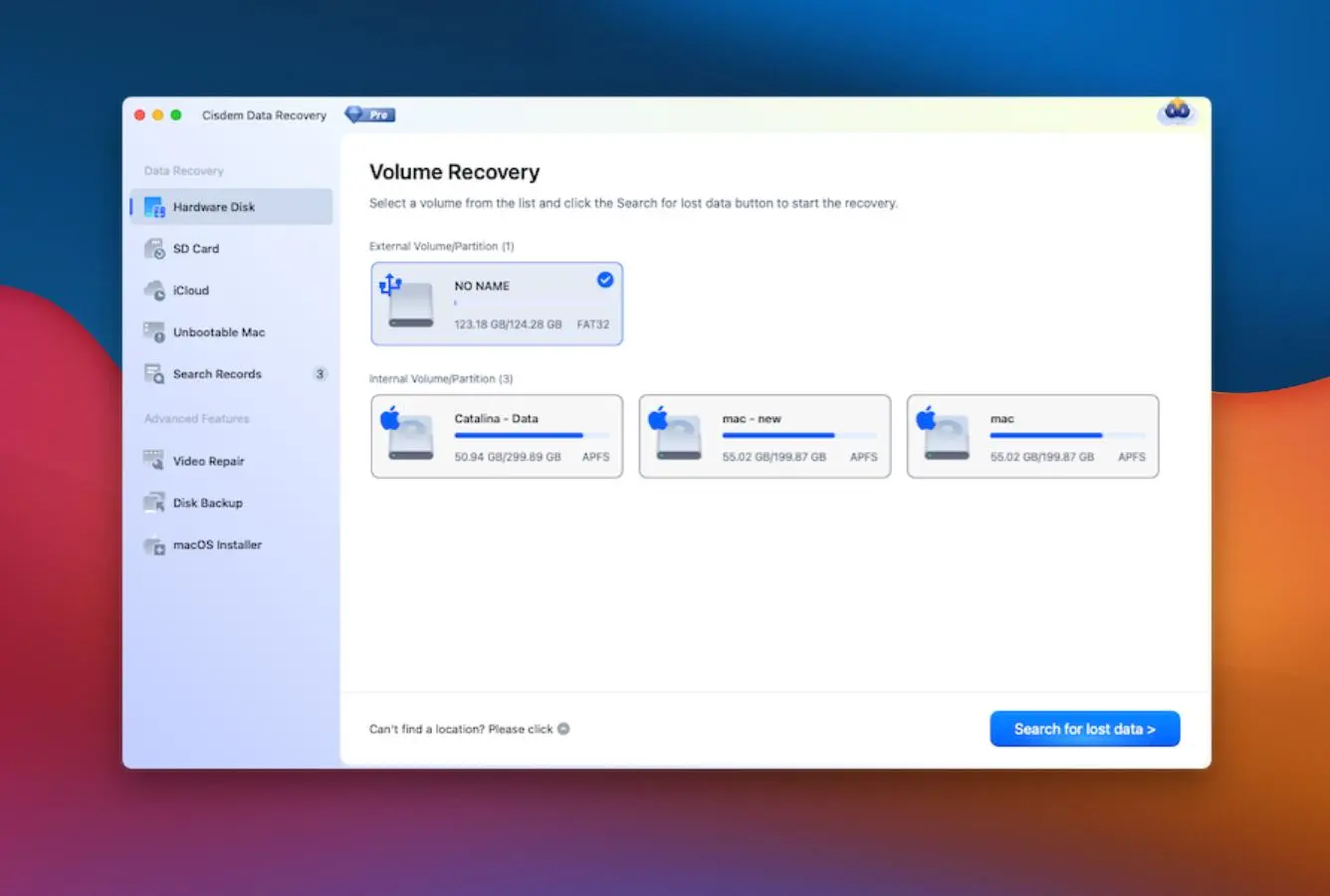
Cisdem\’s Mac workflow is one of the cleanest in the consumer recovery category, organized as a three-step linear process: Locate, Scan, Recover. The interface assumes no prior data recovery experience.
Download and install
Download the DMG from download.cisdem.com. Open the DMG, drag the application to /Applications. On first launch, Cisdem requests Full Disk Access permission in System Settings, which is necessary for scanning protected volumes. The free trial allows scanning and file preview but not actual recovery to disk.
Locate: select source drive or backup
The main window presents source categories: internal Mac, external drives, SD cards, USB drives, cameras, plus backup sources (iCloud, Time Machine, iTunes backup, Disk Image). Select the source. For Time Machine selective restore, Cisdem parses the backup volume and presents browseable timeline. For iCloud, sign in with your Apple ID to scan synced data.
Scan: Quick Scan + auto Deep Scan
Cisdem runs Quick Scan first (filesystem catalog parse) and automatically continues to Deep Scan (signature-based recovery) when Quick Scan finishes. Real-time result display lets you start reviewing recoverable files during scanning rather than waiting for completion. Pause is supported. Estimated remaining time is shown.
Recover: preview, filter, choose destination
Recovered files appear in a Finder-style sidebar organized by file type and metadata tags (camera model, document type, creation date). Use filters to narrow results. Click a file to preview. Select files to recover, click Recover, and choose a destination on a different drive than the source, or recover directly to Dropbox, OneDrive, pCloud, or Box (Cisdem\’s cloud export differentiator).
If you don\’t have a spare local drive available for the recovery destination, Cisdem\’s direct cloud export to Dropbox/OneDrive/pCloud/Box solves the problem. Most other Mac recovery tools require a local destination. This is meaningful when working from a single-drive Mac and the source drive is the only local storage.
Who Cisdem Data Recovery for Mac Is For
Cisdem targets a specific audience: Mac users who want a clean Mac-native recovery tool with cloud export integration at the lowest entry price in the consumer category. Three audiences get clear value:
Budget-conscious Mac users who want monthly subscription affordability. Cisdem\’s $59.95 monthly entry is the lowest in the consumer Mac recovery category among actively maintained tools. iBoysoft, 4DDiG, and EaseUS DRW Mac all start at $89.95 monthly. For users with a single recovery scenario who want monthly access without committing to annual or Lifetime pricing, Cisdem delivers $30 in monthly savings versus comparable tools. The $99.95 yearly tier is competitive with category norms; the $149.95 Lifetime is competitive with Disk Drill ($149) and cheaper than iBoysoft ($169.95) or EaseUS ($169.95).
Mac users who need cloud export and backup-source recovery. Cisdem\’s direct cloud export to Dropbox, OneDrive, pCloud, and Box is uncommon in the consumer Mac category. Most competitors require a local destination drive for recovered files. Combined with Cisdem\’s iCloud + Time Machine + iTunes backup + Disk Image parsing as recovery sources, this is meaningful for Mac users working from cloud-synced workflows or who don\’t have spare local storage. EaseUS DRW Mac is the main competitor on cloud integration; Cisdem is cheaper.
Mac users with Fusion Drive systems who want a budget alternative to iBoysoft. Cisdem documents Fusion Drive as a supported source, alongside HDD, SSD, SD card, USB, camera, and media player. iBoysoft has a more polished dedicated Fusion Drive module but charges $169.95 Lifetime versus Cisdem\’s $149.95. For users on a budget who specifically need Fusion Drive recovery, Cisdem is a credible alternative.
Cisdem is the wrong choice for Mac users who need RAID array recovery (R-Studio at $79.99 Lifetime), Linux filesystem support (R-Studio, UFS Explorer Standard, DMDE), hex editor or forensic logging (R-Studio Technician, DMDE Professional), the cheapest Lifetime license (R-Studio at $79.99 is cheaper), users who need dedicated photo/video repair (Stellar Premium delivers better repair quality), users on a strict zero-budget constraint (PhotoRec is genuinely free, EaseUS Free recovers 2 GB), and users who specifically want to avoid SIP changes when scanning the Mac startup disk (Disk Drill, EaseUS, iBoysoft handle this with KEXT or alternative approaches).
Cisdem Data Recovery for Mac Strengths in Real-World Use
The strengths cluster around pricing, cloud integration, backup-source recovery, and clean Mac UX. Cisdem positions as the value pick for users who specifically want these capabilities without paying premium pricing.
Lowest monthly entry price in the consumer Mac category
At $59.95 per month, Cisdem is the cheapest monthly subscription in the actively maintained consumer Mac recovery category. iBoysoft, 4DDiG, and EaseUS DRW Mac all start at $89.95 monthly, a $30 difference. For users with a one-time recovery need who want monthly access without committing to annual pricing, Cisdem delivers genuine value. The annual ($99.95) and Lifetime ($149.95) tiers are competitive but not exceptional; the monthly tier is where Cisdem differentiates.
Direct cloud export (Dropbox, OneDrive, pCloud, Box)
Cisdem\’s cloud export feature recovers files directly to Dropbox, OneDrive, pCloud, or Box without needing a local destination drive. This is uncommon in the consumer Mac recovery category (most tools require a local destination different from the source) and is genuinely useful when working from a single-drive Mac, when the source drive is the only local storage, or when the workflow needs cloud-synced storage anyway. EaseUS DRW Mac is the main competitor with cloud export; Cisdem delivers similar capability at lower pricing.
iCloud + Time Machine + iTunes backup recovery sources
Cisdem includes specific backup recovery sources that most consumer Mac tools don\’t handle: iCloud (deleted photos and notes, sync recovery), Time Machine backups (selective file restoration without doing a full restore), iTunes backups (recovery from iOS device backups), and Disk Image files. The Time Machine selective restore is particularly useful, it parses the backup volume and presents a browseable timeline so you can recover individual files from a specific backup point without restoring the entire backup.
Clean Mac-native three-step UX with metadata tag organization
Cisdem\’s interface follows Mac UI conventions throughout: native sidebar navigation, native toolbar, file preview, Finder-style organization. The three-step linear workflow (Locate, Scan, Recover) presents one decision at a time. The metadata tag system groups recovered files by camera model (Canon EOS R5, Sony A7, Samsung M21), document type, or creation date, which is genuinely useful for sorting through large recovery result sets. Real-time result display during scanning lets you start reviewing files without waiting for scan completion.
Apple Silicon native, T2 chip support, current 2026 build
Cisdem Data Recovery is a Universal Binary running natively on Apple Silicon (M1/M2/M3/M4) Macs without Rosetta 2, supports T2-encrypted Intel Macs, and is compatible with macOS Tahoe 26 back through macOS 10.13 High Sierra. The current version 20.0.0 was released January 30, 2026, with Dark Mode support and optimized scanning performance, indicating active vendor maintenance. Several competitors (Prosoft Data Rescue) have lagged on Apple Silicon native support.
Recover unsaved documents (bonus utility)
Cisdem\’s unsaved document recovery handles Word, Excel, PowerPoint, Pages, Numbers, Keynote, Photoshop, and WPS files, files that were being edited when the application or system crashed before saving. This is a useful bonus utility that goes beyond standard deletion recovery. Not all consumer Mac recovery tools include this.
Where Cisdem Data Recovery for Mac Falls Short
The limitations cluster around free tier value, recovery depth, and technical features. Cisdem prioritizes affordability and cloud integration over technical completeness, and three patterns surface consistently in independent evaluation.
Free trial is preview-only with no actual recovery
Cisdem\’s free trial allows full scanning and file preview but does not allow actual file recovery to disk. To recover any files, you need a paid license. EaseUS Free at 2 GB and PhotoRec (unlimited free, terminal-only) offer real free recovery for users who want to verify recoverability before paying. For evaluation purposes, Cisdem\’s preview-only trial confirms what is recoverable but doesn\’t let you actually recover anything for free.
Recovery depth trails category leaders
Aggregated independent evaluation places Cisdem in the Good tier on formatted and corrupted drive recovery scenarios. Cisdem handles deleted-file recovery competently, but deeper scenarios (formatted partitions, corrupted filesystems, partition table damage) are where tools like Disk Drill, R-Studio, and DMDE consistently outperform. For Mac users with simple deletion scenarios, Cisdem is sufficient; for users with complex filesystem damage, alternative tools deliver better recovery.
No RAID, no Linux filesystems, no hex editor, no forensic logging
Cisdem\’s filesystem coverage is consumer-focused: APFS, HFS+, FAT16/32, exFAT, NTFS-read. No RAID 0/1/5/6 reconstruction. No ext2/3/4, XFS, Btrfs, or ZFS for Linux server drives. No hex editor or forensic audit logs. No bundled photo/video repair (some independent reviews list 1000+ file types and JPEG/MP4 repair but the current vendor documentation focuses on 200+ file types and unsaved document recovery as the bonus utility). For users with multi-disk RAID arrays, Linux filesystems, forensic recovery needs, or dedicated repair workflows, alternative tools are required.
Cisdem Mac Capability Summary
How Cisdem Data Recovery for Mac performs capability by capability:
| Capability | Tier | Notes |
|---|---|---|
| UI & ease of use | Excellent | Three-step Mac-native workflow with real-time result display during scan |
| Pricing value (monthly entry) | Excellent | $59.95/mo is lowest in consumer Mac category. iBoysoft/4DDiG/EaseUS start at $89.95 |
| Cloud export (Dropbox, OneDrive, pCloud, Box) | Excellent | Direct cloud export uncommon in consumer category. EaseUS DRW Mac is main competitor |
| Apple Silicon & T2 chip support | Excellent | Universal Binary, native M1/M2/M3/M4. macOS Tahoe 26 compatible. v20.0.0 Jan 2026 |
| iCloud / Time Machine backup parsing | Very Good | Selective Time Machine restore without full restore. iCloud sync recovery |
| APFS deleted-file recovery | Very Good | Solid coverage on standard scenarios. Trails Disk Drill on pure APFS depth |
| Fusion Drive recovery | Very Good | Documented support. iBoysoft has more polished dedicated module |
| Filename / folder preservation | Very Good | Preserves names when filesystem catalog is intact |
| Metadata tag organization | Very Good | Groups files by camera model, document type, creation date |
| Unsaved document recovery | Very Good | Word, Excel, PowerPoint, Pages, Numbers, Keynote, Photoshop, WPS |
| SD card / camera RAW recovery | Good | Standard scenarios work. Newer RAW formats may have limited support |
| Formatted / corrupted recovery | Good | Trails Disk Drill, R-Studio, DMDE on deeper recovery scenarios |
| NTFS recovery | Good | Read-only NTFS support for cross-platform drives |
| Encrypted APFS (FileVault 2) | Good | Handles encrypted volumes when unlock password provided |
| Pricing value (Lifetime $149.95) | Good | Same as Disk Drill ($149) but Mac-only. Cheaper than iBoysoft/EaseUS ($169.95) |
| Free trial (preview only, no recovery) | Limited | Scan + preview only. EaseUS Free 2 GB or PhotoRec unlimited offer real free recovery |
| Internal Mac SSD scanning (SIP) | Limited | May require disabling System Integrity Protection. Disk Drill avoids this with KEXT |
| RAID reconstruction | Not supported | R-Studio at $79.99 Lifetime is the value pick for RAID workflows |
| Linux filesystems (ext2/3/4, XFS) | Not supported | R-Studio, UFS Explorer Standard, DMDE handle Linux filesystems |
| Btrfs / ZFS filesystems | Not supported | UFS Explorer Standard at $64.95 Lifetime fills this gap |
| Hex editor / forensic mode | Not supported | R-Studio Technician and DMDE Professional include hex editing |
| Bundled photo/video repair | Not supported | Stellar Premium and 4DDiG include dedicated repair modules |
| S.M.A.R.T. drive monitoring | Not supported | Disk Drill includes drive health monitoring |
| Disk imaging (byte-to-byte) | Not supported | R-Studio includes byte-to-byte imaging for safe recovery from failing drives |
| Internal Mac SSD with TRIM | Not supported | Apple Silicon Secure Boot. Hardware limitation affecting all recovery tools |
Tier scale: Excellent / Very Good / Good / Fair / Limited / Not supported. Aggregated from Cisdem product documentation, independent external evaluation, and verified user feedback (G2, Capterra, Trustpilot, Reddit), 2026.
Cisdem Data Recovery for Mac Cost
Cisdem Data Recovery for Mac uses a four-tier pricing model with monthly, yearly, lifetime, and multi-Mac discount options:
| Edition | Price | Type | Coverage |
|---|---|---|---|
| Free Trial | $0 | No time limit | Full scanning, file preview only. No actual file recovery |
| 1-Month License (Cheapest in category) | $59.95 | Subscription | Unlimited recovery for one Mac, 30 days |
| 1-Year License | $99.95/year | Auto-renew subscription | Unlimited recovery for one Mac. Cancellable from account |
| Lifetime License (Best for individuals) | $149.95 | One-time perpetual | Unlimited recovery for one Mac, lifetime updates within major version |
| Multi-Mac Family | Discounted | Annual or Lifetime | Discounts available for 2 Mac or 5 Mac licenses |
Pricing verified against cisdem.com, April 2026. Money-back guarantee applies. Current version 20.0.0 (released January 30, 2026) with Dark Mode and optimized scanning.
Cisdem\’s pricing sits at the affordable end of the Mac recovery category. The $59.95 monthly entry is $30 cheaper than iBoysoft, 4DDiG, and EaseUS DRW Mac (all $89.95/mo). The $99.95 annual is competitive with category norms. The $149.95 Lifetime is the same as Disk Drill ($149, covers Mac and Windows) and cheaper than iBoysoft ($169.95) or EaseUS Pro ($169.95). For users on the cheapest Lifetime tier overall, R-Studio at $79.99 Lifetime is still cheaper but trades UX polish for technical capability. UFS Explorer Standard at $64.95 Lifetime offers broader filesystem support but no GUI polish. For broader Mac category context, see our best data recovery software for Mac ranking; for free-first comparisons, see our best free data recovery software roundup.
Cisdem vs. Competitors (2026)
How Cisdem Data Recovery for Mac stacks up against the most common Mac recovery alternatives:
| Tool | Monthly entry | Cloud export | Backup-source recovery | Free tier | Lifetime price |
|---|---|---|---|---|---|
| Cisdem Mac ← | $59.95 | Dropbox/OneDrive/pCloud/Box | iCloud + TM + iTunes | Preview only | $149.95 |
| iBoysoft Mac | $89.95 | No | Limited | 1 GB | $169.95 |
| 4DDiG Mac | $89.95 | No | iCloud + TM | Preview only | $109.95 |
| Disk Drill Mac | n/a | No | No | Preview only | $149 |
| EaseUS DRW Mac | $89.95 | iCloud + cloud export | iCloud + TM | 2 GB | $169.95 |
| R-Studio Mac | n/a | No | No | <256 KB demo | $79.99 |
Tier scale: Excellent / Very Good / Good / Fair / Limited / Not supported. Aggregated from vendor documentation and independent external evaluation, 2026.
Cisdem\’s standout advantages are the lowest monthly entry price ($59.95/mo, $30 cheaper than iBoysoft/4DDiG/EaseUS), direct cloud export to Dropbox/OneDrive/pCloud/Box, and iCloud + Time Machine + iTunes backup parsing as recovery sources. Trade-offs: free trial is preview-only with no actual recovery; recovery depth on formatted/corrupted drives trails category leaders; SIP must be disabled for startup disk scanning on some configurations; no RAID, no Linux filesystems, no hex editor.
Try Cisdem Data Recovery
Free scan and preview. Most affordable paid option.
Cisdem Data Recovery for Mac Features & Tools
Cisdem takes a focused approach: clean Mac-native recovery with a few specific differentiators (cloud export, backup-source recovery, Fusion Drive support) at the lowest entry price in the consumer Mac category. The feature set is intentionally lean compared to all-in-one alternatives like 4DDiG (which bundles photo/video repair), but the cloud and backup integrations are genuinely useful for users who need them.
The two genuine differentiators are direct cloud export to Dropbox/OneDrive/pCloud/Box (uncommon in consumer Mac category, EaseUS DRW Mac is the main competitor) and iCloud + Time Machine + iTunes backup parsing as recovery sources. Filesystem coverage is consumer-focused: APFS, HFS+, FAT16/32, exFAT, plus NTFS-read for cross-platform drives. Apple Silicon native (M1/M2/M3/M4), T2 chip support, macOS Tahoe 26 compatible. Current version 20.0.0 (January 30, 2026) with Dark Mode and optimized scanning.
What\’s absent: bundled photo/video repair (Stellar Premium and 4DDiG include this), RAID reconstruction (R-Studio at $79.99 Lifetime is the value pick), Linux filesystem support like ext2/3/4 / XFS / Btrfs / ZFS (R-Studio, UFS Explorer Standard, DMDE handle these), hex editor and forensic audit logs (R-Studio Technician, DMDE Professional), S.M.A.R.T. drive monitoring (Disk Drill includes this), byte-to-byte disk imaging (R-Studio includes this), and KEXT-level startup disk access without SIP changes (Disk Drill, EaseUS handle this).
Alternatives to Cisdem Data Recovery for Mac
Cisdem is the value pick for Mac users who want cloud export, backup-source recovery, and the cheapest monthly entry. Other tools serve specific Mac scenarios better:
Open Finder, navigate to the folder where files were lost, click the Time Machine icon in the menu bar, and browse to a backup before the deletion event. If Time Machine was active, this takes 2 minutes and recovers files with original names and folder structure intact, free.
Cisdem Mac User Reviews
Cisdem has moderate review platform coverage with sentiment patterns dividing along scenario type and pricing sensitivity. Verified user feedback skews positive on Mac UX cleanliness, scan speed, file preview quality, and pricing affordability. Sentiment skews critical on the preview-only free trial, recovery depth on complex scenarios, and SIP requirement for startup disk scanning. Cisdem\’s established 2009 vintage and consistent updates (current v20.0.0 from January 2026) are positive trust signals.
Worked perfectly to restore a lost client project folder. The preview feature was a lifesaver for confirming files. Loading a previous scan was slower than expected but it got the job done.
Deleted some important photos from my Canon camera SD card and tried several solutions with no luck. Cisdem quickly located the lost photos. The interface is clean and modern.
Bought it at $59.95 for a one-month license because it was cheaper than other tools and it found my deleted videos and photos. Easy to use, recovers many file types.
As a mechanical engineer working with mission-critical CAD files, Cisdem became my digital safety net. Handles complex engineering file formats and recovers them uncorrupted.
The free trial only lets you preview files, not actually recover them. You have to pay before you know if it really works for your specific scenario. Frustrating evaluation experience.
Did not recover much from my formatted external drive. Solid for simple deleted-file scenarios but trails Disk Drill on harder cases. Good price for what it does.
Recurring themes across verified user feedback: praise for the clean Mac UX, fast scanning, file preview quality, and pricing affordability ($59.95/mo is the lowest in actively maintained consumer Mac category). Criticism centers on the preview-only free trial limit, recovery depth on formatted/corrupted drives, and the SIP requirement for startup disk scanning. Cisdem works well for users with simple deletion or external drive scenarios who specifically value cloud export and backup-source recovery; for users with complex filesystem damage, alternatives deliver better recovery depth.
Frequently Asked Questions
Is Cisdem Data Recovery for Mac free?+
Is Cisdem Data Recovery safe on Mac?+
Does Cisdem work on Apple Silicon Macs?+
Can Cisdem recover from iCloud or Time Machine backups?+
Does Cisdem support Fusion Drive recovery?+
How does Cisdem compare to Disk Drill for Mac?+
What is the difference between Cisdem and EaseUS Data Recovery Wizard?+
What file types does Cisdem support?+
Final Verdict
Cisdem Data Recovery for Mac earns 3.5/5 as the budget-positioned consumer Mac recovery utility from Cisdem (operating since 2009) with the lowest monthly entry price in the category ($59.95/mo, $30 cheaper than iBoysoft, 4DDiG, and EaseUS DRW Mac), direct cloud export to Dropbox/OneDrive/pCloud/Box, and iCloud + Time Machine + iTunes backup parsing as recovery sources. The application supports Apple Silicon natively, T2 chip-equipped Macs, Fusion Drive recovery, and macOS Tahoe 26 through macOS 10.13 High Sierra. Current version 20.0.0 (January 30 2026) added Dark Mode and optimized scanning.
The trade-offs are recovery depth, free trial value, and SIP requirement. Aggregated independent evaluation places Cisdem\’s formatted and corrupted drive recovery in the Good tier, trailing Disk Drill, R-Studio, and DMDE on deeper recovery scenarios. The free trial is preview-only with no actual recovery, less generous than EaseUS Free at 2 GB or PhotoRec unlimited. Scanning the Mac startup disk on some configurations may require disabling System Integrity Protection, which Disk Drill, EaseUS, and iBoysoft avoid via KEXT or alternative approaches. Best fit for budget-conscious Mac users who want monthly subscription affordability, cloud export integration, and backup-source recovery flexibility, with the practical advice that the preview-only free trial means you can\’t verify recovery success before paying. For broader Mac category context, see our best Mac data recovery software ranking.
About the Authors


This site earns revenue through affiliate links when you purchase Cisdem Data Recovery or other products through our links. This financial relationship has no influence on our tier assignments, methodology, or conclusions. All tools are evaluated independently against the same rubric and the same body of aggregated evidence. If you believe any claim is inaccurate, contact us at contact@datarecoveryfix.com.