8 Best NAS Data Recovery Software for 2026: Reviewed & Ranked
The best NAS data recovery software should read your Synology, QNAP, Buffalo, WD, or NETGEAR volume remotely over SSH without making you pull drives out of the chassis — and fall back to offline disk-by-disk reconstruction when the NAS itself is dead. We evaluated 20 tools spanning home-friendly wizards and enterprise forensics platforms, tested against vendor documentation, independent benchmarks, and community feedback from r/synology, r/homelab, and long-running storage forums, then ranked the top 8. Here’s which software stands out in 2026.
+ 6 honorable mentions
· user feedback
Buffalo · WD · NETGEAR
for 2026
EaseUS Data Recovery Wizard is the best NAS data recovery software in 2026 for most users. Its NAS workflow connects directly to Synology, QNAP, Buffalo, WD, NETGEAR, TerraMaster, and Hikvision devices over SSH without pulling drives out, scans ext4 and Btrfs volumes through a genuinely friendly wizard, and offers a 2 GB free tier that’s usable for smaller loss events. Wondershare Recoverit is the close second with similar remote-scan architecture and a broader 600+ distro compatibility for the Linux underneath the NAS. Disk Drill rounds out the top three as the best option when Btrfs RAID reconstruction and Mac host support specifically matter.
 EaseUS Data Recovery Wizard
- Direct SSH to Synology, QNAP, Buffalo, WD, NETGEAR, TerraMaster
- Wizard-driven 3-step workflow: select NAS → enable SSH → scan
- Covers ext4 and Btrfs with preview before payment
- From $69.95 / mo or $149.95 lifetime — Pro tier, 2 GB free
 Wondershare Recoverit
- Remote SSH for Synology, QNAP, Buffalo, WD, NETGEAR
- Covers 600+ Linux distros underlying NAS firmware
- Free preview of every recoverable file before payment
- From $69.99 / yr — Essential tier
 Disk Drill
- Automatic Btrfs RAID reconstruction for Synology SHR
- Native Mac host — only NAS tool with full Mac parity
- Unlimited free file preview before paying
- $89 / yr or $149 lifetime — covers Win + Mac
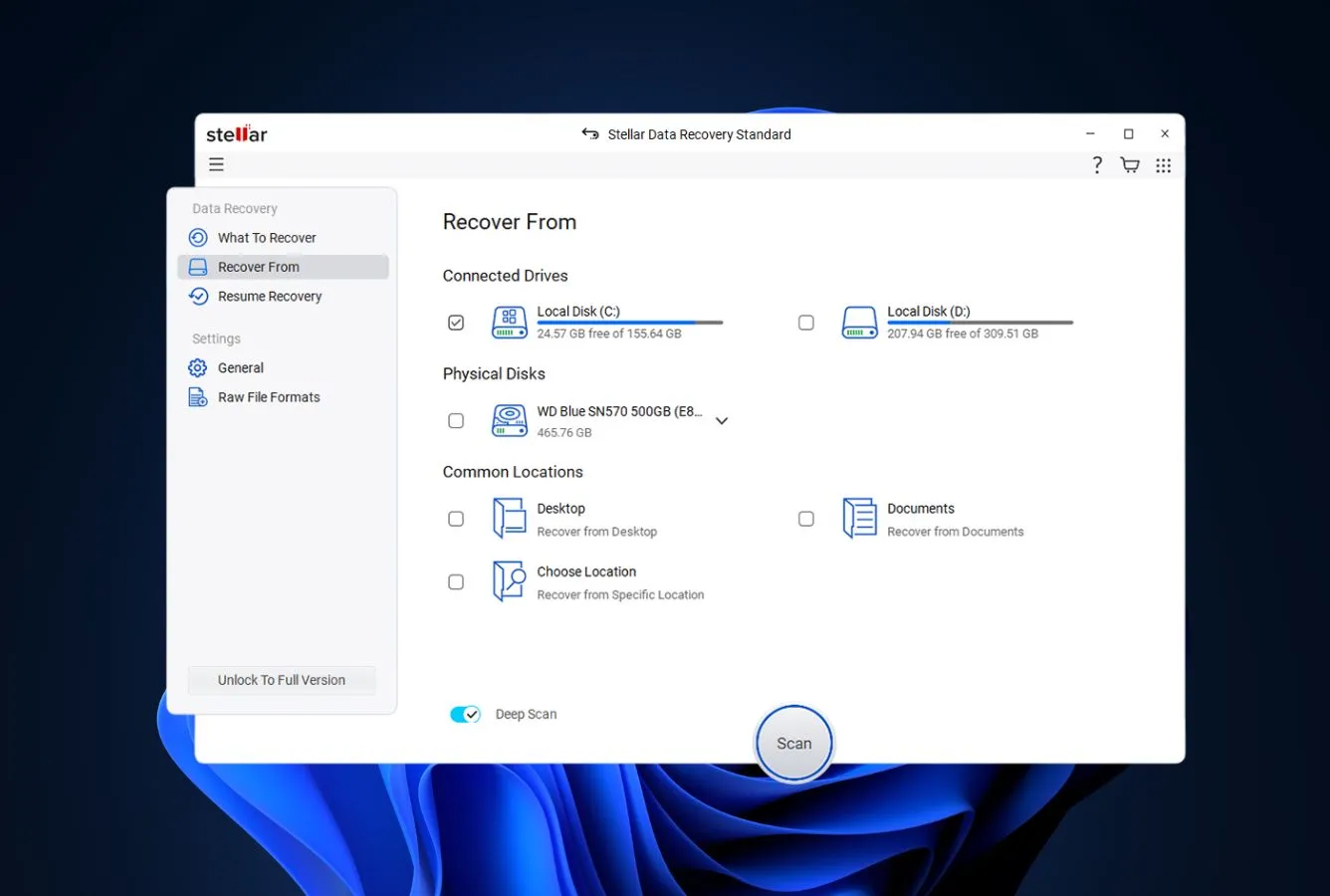
- 1EaseUS Data Recovery Wizard – Best Consumer NAS Wizard
- 2Wondershare Recoverit – Best Remote SSH Alternative
- 3Disk Drill – Best for Btrfs RAID and Mac Users
- 4ReclaiMe NAS Recovery – Best File-System Breadth
- 5Stellar Toolkit for Data Recovery – SHR + Windows Pro
- 6R-Studio – Enterprise mdadm and LVM2
- 7UFS Explorer Professional Recovery – SHR and Drobo Specialist
- 8DiskInternals NAS Recovery – Enterprise + Hardware RAID
8 Best NAS Data Recovery Software – Quick Comparison
Here’s how the 8 tools stack up across what matters most for NAS recovery — supported NAS brands, remote SSH scanning, file-system coverage, platform reach, and pricing. Overall-strength labels are editorial, not benchmark-based; the product cards below explain each ranking.
| Tool | Overall Strength | NAS Brands | Remote SSH | File Systems | Host OS | Free Limit | Starting Price |
|---|---|---|---|---|---|---|---|
| EaseUS Data Recovery Wizard | Excellent | Synology, QNAP, Buffalo, WD, NETGEAR, TerraMaster | Yes | ext4, Btrfs | Win + Mac | 2 GB free | $69.95 / mo |
| Wondershare Recoverit | Excellent | Synology, QNAP, Buffalo, WD, NETGEAR | Yes | ext4, Btrfs, BFS | Win + Mac | Preview + pay | $69.99 / yr |
| Disk Drill | Very Good | Synology SSH + Btrfs RAID | Yes | ext4, Btrfs | Win + Mac | Preview unlimited | $89 / yr |
| ReclaiMe NAS Recovery | Excellent | QNAP, Synology, Buffalo, NETGEAR, Asustor | Yes | ext4, Btrfs, XFS | Windows only | Preview only | $79.95 / session |
| Stellar Toolkit for Data Recovery | Very Good | Synology, Buffalo, QNAP, LaCie, Iomega | Offline only | NTFS, FAT, ext4 | Windows only | Preview only | $299 one-time |
| R-Studio | Excellent | Any (mdadm, LVM2, XFS, Btrfs) | Offline only | ext2/3/4, XFS, Btrfs | Win, Mac, Linux | 256 KB per file | $79.99 one-time |
| UFS Explorer Professional Recovery | Excellent | SHR, Drobo BeyondRAID, Btrfs-RAID, ZFS | Offline only | ext, XFS, Btrfs, ZFS, JFS | Win, Mac, Linux | Preview only | $695 one-time |
| DiskInternals NAS Recovery | Specialized | Synology, QNAP, Buffalo + hardware RAID | Offline only | ext, XFS, NTFS, ReFS | Windows only | Preview only | $249.95 one-time |
Overall-strength labels reflect editorial evaluation based on feature coverage, independent research, and user-feedback patterns — not an in-house benchmark. Pricing and free-tier limits are from the vendor’s current product pages as of April 2026.
8 Best NAS Data Recovery Software – In-Depth Reviews
1. EaseUS Data Recovery Wizard – Best Consumer NAS Wizard
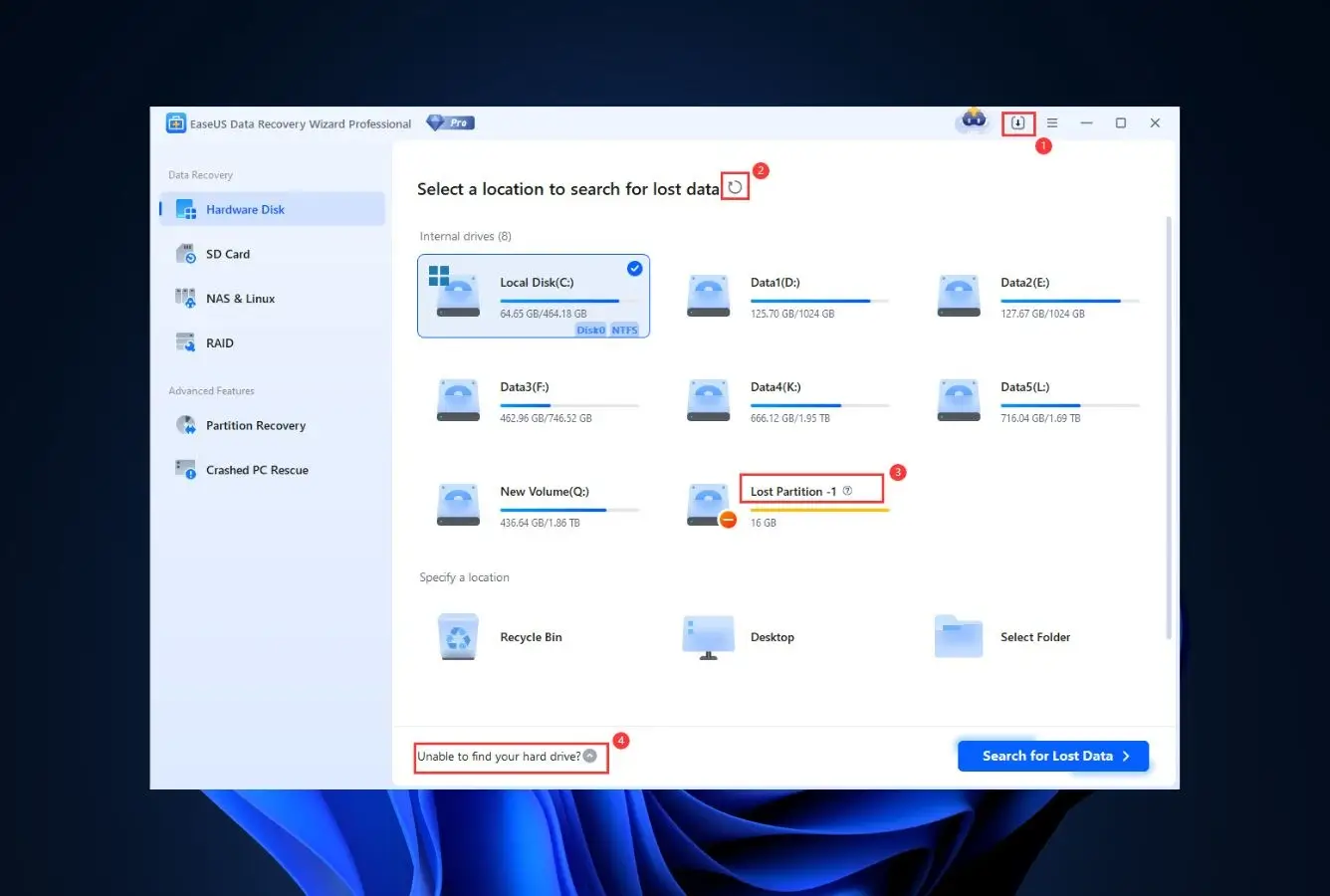
EaseUS Data Recovery Wizard wins this ranking because it turns NAS recovery into a three-click wizard without cutting corners on what matters. Pick “NAS and Linux” from the sidebar, choose NAS Recovery, and the software auto-lists every NAS device on your LAN — Synology, QNAP, Buffalo, WD, NETGEAR, TerraMaster, and Hikvision all show up without manual IP entry. Enable SSH on the NAS control panel, enter credentials, and EaseUS scans ext4 and Btrfs volumes over the network while the NAS itself stays operational. For a home or small-business user whose Synology DS923+ just lost a shared folder, this is the category’s fastest path from loss event to recovered files. The 2 GB free tier is large enough for most single-file rescues without any payment.
- Auto-discovers NAS devices on LAN without manual IP configuration
- Direct support for Synology, QNAP, Buffalo, WD, NETGEAR, TerraMaster, Hikvision
- 2 GB free tier usable for real single-file recovery without payment
- NAS wizard is the smoothest in the category for first-time users
- Covers ext4 and Btrfs — the two file systems most consumer NAS run
- Cross-platform host support for both Windows and Mac
- No native XFS support — Buffalo LinkStation users need a different tool
- Monthly subscription pricing adds up quickly if auto-renew isn’t cancelled
- No manual RAID builder for NAS with damaged metadata or unusual SHR layouts
Strong on mainstream consumer NAS; doesn’t pretend to be an enterprise tool.
EaseUS’s NAS engine handles the cases consumer NAS owners actually meet — accidentally deleted shared folders, emptied recycle bins, formatted volumes, firmware-update mishaps. File-system coverage is ext4 and Btrfs, the defaults on Synology and QNAP. What it doesn’t do is reconstruct damaged Synology Hybrid RAID layouts with mixed-size disks, rebuild from failed enterprise hardware controllers, or read XFS volumes on older Buffalo LinkStation models. For those cases, step down this ranking to ReclaiMe, UFS Explorer, or R-Studio. For everyday consumer NAS loss, EaseUS is the right default.
The easiest NAS recovery interface the category has.
EaseUS’s NAS workflow takes three explicit steps: select a NAS server from the auto-discovered list, enable SSH on the NAS control panel following on-screen instructions specific to your brand, and connect with username/password. The software handles IP detection automatically. A scan progress bar shows volume-by-volume progress; preview works for images, documents, and videos during scanning. The entire flow is wizard-driven with no technical vocabulary unless you deliberately go looking for it. For a first-time NAS recoverer at 11pm who just realized they deleted the family photo archive, this is the tool that doesn’t compound the stress.
Flexible pricing with a genuinely useful free tier.
EaseUS Data Recovery Wizard Pro is $69.95 monthly, $99.95 yearly, or $149.95 lifetime. The free tier recovers up to 2 GB without payment — large enough for a handful of photos or documents. For a single NAS recovery event, the monthly license at promotional pricing is often the cheapest path. Cancel auto-renew immediately after the charge clears. Over a three-year horizon, the $149.95 lifetime license matches Disk Drill exactly; the choice between them comes down to whether NAS wizard ease or RAID reconstruction depth matters more. For pure NAS work, EaseUS is the right choice.
2. Wondershare Recoverit – Best Remote SSH Alternative
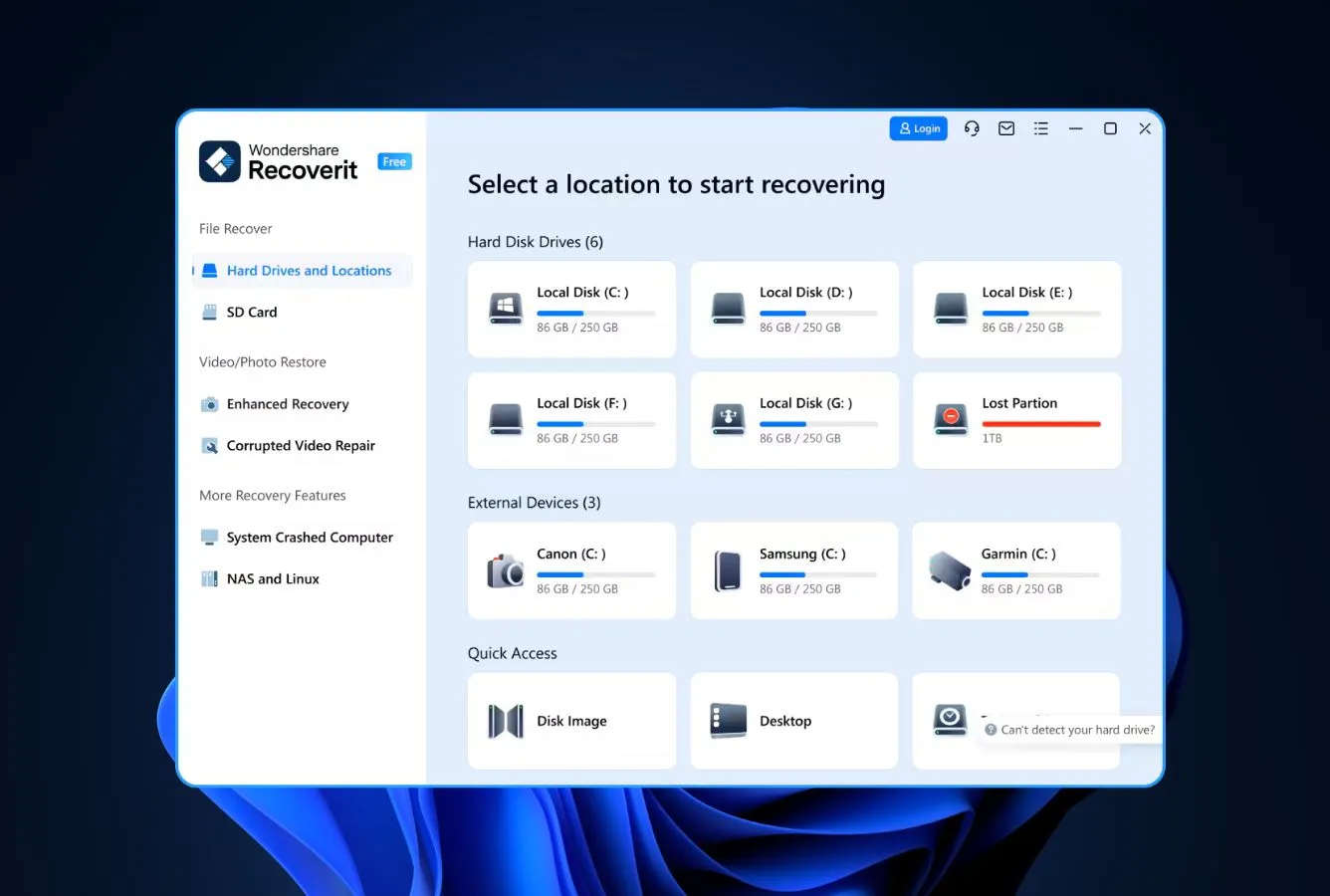
Wondershare Recoverit earns the second spot for a specific reason: its NAS workflow falls back to manual IP/port entry when auto-discovery doesn’t find your device, which happens more often than vendor documentation admits — VLANs, managed switches, or NAS devices on different subnets regularly break auto-discovery. Vendor documentation confirms support for over 600 Linux distributions underlying the NAS firmware, which helps with less common appliances (TrueNAS CORE, XigmaNAS, Rockstor). File-system coverage is ext4, Btrfs, and BFS. The free preview shows every recoverable file before payment. For anyone whose EaseUS wizard can’t find their NAS, Recoverit is the next tool to try.
- Manual IP/port entry works when auto-discovery fails on managed networks
- 600+ Linux distro compatibility covers less common NAS firmware
- Covers ext4, Btrfs, and BFS — broader than EaseUS’s matrix
- Free preview of every recoverable file before payment
- Advanced Video Recovery bundled for media-heavy NAS shares
- Cross-platform host support for Windows and Mac
- No XFS support — narrower than ReclaiMe or UFS Explorer
- Annual subscription pricing more expensive over time than lifetime licenses
- Wizard less polished than EaseUS’s for first-time NAS users
Broader firmware compatibility than EaseUS; same core engine.
Recoverit’s NAS engine handles the same core cases as EaseUS — deletions, formats, firmware-update loss events — across ext4, Btrfs, and BFS. The differentiator is breadth of Linux distribution support; vendor documentation lists compatibility with 600+ distros including the less common ones on DIY and enthusiast NAS builds. For a standard Synology or QNAP owner, the engine performs equivalently to EaseUS. For a TrueNAS or Rockstor user whose NAS runs an unusual kernel, Recoverit is more likely to connect successfully. Btrfs snapshot support matches the industry standard — subvolumes are readable, but complex snapshot generations still need UFS Explorer for best results.
Wizard-driven with escape hatches for less standard setups.
The NAS workflow lives under “NAS and Linux” in Recoverit’s sidebar. First screen auto-lists detected devices; second screen offers manual entry with IP, port, username, and password fields for cases where auto-discovery misses. The connection handshake takes 10–30 seconds depending on NAS load. From there, the scan streams results in real time; preview works during scanning. Less polished than EaseUS on first impression — more fields visible, slightly denser layout — but that extra density is what makes it usable on managed networks where EaseUS’s pure wizard approach can fail.
Subscription pricing makes sense for single-use; lifetime is available.
Recoverit Essential is $69.99 per year, Standard is $79.99, and Premium is $99.99. Lifetime is $119 — the best value for anyone expecting multiple NAS recovery events over the years. The free tier shows previews before payment, which is the right first test for NAS recovery: confirm files are recoverable before committing. For a single-event NAS rescue on a Synology or QNAP, buy the monthly license at its discounted rate and cancel immediately. For ongoing prosumer or home-lab use, the lifetime license pays for itself within two years.
3. Disk Drill – Best for Btrfs RAID and Mac Users
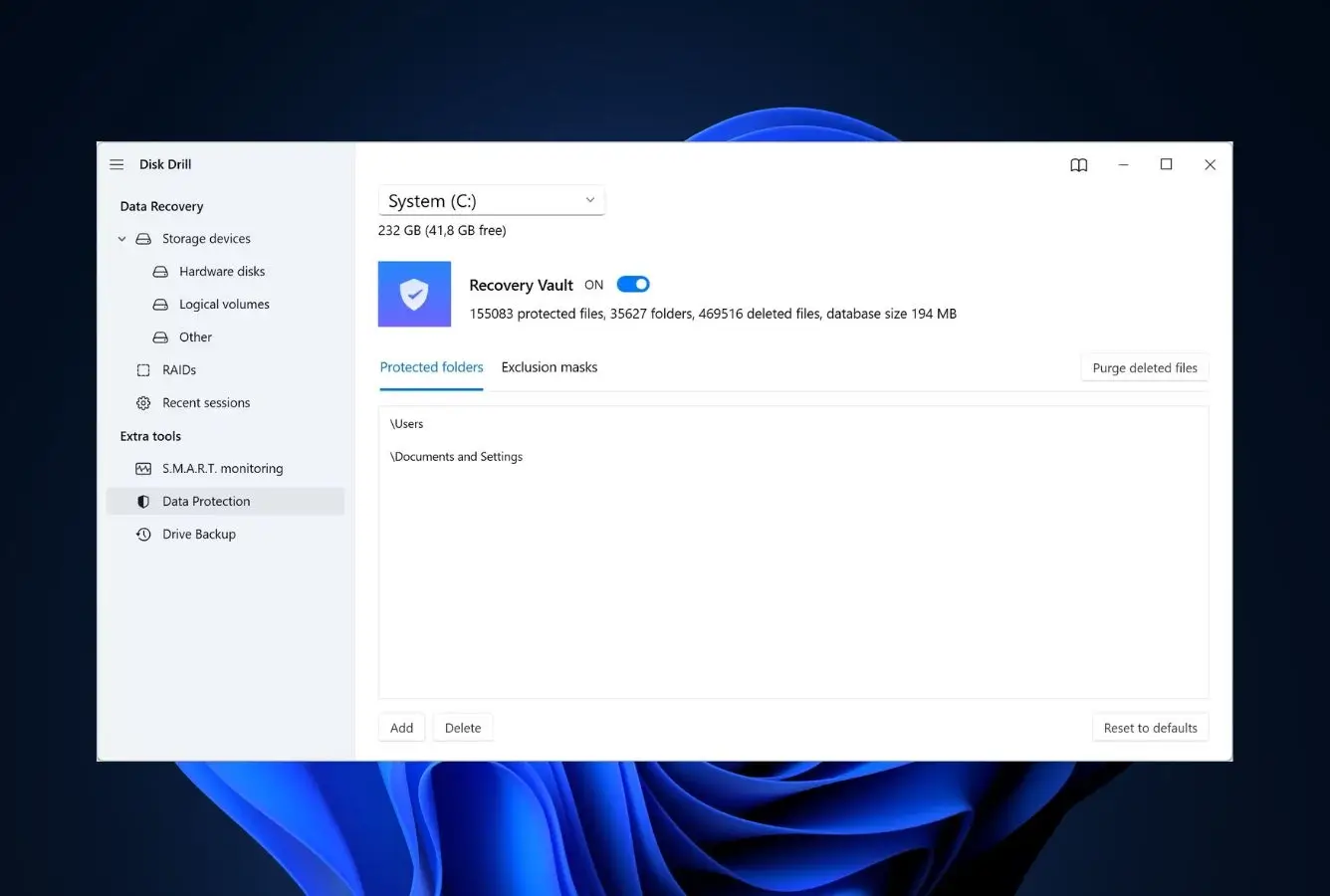
Disk Drill earns this spot for two specific capabilities the top two tools don’t match: automatic Btrfs RAID reconstruction for Synology SHR setups, and a Mac host build with full feature parity to the Windows version. For Synology owners whose NAS fails and they need to pull drives into a Mac Studio or MacBook Pro for offline recovery, Disk Drill is the only NAS-capable tool on this list where the Mac workflow isn’t a second-class citizen. Vendor documentation confirms support for EXT4, Btrfs, NTFS, and ReFS file systems on NAS arrays. Remote SSH scanning is supported for SSH-enabled NAS devices, though the workflow is less wizard-driven than EaseUS.
- Automatic Btrfs RAID reconstruction — Synology SHR and QNAP SHR both covered
- Full Mac host feature parity — the only NAS tool where Mac isn’t reduced
- Unlimited free preview of files before paying
- Single $149 lifetime license covers both Windows and Mac
- Recovery Vault adds undelete protection for actively written NAS shares
- Clean, modern interface closer to consumer apps than recovery tools
- No native XFS support — Buffalo LinkStation users still need ReclaiMe or R-Studio
- NAS wizard less smooth than EaseUS for first-time users
- No manual RAID builder — automatic reconstruction only
Two specific wins: Btrfs RAID and Mac host.
Disk Drill handles ext4 and Btrfs on NAS volumes with automatic reconstruction when RAID metadata is intact — which covers the large majority of consumer NAS recovery cases. The Btrfs RAID engine specifically handles Synology SHR (Synology Hybrid RAID) and QNAP’s similar layouts, auto-detecting the multi-level structure and presenting it as a single logical volume. This is the one area where Disk Drill pulls ahead of EaseUS and Recoverit. The Mac host build gets full feature parity — not a reduced Mac version with missing NAS support. For Mac-centric homes or design studios running Synology for media storage, Disk Drill is the right default.
The most polished interface in this ranking, with a less polished NAS wizard.
Disk Drill’s general UI is the category’s most consumer-app-like — modern, spacious, colored status indicators for every operation. The NAS-specific workflow sits under Storage Devices rather than having its own dedicated wizard, which means slightly more clicks than EaseUS’s dedicated NAS panel. For SSH-enabled NAS, enable SSH on the device, add the NAS as a custom storage device in Disk Drill, and scan. The density of options can feel excessive compared to EaseUS’s streamlined wizard; the tradeoff is more control for users who want it.
Cheapest serious NAS tool over multi-year horizons.
Disk Drill Pro is $89 per year or $149 one-time lifetime. The lifetime license covers both Windows and Mac — a real advantage over R-Studio, which requires separate licenses per platform. The free tier offers unlimited preview, letting you confirm recovery before paying. For anyone expecting to touch NAS recovery more than once over a few years, the $149 lifetime is cheaper than any subscription tool. For a single-event recovery on a standard NAS with intact metadata, EaseUS’s monthly tier is cheaper; for complex Btrfs RAID on a Mac, Disk Drill’s lifetime license earns its price.
4. ReclaiMe NAS Recovery – Best File-System Breadth
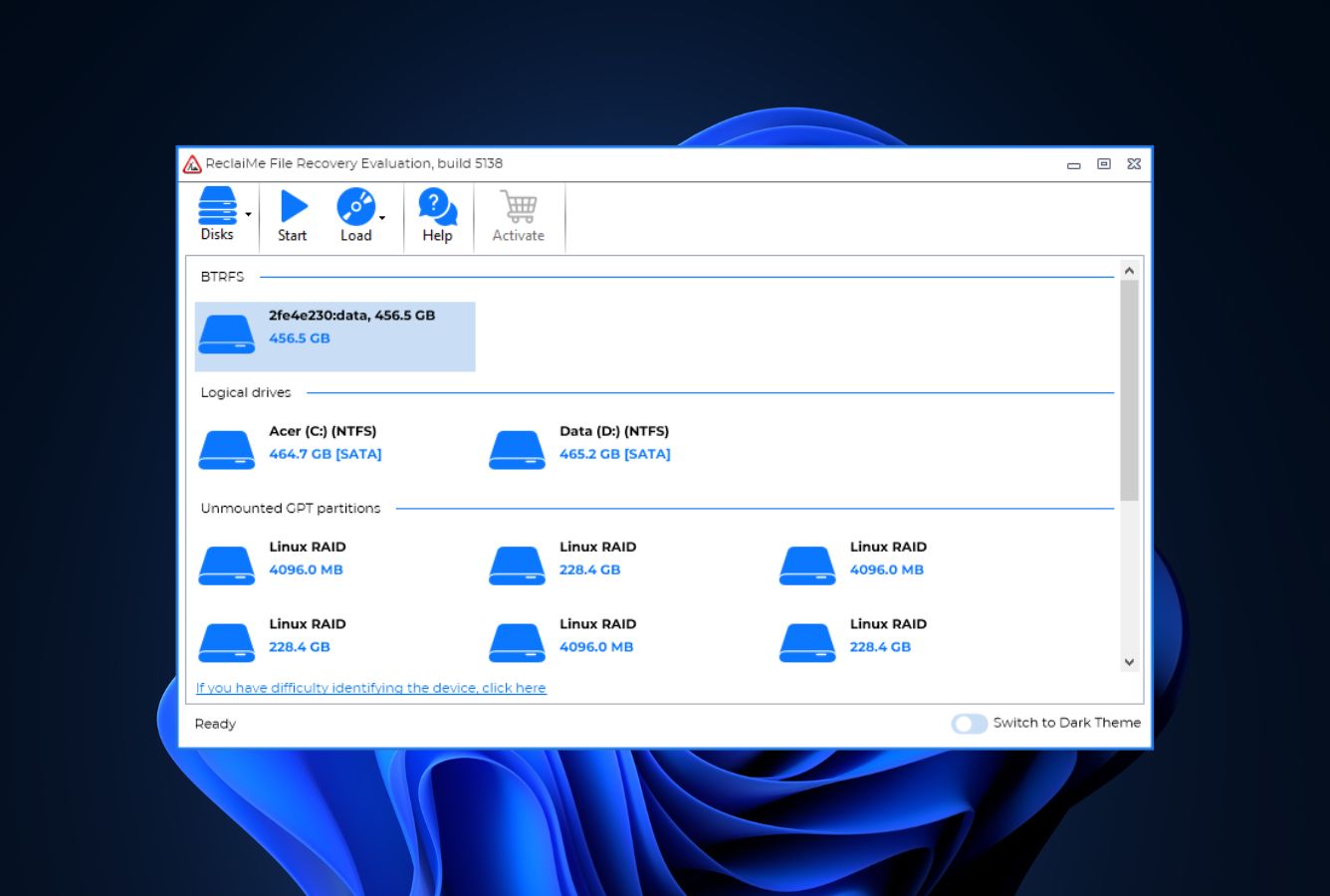
ReclaiMe NAS Recovery from the team behind ReclaiMe Free RAID Recovery is a paid, file-level NAS tool (distinct from their free parameter-detection utility). Vendor documentation confirms support for Synology SHR, QNAP, Asustor, NETGEAR, Buffalo, Seagate BlackArmor, and others over SSH. Critically, the tool covers ext4, Btrfs, and XFS — which makes it the only option above the pro tier that reads Buffalo LinkStation’s XFS volumes remotely. File-level recovery works directly from the running NAS over port 22; no drive removal needed. The honest limitation: ReclaiMe is Windows-only, has no Mac build, and the $79.95 per-NAS-session pricing is an unusual model that makes sense for single events but adds up for recurring use.
- Only consumer-tier tool in this ranking with XFS support for Buffalo LinkStation
- Reads Synology SHR’s multi-layer structure (MD-RAID + LVM + BTRFS) correctly
- Remote SSH scanning on port 22 to a running NAS
- Broad brand support: Synology, QNAP, Asustor, NETGEAR, Buffalo, Seagate
- Decades of data-recovery industry trust behind the ReclaiMe engine
- Windows only — no Mac or Linux native builds
- $79.95 per-session pricing is unusual and less predictable than subscriptions
- Interface is functional but less polished than Disk Drill or EaseUS
- SSH scanning is slow compared to drive-removal workflow
Best file-system breadth in the SSH-remote tier.
ReclaiMe NAS Recovery reads every common NAS file system: ext4 for most Synology and QNAP, Btrfs for newer Synology and NETGEAR ReadyNAS, XFS for Buffalo LinkStation and older Synology. The MD-RAID and LVM layer support handles Synology Hybrid RAID’s multi-tier structure correctly even when metadata is partially corrupted. For Synology SHR with mixed-size disks (the hardest recovery case), ReclaiMe’s dedicated handling of MD-RAID and LVM drivers is closer to UFS Explorer’s capability than to EaseUS’s. The tradeoff: Windows-only means Mac users need to use a separate host machine, and SSH scanning reads data over the network which is slower than direct SATA connections.
Focused, functional, honest about the technical depth it requires.
ReclaiMe’s NAS workflow opens with a LAN scan showing detected NAS devices; click Connect, enter credentials (typically “administrator” for the username), and scan. The interface is less visually polished than EaseUS or Disk Drill — fewer icons, more tables, classic Windows controls — but every control is labeled clearly and the workflow is straightforward. Where ReclaiMe shows its engineering roots: if auto-discovery fails or SSH isn’t available, the tool doesn’t pretend it’s a wizard problem. You’re told to remove drives and use ReclaiMe File Recovery instead. Honest delimitation over fake polish.
Unusual pricing model that makes sense for single events.
ReclaiMe NAS Recovery is $79.95 per NAS session — you license the tool for recovery from a specific NAS. For a single loss event on a Synology or QNAP, this is straightforward: pay once, recover, done. For ongoing use across multiple NAS devices, the per-session model gets expensive fast; that’s where ReclaiMe File Recovery (broader license, $179.95) or UFS Explorer Professional ($695) become more economical. Free download and demo preview are available to verify recovery before paying. For a Buffalo LinkStation XFS recovery specifically, the $79.95 session price is genuinely the best option at this tier.

5. Stellar Toolkit for Data Recovery – SHR + Windows Pro
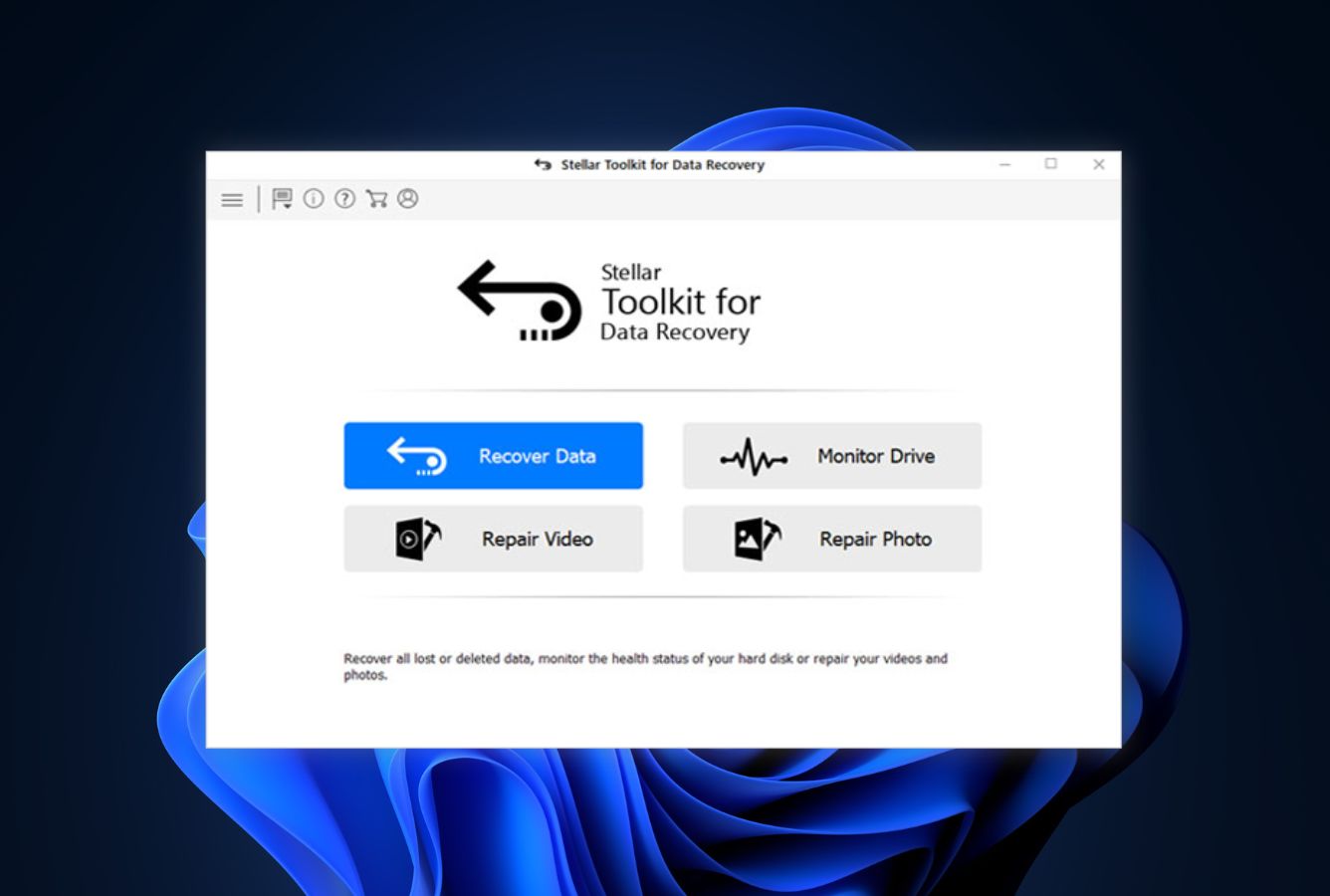
Stellar Toolkit for Data Recovery is the transition tool from consumer to professional NAS recovery. The Toolkit edition adds NAS-specific features to the standard Stellar Data Recovery Professional: support for Linux-based NAS devices from Buffalo TeraStation, Iomega StorCenter, Synology, LinkStation, QNAP, and LaCie; bootable WinPE media for crashed host recovery; and a manual RAID builder for when NAS metadata is damaged. Stellar’s NAS workflow is offline-only — you pull drives out of the NAS, connect them to a Windows host, and reconstruct the array inside Stellar. No remote SSH option. For small-IT and consultant use on failed or dead NAS devices where the top four tools can’t connect, Stellar is the first-choice upgrade.
- Handles Synology SHR, Buffalo TeraStation, QNAP, LaCie, and Iomega
- Manual RAID builder for when NAS metadata is damaged or missing
- Bootable WinPE media for recovery from a crashed host machine
- Preview before purchase — confirm files are recoverable first
- One-time license — no subscription lock-in
- Windows only — no Mac or Linux builds
- No remote SSH scanning — drives must be removed from NAS
- $299 starting price is above consumer tier without full enterprise capability
Strong on offline NAS array reconstruction; narrow on live NAS scanning.
Stellar Toolkit’s NAS strength is the drive-removed workflow: label disks, pull from the NAS, connect to a Windows host, and reconstruct. The manual RAID builder handles RAID 0, 5, and 6 with control over drive order, block size, and start sector. For Synology Hybrid RAID, the tool documentation confirms support for Linux-based Synology arrays; results on mixed-size SHR depend on metadata integrity. The tool doesn’t offer remote SSH scanning — for a live NAS with accidental deletion, use EaseUS or Recoverit. For a failed NAS where the OS won’t boot, Stellar is the first professional upgrade.
Wizard front-end, parameter editor in the back — practical for the target user.
Stellar’s main interface follows a wizard model: pick what to recover, pick the source, let the tool do the work. The RAID Recovery module is tucked into its own tab where you can switch to parameter editing when needed. Drive order is drag-and-drop; block size and start sector have “probable values” checkboxes that try common offsets automatically. For a prosumer stepping up from EaseUS or Recoverit, Stellar is the natural next step. For a pro already comfortable in R-Studio, this is a simplification that costs some power.
Expensive for consumers; reasonable for small-IT professionals.
Stellar Toolkit for Data Recovery runs around $299 one-time. For context, Stellar Data Recovery Technician (without the full Toolkit) starts at about $199 and still covers basic RAID. The Toolkit adds bootable media creation, broader NAS brand support, and the manual RAID builder. For a home user with a healthy Synology, this is overkill — use EaseUS. For a consultant or small-IT shop that occasionally encounters failed NAS devices from multiple vendors, $299 one-time covers multiple jobs and pays for itself quickly.
6. R-Studio – Enterprise mdadm and LVM2
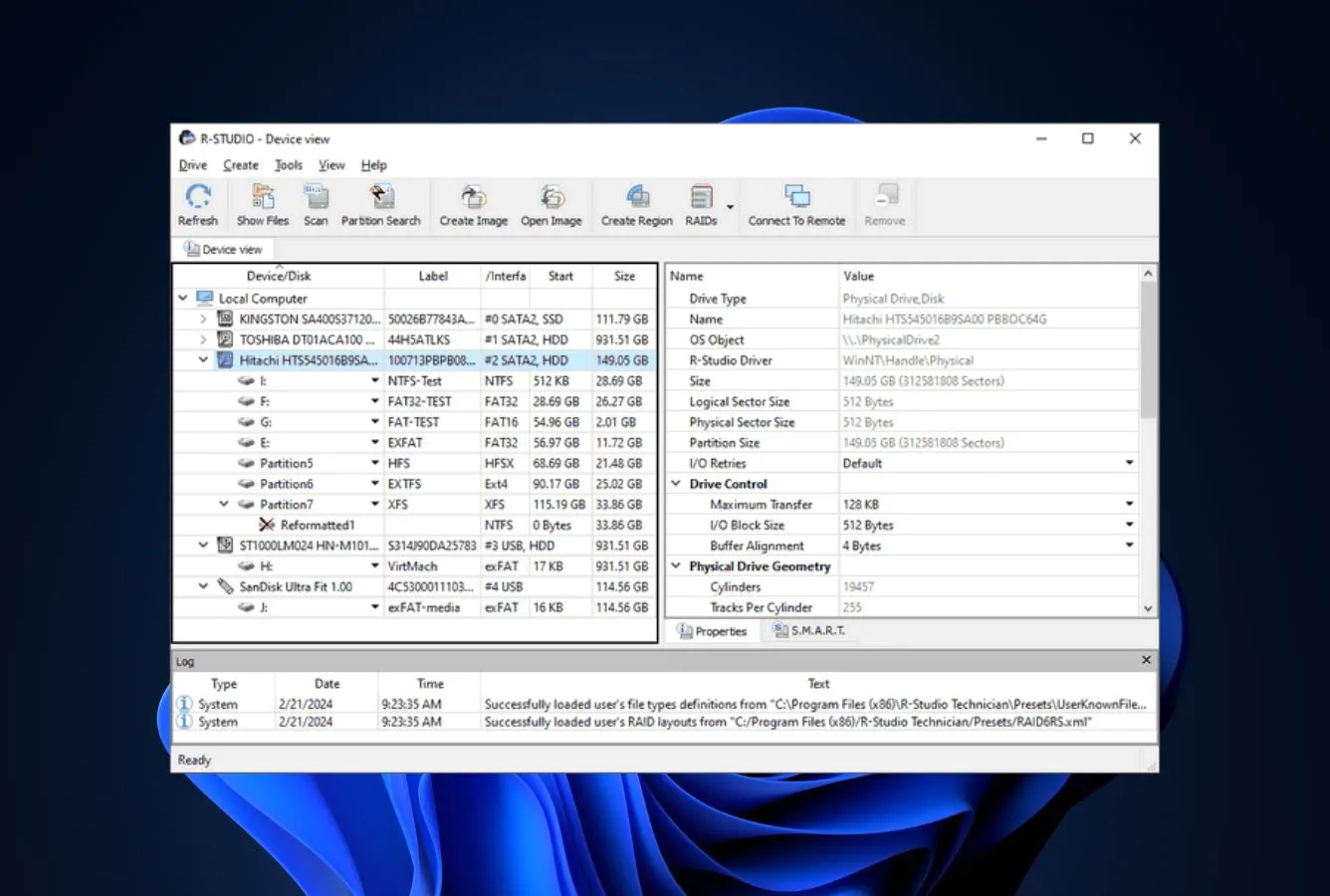
R-Studio is the professional NAS tool — what data recovery pros and hddguru forum veterans reach for when consumer tools give up on a dead NAS. R-Studio reads Linux mdadm software RAID, LVM/LVM2 logical volumes, Apple software RAID, Windows Storage Spaces, plus all standard and nested RAID levels from the same binary. For any Linux-based NAS (which is almost all of them — Synology, QNAP, Buffalo, TerraMaster, TrueNAS CORE, most enterprise units), R-Studio handles the offline reconstruction workflow: pull the drives, connect them to the R-Studio host, and the software rebuilds the virtual array automatically or with manual parameter control. The $79.99 one-time price is the category’s price outlier for pro-grade capability.
- Reads Linux mdadm and LVM2 — the core technologies on all Linux-based NAS
- All standard and nested RAID levels covered, including custom layouts
- Automatic parameter recognition for RAID 5 and 6 with missing metadata
- Native builds for Windows, Mac, and Linux from the same product family
- Hex editor and network recovery over TCP/IP built in
- $79.99 one-time — cheapest serious pro-tier NAS tool
- No remote SSH scanning — offline drive-removal workflow only at base tier
- Interface is dense and assumes RAID and file-system vocabulary
- Demo mode limited to 256 KB per file — preview-only for real recovery
- License keys not interchangeable between Win, Mac, and Linux builds
The deepest NAS RAID coverage in the ranking for offline work.
R-Studio reads Linux mdadm (the software RAID technology underlying almost every Linux-based NAS), LVM/LVM2 logical volumes (the layer on top of mdadm on many NAS systems), Apple software RAID, and Windows Storage Spaces — plus all standard and nested RAID levels. Automatic parameter recognition handles RAID 5 and 6 reconstruction without manual input, which solves the hardest problem in failed-NAS recovery. File system coverage spans ext2/3/4, XFS, Btrfs, and UFS variants. For a Synology DSM that won’t boot or a QNAP QTS with corrupted metadata, R-Studio’s offline reconstruction handles cases most consumer tools can’t touch.
Powerful, dense, and actively hostile to first-time users — by design.
R-Studio’s interface presents physical disks and partitions in a tree, scan settings as explicit parameters (block size, sector range, known file types), and an integrated hex editor for direct inspection. The RAID construction dialog is a grid editor: drive slots, offsets, parity rotation direction, block size in sectors. For anyone who knows what they’re looking at, every control is one click away. For anyone who doesn’t, plan for an hour of documentation reading before the first real recovery. This is a professional tool — the density is the value.
The best dollar-per-NAS-capability ratio in the professional tier.
R-Studio standard is $79.99 one-time for a single operating system (Windows, Mac, or Linux — per-platform license keys). R-Studio Network at $179.99 adds remote NAS recovery over LAN and network file access. Technician at $899 adds portable USB deployment, which matters for consultants working on client NAS devices at their sites. Even at Technician pricing, R-Studio undercuts Stellar Toolkit and DiskInternals NAS Recovery. For a sysadmin, consultant, or anyone managing multiple Linux-based NAS devices, this is the tool whose learning curve earns its keep over a multi-year horizon.
7. UFS Explorer Professional Recovery – SHR and Drobo Specialist
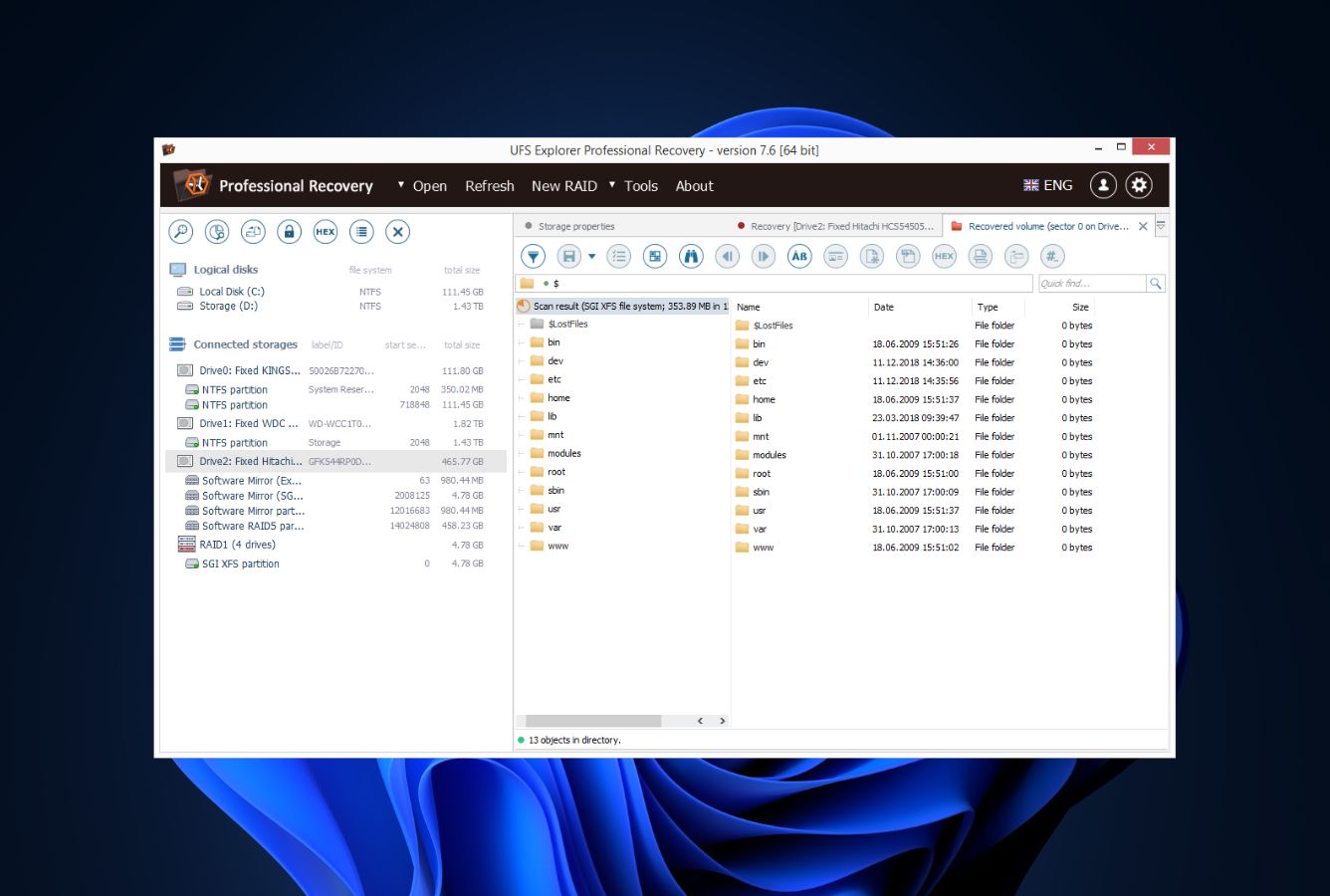
UFS Explorer Professional Recovery from SysDev Laboratories is the NAS specialist’s tool — the one that reads vendor-specific NAS RAID layouts others can’t. Vendor documentation specifically lists support for Synology Hybrid RAID (SHR), QNAP SHR, Drobo BeyondRAID, Btrfs-RAID, and ZFS pool reconstruction. For a failed NAS with mixed-size drives running SHR — the hardest consumer NAS recovery case — UFS Explorer is the first tool that correctly sees the multi-layer structure. File-system coverage spans ext2/3/4, XFS, Btrfs, ZFS, JFS, and F2FS — the broadest matrix in this ranking. The interface is functional but visibly dated; the $695 starting price reflects the specialist positioning.
- Explicit Synology SHR, QNAP SHR, Drobo BeyondRAID, Btrfs-RAID support
- ZFS pool reconstruction for TrueNAS and enterprise Linux NAS
- Broadest file-system matrix on this page — ext, XFS, Btrfs, ZFS, JFS, F2FS
- Handles mixed-size disk SHR correctly when other tools fail
- Native Windows, Mac, and Linux builds
- Custom RAID Builder with live preview during parameter adjustment
- $695 starting price is highest on this page outside of enterprise tools
- Interface is functional but visibly dated
- Learning curve assumes NAS and RAID vocabulary
- No remote SSH scanning — offline drive-removal workflow only
The one tool that reads every NAS-specific RAID layout.
UFS Explorer’s NAS edge is vendor-specific layout support: Synology Hybrid RAID’s combination of multiple internal RAIDs plus JBOD, Drobo BeyondRAID’s variable-disk layout, Btrfs-RAID’s copy-on-write metadata, and ZFS pools for TrueNAS. The adaptive reconstruction of RAID 1, 5, and 6 uses bad-sector maps from imaging to skip damaged regions — genuinely useful when drives are failing. File-system coverage is the broadest on this page, which matters for enterprise NAS running non-standard setups. For a recovery professional seeing a mixed-size Synology SHR or a damaged Drobo, this is often the first tool that reads the volume correctly.
Capable and dense; not visually modern.
The UFS Explorer Professional GUI organizes around three panes: detected storage on the left, preview in the middle, file list on the right. The RAID Builder lives in its own workspace. Every parameter is clearly labeled, keyboard shortcuts are consistent, and scan sessions save and resume. What the interface isn’t is modern — icons are older-Windows style, color palette is utilitarian, high-DPI display scaling is imperfect. For anyone who cares about polish, Disk Drill wins. For anyone who cares about reading obscure NAS layouts correctly, UFS Explorer is the tool.
Enterprise-tier pricing for genuinely enterprise-grade capability.
UFS Explorer Professional Recovery is $695 one-time for the Personal license. Commercial and Corporate licenses are higher still. For a single failed Synology SHR with mixed-size drives and damaged metadata, the $695 is worth it — no other tool in this ranking reliably handles that case. For a home user with a healthy Synology needing to restore an accidentally deleted folder, EaseUS at $69 solves it. The value case for UFS Explorer is narrow: specifically when you have a failed NAS with unusual RAID layouts where other tools can’t see the volumes correctly.

8. DiskInternals NAS Recovery – Enterprise + Hardware RAID
DiskInternals NAS Recovery earns this spot for one specific capability: support for enterprise hardware RAID controllers on NAS appliances. Vendor documentation confirms compatibility with Adaptec, Dell, HP, MegaRAID, and Silicon controllers — the enterprise gear under rack-mount NAS devices. The tool handles RAID 0, 1, 4, 5, 5EE, 5R, 6, 50, 60, and JBOD across Apple, Linux, UNIX, and Microsoft software RAID. A Recovery Wizard guides less-technical IT staff through the process; manual drag-and-drop RAID assembly is available for power users. The honest tradeoffs: Windows-only with no Mac or Linux build, interface less polished than Disk Drill, and starting price above most alternatives.
- Direct support for Adaptec, Dell, HP, LSI/MegaRAID, Silicon enterprise controllers
- Broad RAID level coverage including enterprise-specific 5EE, 5R, 50/60
- Apple, Linux, UNIX, and Microsoft software RAID all in one tool
- Recovery Wizard guides less-technical IT staff through the process
- Manual drag-and-drop RAID assembly for unusual configurations
- Windows only — no Mac or Linux builds
- Starting price $249.95 is above most alternatives in this ranking
- No bootable media or disk image recovery in the standard edition
- Interface is functional but visibly dense compared to top picks
Hardware controller support is where this tool uniquely earns its place.
DiskInternals NAS Recovery’s distinguishing capability is controller-level integration for enterprise NAS appliances — the rack-mount devices running Dell PERC, HP Smart Array, Adaptec, or LSI/MegaRAID controllers. For consumer NAS (Synology, QNAP, Buffalo), DiskInternals works like the others: connect drives individually, let the software detect the array, virtually reconstruct, scan for files. For enterprise NAS where the controller is part of the equation, DiskInternals reads controller metadata directly in a way most tools can’t. Level coverage is broad: RAID 0, 1, 4, 5, 5EE, 5R, 6, 50, 60, and JBOD.
Wizard-driven, but visibly less polished than top picks.
The main interface lists attached storage in a tree with RAID detection happening automatically on launch. The Recovery Wizard walks new users through a standard scan; advanced users switch to manual mode and drag drives into RAID positions directly. Where the interface falls short compared to Disk Drill or EaseUS is density — too many options exposed at once, some labels assume RAID and controller vocabulary without explanation. For an enterprise IT admin already working through vendor documentation, the density isn’t a dealbreaker; for a first-time recoverer, the learning curve is steeper than it needs to be.
Expensive, but the hardware controller feature is genuinely rare.
DiskInternals NAS Recovery Standard is $249.95 one-time; Enterprise reaches $1,495 with multi-seat licensing. This is the highest starting price in the consumer-accessible portion of this ranking. The value case depends on your environment: if you run enterprise NAS with hardware controllers from Dell, HP, or Adaptec, no cheaper tool offers the same compatibility. If you run consumer NAS (Synology, QNAP, Buffalo), R-Studio at $79.99 or UFS Explorer Professional at $695 delivers equivalent or better results for NAS work. Buy DiskInternals when the enterprise hardware controller integration specifically matches your environment.
How We Ranked NAS Data Recovery Software
Ranking NAS recovery tools means serving two audiences with different operational realities — home and small-business users whose NAS is still running and who just need to recover a deleted folder, and IT professionals dealing with failed or partially-booting NAS appliances.
A mixed ranking has to serve both. We evaluated 20 candidates through a layered research approach: vendor documentation for feature baselines, independent third-party testing for cross-reference, and community feedback from r/synology, r/homelab, r/sysadmin, hddguru, and long-running storage forums.
NAS brands covered: Synology (DSM on ext4 and Btrfs), QNAP (QTS on ext4 and QSM), Buffalo (TeraStation, LinkStation on XFS), Western Digital (My Cloud, EX-series), NETGEAR ReadyNAS (Btrfs), TerraMaster (TOS), Asustor, Hikvision, plus enterprise Dell PowerVault, HP Apollo, and DIY TrueNAS and XigmaNAS builds.
Key factors weighted: NAS brand and file-system coverage (30%), remote SSH scanning vs offline-only workflow (20%), interface type and learning curve for the tool’s target user (15%), pricing and free-tier generosity (15%), platform coverage across Windows, Mac, and Linux hosts (10%), and advanced features like SHR reconstruction and hardware controller support (10%).
Individual test runs, per-tool notes, and our NAS-specific scan logs live on our full methodology page. Start there if you want the underlying notes behind any claim on this page.
NAS Data Recovery Software – Honorable Mentions
Six tools we considered but didn’t include in the main ranking. Each has a niche strength or specific limitation that kept it out of the top 8 — none are bad, they’re just narrower in scope or better suited to specialized cases.
How to Choose the Right NAS Recovery Tool
NAS recovery isn’t one problem — it’s five related ones that happen to share a category page. The factors below walk through what actually changes which tool you should pick, from whether the NAS is still running to whether your loss event is logical or hardware-level.
Is the NAS Still Running?
If the NAS still boots and the web UI still loads, you’re in the easy case. EaseUS, Wondershare Recoverit, Disk Drill, and ReclaiMe NAS Recovery all offer remote SSH scanning — enable SSH on the NAS control panel, connect from the recovery tool over the LAN, scan the volume without removing any drives. This is the safest workflow because nothing physical changes on the NAS during recovery.
If the NAS doesn’t boot, shows blinking error lights, or refuses to mount the volume, you’re in the harder case. Pull the drives out, label each by bay position, and connect them individually to a Windows or Mac host via SATA or USB-to-SATA adapters.
Stellar Toolkit, R-Studio, UFS Explorer Professional, and DiskInternals NAS Recovery all support this offline workflow. The drive-removal approach is slower but more powerful — recovery tools read raw data without any NAS OS in the way.
What Brand of NAS and File System?
Synology is the most common consumer NAS and runs ext4 on older models, Btrfs on newer DS+ units. Every tool in the consumer tier here handles Synology. QNAP runs ext4 with the QSM layer on top — EaseUS, Recoverit, and Disk Drill all handle it. Buffalo LinkStation commonly uses XFS, which narrows your options to ReclaiMe, UFS Explorer, R-Studio, or DiskInternals.
NETGEAR ReadyNAS runs Btrfs; EaseUS, Recoverit, Disk Drill, and ReclaiMe all cover it. TerraMaster runs TOS on ext4 and is covered by EaseUS specifically. For TrueNAS or enterprise NAS running ZFS, UFS Explorer Professional is the reliable option. Our Linux data recovery guide covers the file-system side in more depth since all mainstream NAS runs Linux underneath.
What Caused the Data Loss?
Accidental deletion is the easiest case — a family member or coworker emptied a shared folder. Any NAS-capable tool handles it. Check the NAS Recycle Bin first (Synology, QNAP, and Buffalo all offer one if it was enabled). If the file isn’t there, run EaseUS or Recoverit’s remote scan.
Formatted volume (often during a firmware upgrade gone wrong) is harder but still recoverable with consumer tools. Multiple drive failures on a RAID 5 or a degraded SHR with mixed sizes — that’s the UFS Explorer or R-Studio case.
Ransomware specifically targeting NAS devices (DeadBolt, Qlocker, eCh0raix) requires a specialist recovery workflow; stop using the NAS immediately, don’t pay ransom, and contact a specialist. Our best RAID recovery software guide covers the RAID-specific loss cases in detail.
Platform — Are You on Mac or Windows?
Windows hosts have the most NAS tool options — every tool in this ranking has a Windows version. For Mac hosts, Disk Drill is the one with genuine full feature parity between the two platforms. EaseUS, Wondershare Recoverit, and R-Studio all have Mac builds with varying levels of NAS-specific feature coverage. ReclaiMe, Stellar Toolkit, and DiskInternals are Windows-only.
For cross-platform IT environments where both Windows and Mac hosts are available, Disk Drill or R-Studio are the most flexible. R-Studio Network at $179.99 specifically adds LAN-based recovery across multiple host platforms, useful for consultants who arrive at client sites with whatever hardware they can carry.
Failing Drives — Image First
If any NAS drive shows SMART warnings, clicks, or stalls during reads, image it with ddrescue before running recovery tools. Images are safer to work with than failing physical drives — you can try multiple recovery tools against the same image without further wear. Disk Drill, R-Studio, and UFS Explorer all accept disk images as sources.
This matters especially for NAS because arrays often fail in sequence — one drive dies, the rebuild process stresses the remaining drives, and a second drive fails mid-rebuild. If your array is degraded and the NAS is still trying to rebuild, power it off before more drives fail. Our best hard disk repair tool guide covers the imaging workflow in detail.
Pricing: Subscription vs Lifetime
For consumer NAS work, the pricing tiers split clearly. Monthly licenses ($30–$70 at promotional rates) work for single-event recovery; buy, use, cancel auto-renew. Annual subscriptions ($69–$89) make sense if you expect recurring work. Lifetime licenses ($119–$149) beat both over multi-year horizons and are the right choice for home-lab and prosumer use.
Professional-grade NAS tools are mostly one-time licensing. R-Studio at $79.99 is the best value in the pro tier, period. UFS Explorer Professional at $695 is specialist pricing for specialist capability. Stellar Toolkit at $299 and DiskInternals NAS Recovery at $249.95 sit in the middle. For any consultant or IT admin working with failed NAS devices more than a few times per year, the pro tier pays for itself quickly.
When Software Recovery Won’t Work on a NAS
Not every NAS failure is recoverable by software. Some cases are genuinely lost to physical or cryptographic realities, and recognizing them early saves time and reduces the risk of making things worse with repeated scan attempts.
| Your situation | Software can help? | What to do instead |
|---|---|---|
| Ransomware encrypted all NAS files (DeadBolt, Qlocker, eCh0raix) | Rarely | Don’t pay ransom; check No More Ransom project for decryptor; consult specialist |
| Two or more drives physically failed on RAID 5 array | No | Cleanroom recovery service for the failed drives; software can’t reconstruct missing parity |
| Accidental delete, NAS still running, Recycle Bin empty | Yes | EaseUS or Recoverit via remote SSH scan |
| NAS OS won’t boot, volume won’t mount, drives appear healthy | Often yes | Remove drives, connect to host; Stellar Toolkit, R-Studio, or UFS Explorer |
| Synology SHR with mixed-size disks, damaged metadata | Sometimes | UFS Explorer Professional or ReclaiMe File Recovery |
NAS Ransomware (DeadBolt, Qlocker, eCh0raix)
NAS devices became a major ransomware target starting in 2021, and the campaigns continue today. DeadBolt targets QNAP devices, encrypts shared folders, and demands Bitcoin. Qlocker is similar against QNAP. eCh0raix hits both Synology and QNAP. The common pattern: the NAS is exposed to the internet (often through UPnP or misconfigured port forwarding), and the attacker exploits a known firmware vulnerability.
If you’re hit, don’t pay the ransom — there’s no guarantee the decryption key works, and paying funds future attacks. Check the No More Ransom project for free decryptors specific to your ransomware variant. Some variants have working free decryptors; most don’t. For lost data, restore from backup if you have one. For no backup, you’re often out of options that don’t involve specialist recovery services.
Multiple Drive Failures on RAID 5 or 6
RAID 5 survives one drive failure; RAID 6 survives two. Anything beyond that and parity can no longer reconstruct the missing data.
The exception: if one of the “failed” drives is actually intact but was ejected by the NAS controller for read errors, software tools like R-Studio or UFS Explorer can sometimes assemble a working array by including the false-fail drive. For genuinely dead drives on a failed RAID, cleanroom recovery is the only option. Our best RAID recovery software guide covers the multi-drive failure cases in more depth.
Physical Drive Damage
If NAS drives click, beep, or stall during reads, they’re failing physically. Continued reads can turn a borderline drive into a total loss. Power down the NAS immediately. Image each suspect drive with ddrescue before running recovery software against it. For drives where ddrescue itself fails, cleanroom work is needed — costs typically run $500–$2,000 per drive depending on the failure type.
Synology Active Backup Configurations
If your NAS ran Synology Active Backup or similar integrated backup/recovery services, the normal recovery workflows may not work as documented. These services use proprietary storage formats that don’t reconstruct from raw drives the same way standard ext4 or Btrfs volumes do.
For these cases, contact Synology support first — sometimes the data is recoverable through their own tools. For third-party recovery on Active Backup volumes, ReclaiMe explicitly flags this as a scenario where their normal workflow may fail.
Overwritten Data
Once new data has been written over old blocks on the NAS, no software recovers the original. This most commonly happens when users keep using the NAS after noticing the problem — new files trigger updates to the same blocks that held the lost data.
The rule: the moment you realize data is missing, stop all writes to the NAS. Disable scheduled backups writing to it. Pause any sync clients that might be adding files. Every additional write reduces what’s recoverable.
Pause cloud sync clients, disable scheduled backups, and prevent any new file writes to the affected volume. Never let the NAS rebuild a degraded array until you’ve imaged member drives. Never install recovery software onto a drive that’s part of the NAS you’re recovering.
Built-in NAS Options Before Installing Anything
Before reaching for third-party recovery tools, check what the NAS itself already offers. For simple loss scenarios, the built-in path is faster and safer than any scan tool.
Network Recycle Bin
Most consumer NAS brands offer a Network Recycle Bin that captures deleted files for configurable retention periods. Synology’s Recycle Bin lives per shared folder in Control Panel → Shared Folder; QNAP’s Network Recycle Bin is in the @Recycle folder at the root of each share.
Buffalo and WD have similar features on newer firmware. If the feature was enabled before the loss, your files are likely one click away from restoration — no recovery software needed.
Snapshot Features
Synology’s Snapshot Replication (DSM 6+), QNAP’s Storage & Snapshots, and TrueNAS’s ZFS snapshots all capture volume state at configured intervals. If snapshots were enabled before the loss, browse to the relevant snapshot and restore the files or the entire volume state. This is faster than any scan tool and works without third-party software.
Check your NAS for snapshot configuration before concluding data is lost. The setting is often enabled by default on DSM 6+ for Btrfs volumes but disabled for ext4. If snapshots weren’t enabled, this is the moment to turn them on for the future.
NAS-Integrated Cloud Backup
Synology Hyper Backup, QNAP HBS 3, Buffalo Backup Utility, and similar built-in tools often replicate NAS data to cloud services (Synology C2, AWS S3, Backblaze B2, Google Drive). If any of these were configured before the loss event, check the cloud backup first — restoration from cloud is always faster and more reliable than recovery from physical drives.
Mandatory Reminder: NAS Is Not a Backup
The RAID in your NAS protects against single-drive hardware failure. It doesn’t protect against accidental deletion, ransomware, firmware bugs, controller failure, power surges, theft, fire, or flood. If your NAS holds data that would hurt to lose, you need a separate backup — cloud sync, external drive, second NAS, whatever fits your budget. Before spending $69–$699 on recovery software, verify that backup exists. If it does, use it.
Check the NAS Network Recycle Bin, snapshots, and cloud backup before installing recovery software. One of these solves the majority of consumer NAS losses without any third-party tool.
Final Verdict
EaseUS Data Recovery Wizard is the best NAS data recovery software in 2026 for most users. It combines automatic NAS discovery across Synology, QNAP, Buffalo, WD, NETGEAR, TerraMaster, and Hikvision with the smoothest wizard in the category, a 2 GB free tier that handles real single-file rescues, and $149.95 lifetime pricing that undercuts every specialist alternative over multi-year horizons.
Wondershare Recoverit is the close second and the right pick when EaseUS’s auto-discovery fails on managed networks or DIY NAS builds. Disk Drill wins for Mac-host environments and Btrfs RAID reconstruction; ReclaiMe NAS Recovery is the tool that reads XFS and SHR file systems the top three skip.
Stellar Toolkit for Data Recovery bridges consumer and pro with offline RAID reconstruction. R-Studio is the industry standard for enterprise mdadm and LVM2 at $79.99 one-time — the category’s price outlier.
UFS Explorer Professional Recovery is the specialist for SHR, Drobo BeyondRAID, and ZFS when other tools can’t see the volume correctly. DiskInternals NAS Recovery covers the enterprise hardware RAID controller case. Pick the tool that matches the specific NAS and loss event, not the one with the loudest marketing.
Frequently Asked Questions
About the Authors


Data Recovery Fix earns revenue through affiliate links on some product recommendations. This does not influence our rankings — all tools are evaluated independently based on documented research, independent testing from external sources, vendor documentation, and community feedback, before any affiliate relationships are considered. If anything on this page looks inaccurate, outdated, or worth revisiting, please reach out at contact@datarecoveryfix.com and we’ll review it promptly.