EaseUS Data Recovery Wizard Windows Review (2026)
EaseUS Data Recovery Wizard is one of the most recognizable names in data recovery. Developed by Chengdu Yiwo Tech (trading as EaseUS), a Chinese software company founded in 2004, it has built a large user base through aggressive marketing, a generous 2 GB free tier, and broad capability coverage. Our review aggregates vendor documentation, independent external evaluation, and community feedback for v17.6 to evaluate where the tool's strengths and limits actually lie.
tests, user reports
Windows
v17.6

Strong, well-rounded performance across the most common Windows recovery scenarios. Independent testing consistently places EaseUS in the upper tier for deleted-file and formatted-drive recovery on NTFS, with broad RAW camera-format coverage. Built-in JPEG and MP4 repair during recovery is a meaningful differentiator. The trade-offs: an annual subscription model and a higher price than some competitors. For most Windows users facing typical data-loss scenarios, it is the most well-rounded paid choice.
✓ What We Liked
- Strong recovery across deleted, formatted, and corrupted-drive scenarios — in the upper tier across multiple independent evaluations
- 200+ file type support including extensive RAW camera formats (CR2, CR3, NEF, ORF, ARW, DNG)
- Built-in repair for corrupted JPEG photos and MP4/MOV videos during recovery
- Clean, modern interface — one of the easiest recovery tools to use
- 2 GB free recovery tier — among the most generous free options
- NAS recovery via SSH and RAID support included in Pro
- WinPE bootable media for crashed system recovery
✕ What We Didn’t
- Annual subscription at $99.95/year is on the higher end versus lifetime-license competitors
- Monthly option ($69.95) is poor value for a one-time recovery — lifetime license at $149.95 is a better deal
- File preview limited to 100 MB per file — minor inconvenience for very large files
Research Methodology
This review aggregates three evidence sources for v17.6: vendor documentation (the official EaseUS product page, changelogs, supported-filesystem lists, pricing pages), independent external evaluation (cross-referenced across multiple data-recovery review publications), and community feedback (Reddit r/datarecovery and r/techsupport, Trustpilot, G2, Capterra, CNET user reviews). Tier assignments — Excellent, Very Good, Good, Fair, Limited, Not supported — reflect the aggregate of that evidence per capability. Where independent testing diverges sharply from vendor claims, we follow the independent evidence and note the discrepancy. Full methodology details are on our How We Test page.
Is EaseUS Data Recovery Wizard Safe?
EaseUS Data Recovery Wizard scans drives in read-only mode and is digitally signed. EaseUS (Chengdu Yiwo Tech) has been operating since 2004 with millions of users worldwide. The main concerns surfaced in independent evaluation relate to the subscription model and aggressive renewal practices noted on Trustpilot — not the recovery operation itself. Download only from easeus.com or authorized resellers to avoid bundled installers from third-party sites.
How to Use EaseUS Data Recovery Wizard
EaseUS uses a three-step recovery flow: select a drive, scan, then preview and recover. The interface is among the easiest to navigate of any tool in this category — community feedback consistently highlights this as a key strength.
Download and install
Download the installer from easeus.com. Install on a different drive from the one with lost data to avoid overwriting recoverable files. The Free tier is fully functional for recovering up to 2 GB.
Select the target drive
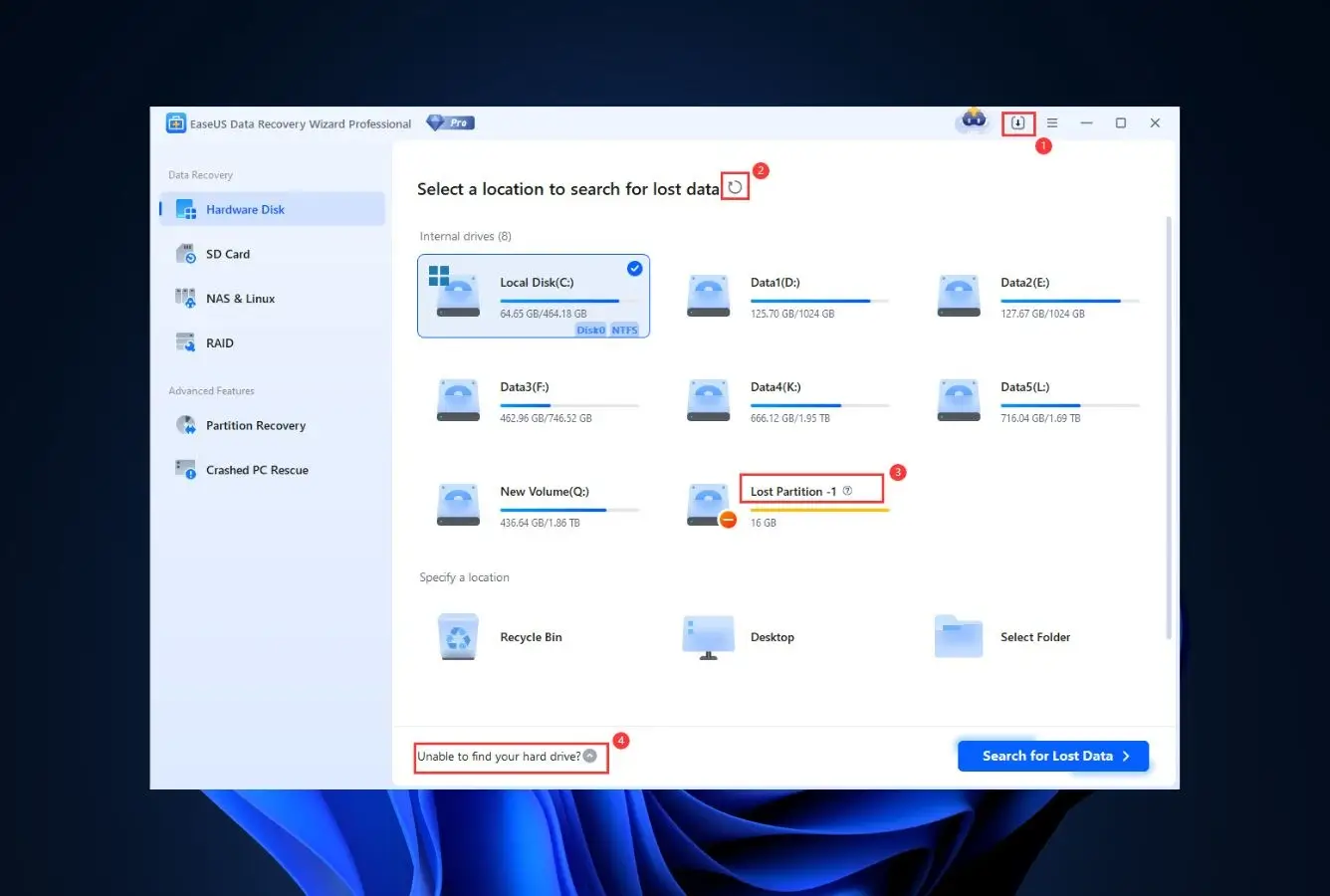
On launch, hover over the drive or partition where data was lost and click Search for Lost Data. Internal drives, external HDDs/SSDs, USB drives, and SD cards all appear in the same selector. For NAS, switch to the NAS Recovery tab.
Run the scan
EaseUS runs a Quick Scan first (filesystem-aware MFT parse for NTFS) followed automatically by a Deep Scan (signature-based search of the entire drive). You can recover files mid-scan once they appear, without waiting for the full pass.
Preview and recover
Filter results by file type, date, or filename. Preview is supported for documents, images, and short video files up to 100 MB. Always save recovered files to a different drive than the source to avoid overwriting unrecovered data.
The 2 GB free recovery is one-time across the install. If you have a critical drive, scan it before activating the free recovery on a smaller test case. For deeply fragmented video, see our guide to the best video repair tools.
Who EaseUS Data Recovery Wizard Is For
EaseUS Data Recovery Wizard fits the user who wants a single tool that handles a broad range of scenarios without much technical knowledge required. The interface is approachable, the free tier is generous enough to confirm the tool finds your files before you pay, and the capability coverage spans deleted files, formatted drives, corrupted partitions, RAW photos, and basic NAS recovery.
A practical example: a freelance photographer whose SD card was accidentally formatted in-camera. The aggregated independent evaluation places EaseUS in the upper tier for SD card recovery with broad RAW format support (including CR3, NEF, ARW), and the built-in JPEG repair can salvage partially-overwritten photos that other tools just flag as corrupt.
If your situation is more complex — severely corrupted RAID arrays, forensic-grade evidence preservation, or rare file-system formats like ZFS or Btrfs — the next section explains where EaseUS' limits start.
EaseUS Data Recovery Wizard's Strengths in Real-World Use
Independent testing and community feedback agree on a few areas where EaseUS consistently performs well.
Broad capability coverage in a single tool
Few competitors handle deleted-file recovery, formatted drives, corrupted partitions, NAS, and RAW photo recovery in one product without significant trade-offs. Vendor documentation confirms the architecture combines filesystem-aware MFT parsing with signature-based deep scanning, which independent evaluation places in the upper tier across most scenarios. For the typical Windows user, this means one tool covers the situations they're likely to face.
Built-in JPEG and MP4/MOV repair during recovery
When EaseUS recovers a corrupted JPEG or video file, it can attempt repair in the same workflow. Vendor documentation lists this as a Pro feature; community feedback on photography subreddits and forums consistently mentions it as a meaningful differentiator versus tools that just recover bytes and leave you with a broken file. Repair quality varies by how much of the file is intact, but the integration removes a separate workflow.
200+ file signatures including modern RAW formats
Vendor documentation lists support for over 200 file types in deep scan, with explicit coverage of CR2, CR3, NEF, ORF, ARW, RAF, RW2, DNG, and PEF camera RAW formats. This is broader than most signature-only tools and notably wider than the legacy lists in older free utilities. For photographers and videographers, this is often the deciding factor.
Generous 2 GB free recovery tier
Most paid recovery tools cap the free tier at 100–500 MB or block recovery entirely. EaseUS allows 2 GB of actual recovery in the free version — enough to confirm the tool finds your files and to recover most everyday document or photo losses without paying. For users who only need recovery once, this can mean no purchase at all.
Where EaseUS Data Recovery Wizard Falls Short
No tool wins everywhere. The honest evaluation of where EaseUS struggles is below.
Subscription pricing is dated for the category
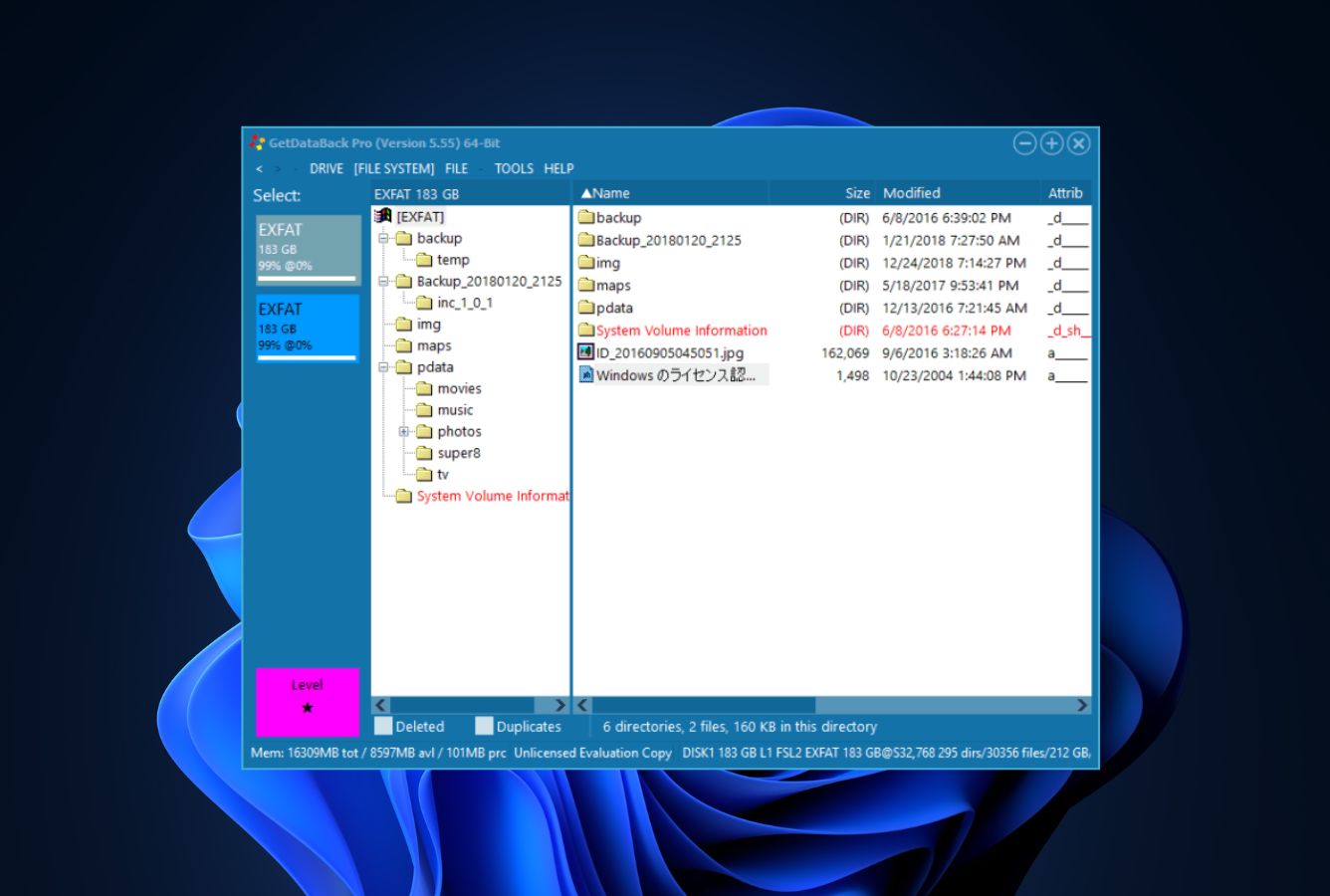
EaseUS Pro is $69.95 monthly, $99.95 annually, or $149.95 lifetime. The annual tier is competitive when the lifetime license is on offer; the monthly tier is poor value for a one-time recovery. Lifetime-license competitors with similar capability coverage are increasingly available, including GetDataBack at $79 lifetime for filesystem-aware scenarios.
No forensic-grade controls
EaseUS is a consumer recovery tool. It lacks the hex editor, byte-level RAID reconstruction, custom signature builder, and chain-of-custody logging that forensic tools provide. Users requiring evidence-grade preservation should see R-Studio or DMDE instead.
Auto-renewal is a recurring complaint
Verified Trustpilot reviewers and community feedback flag aggressive auto-renewal handling for the annual subscription. The tool itself is safe and the recovery operation is read-only; the friction is at the billing layer. The lifetime license sidesteps this entirely.
EaseUS Data Recovery Wizard Capability Summary
How EaseUS performs, capability by capability, based on aggregated independent evaluation:
| Capability | Tier | Notes |
|---|---|---|
| Deleted-file recovery (NTFS) | Excellent | Filesystem-aware MFT parse; recovers names and structure |
| Deleted-file recovery (FAT/exFAT) | Very Good | Strong on FAT32 and exFAT |
| Formatted-drive recovery | Very Good | Deep scan signature-based recovery |
| Corrupted-partition recovery | Very Good | Handles common partition table damage |
| RAW camera format support | Excellent | CR2, CR3, NEF, ARW, DNG, RAF, RW2, ORF |
| JPEG repair | Very Good | Built-in during recovery (Pro) |
| MP4/MOV video repair | Very Good | Built-in during recovery (Pro) |
| SD card recovery | Excellent | Strong on camera and phone cards |
| USB / external HDD recovery | Excellent | Same engine as internal drives |
| SSD recovery (TRIM disabled) | Very Good | Works on most external SSDs |
| TRIM-active NVMe SSD | Not supported | Hardware limitation across all tools |
| NAS recovery (SSH) | Good | Pro tier; single drive and basic RAID |
| RAID 0/1/5 reconstruction | Fair | Basic RAID; not for complex enterprise arrays |
| Encrypted drive recovery | Fair | Requires unlock key; no native cracking |
| Bootable media (WinPE) | Very Good | Pro tier; recovers from non-booting systems |
| File preview | Very Good | Documents, images, short video up to 100 MB |
| Free tier capacity | Excellent | 2 GB — among the most generous |
| Forensic / hex editor | Not supported | See R-Studio or DMDE |
| Cross-platform application | Very Good | Native Windows and macOS builds |
Tier scale: Excellent / Very Good / Good / Fair / Limited / Not supported. Aggregated from independent testing and community feedback, 2026.
EaseUS Data Recovery Wizard Cost
EaseUS Data Recovery Wizard offers three Pro tiers: monthly at $69.95, annual at $99.95, and a lifetime license at $149.95. The Free tier recovers up to 2 GB and is a genuinely useful evaluation. The Technician edition starts at $299/year for service providers managing multiple recoveries.
For most users, the lifetime license at $149.95 is the right call — it sidesteps the auto-renewal friction and works out cheaper than two annual cycles. The monthly tier is only sensible if you're absolutely sure you need the tool for one job and won't need it again. EaseUS frequently runs 30%–50% promotions, so check the official site before buying at list price.
Compared with the broader Windows market, EaseUS sits in the upper-middle of pricing. For a comprehensive view of pricing across the category, see our best Windows data recovery software guide.
Try EaseUS Data Recovery Wizard Free
Recover up to 2 GB free. No registration required to scan and preview.
EaseUS Data Recovery Free vs Pro
The Free edition is one of the more generous evaluation tiers in the consumer Windows recovery category — 2 GB of actual recovery (not just preview) is enough to verify that EaseUS works on your specific drive and to handle small recovery scenarios completely free. Pro removes the 2 GB cap and unlocks the technical extras: bootable WinPE media for unbootable systems, JPEG and MP4/MOV repair during recovery, NAS recovery over SSH, and free lifetime tech support. For typical “I deleted a folder” scenarios under 2 GB, the Free edition genuinely solves the problem; for anything larger, more complex, or commercial, Pro is required.
| Capability | Free | Pro |
|---|---|---|
| Price | $0 | $69.95/mo · $99.95/yr · $149.95 lifetime |
| Recovery cap | 2 GB | Unlimited |
| Devices per license | 1 PC | 1 PC (separate license per device) |
| Quick Scan + Deep Scan | ✓ | ✓ |
| File preview before recovery | ✓ | ✓ |
| Filesystem coverage (NTFS, FAT32, exFAT, EXT2/3, HFS+) | ✓ | ✓ |
| Broad RAW photo support (CR2, NEF, ARW, etc.) | ✓ | ✓ |
| Save scan session for later resume | ✓ | ✓ |
| JPEG repair during recovery | Not included | ✓ |
| MP4 / MOV video repair | Not included | ✓ |
| Bootable WinPE media (crashed PC recovery) | Not included | ✓ |
| NAS recovery over SSH (single-drive / basic RAID) | Not included | ✓ |
| Lifetime free tech support | Self-service only | ✓ |
| Free lifetime upgrades | n/a | Included with lifetime license |
| Commercial use rights | No | Single-user only |
Edition matrix per EaseUS documentation, April 2026.
When the Free edition is enough: a single deletion event under 2 GB, recovering a few accidentally-formatted SD card photos, verifying that EaseUS finds your files before paying. The 2 GB ceiling covers a meaningful share of real-world consumer recovery scenarios.
When you need Pro: recovery over 2 GB, corrupted JPEG or MP4/MOV files that need repair after recovery, an unbootable PC that requires WinPE bootable media, NAS recovery over SSH, or any commercial-use scenario. The $149.95 lifetime tier is the standout pick — it works out cheaper than two annual cycles and avoids the auto-renewal friction that surfaces in EaseUS user reviews.
EaseUS Data Recovery Technician vs Professional
Pro and Technician share the same recovery engine, file system support, and core feature set. The differences are licensing scope, multi-machine deployment rights, and a few business-grade extras (RAID recovery, remote NAS access, unlimited remote phone/online tech support). Technician is built for IT professionals, MSPs, and recovery service providers who need to use EaseUS on client systems with explicit commercial-use rights; Professional is sufficient for individuals and single-user scenarios.
| Capability | Professional | Technician |
|---|---|---|
| Price | $69.95/mo · $99.95/yr · $149.95 lifetime | $299/yr · $399 2-year · $499 lifetime |
| License type | Personal / single-user | Commercial / business / service provider |
| Devices / installations | 1 PC per license | Unlimited PCs within the licensee's organization |
| Recovery engine (Quick + Deep Scan) | ✓ | ✓ |
| Filesystem coverage | ✓ | ✓ |
| JPEG / MP4 / MOV repair | ✓ | ✓ |
| Bootable WinPE media | ✓ | ✓ |
| NAS recovery over SSH (single-drive) | ✓ | ✓ |
| RAID 0 / 5 / 6 reconstruction | Basic only | Full |
| Remote NAS recovery without disconnect | No | ✓ |
| Commercial use rights | Not permitted | Full commercial / service-provider use |
| Multi-machine deployment | No | ✓ |
| Free lifetime tech support | Email / chat | Unlimited remote phone & online |
| Suitable for paid recovery services | No | ✓ |
Edition matrix per EaseUS documentation, April 2026.
Choose Professional when: you are a home user, freelancer, or small-business owner running recovery on your own systems. The $149.95 lifetime tier delivers permanent updates and covers most personal and one-person-shop scenarios. Pro is not licensed for paid recovery services or for installation across multiple client machines.
Choose Technician when: you run an IT department, MSP, or a paid recovery service where multiple staff use EaseUS on client systems with explicit commercial-use rights. The $499 lifetime tier removes the per-machine licensing constraint, adds full RAID recovery, and includes remote NAS access plus unlimited remote phone/online tech support — the kind of guarantee that matters when a client is paying you to fix their data loss. R-Studio Technician at $899 (with portable USB key activation) and DMDE Professional at $95 are the main alternatives at the higher and lower ends of the commercial recovery tier.
EaseUS Data Recovery Wizard vs. Competitors
How EaseUS Data Recovery Wizard compares against the four mandatory baseline competitors plus its closest tier-match. Tiers are aggregated from independent testing and community feedback.
| Tool | Deleted-file Recovery | Formatted Drive | Corrupted Drive | Free Tier | Price |
|---|---|---|---|---|---|
| Disk Drill | Excellent | Excellent | Very Good | 500 MB | $89/yr |
| EaseUS Data Recovery Wizard ← | Excellent | Very Good | Very Good | 2 GB | $99.95/yr |
| Stellar Data Recovery | Very Good | Good | Good | 1 GB | $79.99/yr |
| Recuva | Good | Fair | Not supported | Unlimited | Free / $24.95 |
| Wondershare Recoverit | Very Good | Very Good | Good | 100 MB | $79.95/yr |
Tier labels reflect aggregated independent evaluation, 2026.
EaseUS Data Recovery Wizard Features & Tools
EaseUS Data Recovery Wizard ships a broader feature set than most consumer recovery tools. The features below are the ones that drive its tier placement.
EaseUS Data Recovery Wizard User Reviews
EaseUS has thousands of user reviews across G2, Trustpilot, Capterra, and software directories. The aggregated sentiment is positive on capability and ease of use, mixed on subscription billing.
The interface is intuitive, making it accessible even for those without technical expertise. Recovered files from both my SSD and SD card without complications.
Quick recovery of lost files that were formatted by accident. Other well-known providers took several hours and found nothing.
Beginner-friendly user experience with reliable performance. The free trial is helpful for evaluating before purchase.
Some users report confusion about license terms and find auto-renewal handling aggressive. Cancel manually if you only need it once.
Powerful data recovery suitable for Windows and macOS. High recovery success rate across accidental deletion, formatting, and partition loss.
Recommended frequently for Windows users who want one tool that covers most scenarios. Better RAW photo support than free alternatives.
Overall sentiment leans positive on capability, ease of use, and the generous free tier. The recurring criticism is around the annual subscription model and auto-renewal — not the recovery operation itself. The lifetime license avoids the billing friction.
Frequently Asked Questions
Is EaseUS Data Recovery Wizard free?+
Is EaseUS Data Recovery safe?+
Can EaseUS recover formatted drives?+
Does EaseUS work on Windows 11?+
Can EaseUS repair corrupted photos and videos?+
Does EaseUS support NAS recovery?+
Is EaseUS better than Disk Drill?+
Final Verdict
EaseUS Data Recovery Wizard earns its position as the default recommendation for Windows users facing a typical recovery scenario. Independent evaluation places it in the upper tier for deleted-file, formatted-drive, and SD card recovery, with broad RAW camera-format support and built-in JPEG/MP4 repair. The 2 GB free tier is genuinely useful, and the Pro tier covers NAS, basic RAID, and bootable media for crashed systems.
Choose EaseUS if you want one tool that covers most scenarios with minimal setup. Choose something else if you need forensic controls (see R-Studio) or a permanent license at a lower price (see GetDataBack). For a category-wide view, see our best Windows data recovery software ranking.
About the Authors


Our reviews are based on aggregated independent research — vendor documentation, third-party testing, and verified user feedback. We may earn a commission when you purchase through links on this page, at no extra cost to you. Affiliate relationships do not influence ratings or rankings; tier assignments reflect the evidence on hand. Have a correction or a tip? Email contact@datarecoveryfix.com.