iBeesoft Data Recovery Review (2026): Budget-Friendly Pick
iBeesoft Data Recovery is a budget-positioned tool in a category dominated by tools charging $80–$100 per year. It offers a genuinely usable 2 GB free tier, paid plans starting at $49.95/year, and a 60-day money-back guarantee — double the industry-standard 30 days. The value proposition is straightforward: EaseUS-grade core recovery capability at roughly half the annual subscription price, with the same generous free tier.
The trade-offs are real: essentially dormant social media and community presence (no YouTube videos for years, no tweets since mid-2022), limited preview (images and text only, capped at 100 MB in the free tier), barebones feature set beyond core scanning, and subscription-only pricing with no lifetime option. This review aggregates independent evaluation from Pandora Recovery, Handy Recovery, Wondershare, Cisdem, and 4DDiG, plus user feedback from AppSumo and product sites.
tests, user reports
v4.6
2 GB free tier
v4.6

iBeesoft is the cheapest path to EaseUS-grade core recovery. The 2 GB free tier matches EaseUS exactly, recovery rates track within tier of the original, and the interface is clean and beginner-friendly. The 60-day money-back guarantee is genuinely generous — double the industry-standard 30 days. For users whose data loss fits within the 2 GB free tier, iBeesoft is often a complete solution without any payment required.
The question isn’t whether iBeesoft works — independent testing confirms it does — but whether saving $50/year is worth the trade-offs. Those trade-offs are measurable: a company with essentially dormant public presence (no YouTube videos in years, Twitter inactive since mid-2022), preview limited to images and text (no video, PDF, Word, or Excel), no disk imaging or cloning, no partition tools, and subscription-only licensing with no lifetime option. If you want EaseUS’s engine and polish, pay for EaseUS. If you want EaseUS’s engine at half price and can live without the polish, iBeesoft delivers exactly that.
✓ What We Liked
- 2 GB free recovery — matches EaseUS, genuinely usable without paying
- Cheapest annual subscription in the EaseUS-engine family at $49.95/yr
- Clean, File Explorer-like interface — low learning curve for beginners
- 60-day money-back guarantee — double the industry-standard 30 days
- Portable version available — runs from USB without installing
- Broad file system support including APFS, HFS+, ext, XFS, ReFS, Btrfs
- Built-in basic file repair for common photo and video corruption
✕ What We Didn’t
- Shares its scanning engine with EaseUS — limited unique development and update cadence
- Dormant social presence — no YouTube videos in years, Twitter inactive since 2022
- Subscription-only pricing — no lifetime license option at any tier
iBeesoft Data Recovery Alternatives
Brief selection A quick shortlist of top alternative picks based on aggregated independent research. |
Best Alternative

EaseUS Data Recovery Wizard
The original · 2 GB free
|

Disk Drill
Strongest engine · 100 MB free
|

Stellar Data Recovery
25-year veteran · 1 GB free
|
|---|---|---|---|
| Annual price | $99.95/yr | $89/yr | $79.99/yr |
| Free Tier | 2 GB | 100 MB | 1 GB |
| Lifetime License | No | $149 (Windows) | No |
| File Repair | ✓ | No | ✓ |
| Unique Engine | Yes (the original) | Yes (proprietary) | Yes (proprietary) |
Research Methodology
This review aggregates three evidence types for iBeesoft Data Recovery v4.6: vendor documentation (the official iBeesoft product page, supported file systems, pricing tiers, claimed file-type coverage), independent external evaluation (Pandora Recovery — which explicitly identifies iBeesoft as an EaseUS clone — plus Handy Recovery, Cisdem, Wondershare, 4DDiG, and Macworld), and community feedback (AppSumo verified purchaser reviews, SoftwareSuggest, user testimonials on the vendor site). Feature claims, pricing tiers, platform coverage, and clone-status confirmation are cross-referenced across source types before being stated as fact.
Tier assignments (Excellent / Very Good / Good / Fair / Limited / Not supported) reflect the aggregate of that evidence — not an in-house benchmark. Because iBeesoft shares EaseUS’s scanning engine, tier labels track closely with EaseUS’s on core recovery capabilities, with adjustments where independent testing shows iBeesoft-specific issues (slower scan speeds, narrower preview support, crashes on repeated scans). For a broader Windows recovery landscape view, see our ranking of the best data recovery software for Windows. Full methodology details are on our How We Test page.
This review does not claim in-house benchmarks. The “EaseUS clone” characterization is not our own assertion — it is the consistent finding of Pandora Recovery, Wondershare, Cisdem, 4DDiG, and other independent reviewers. Tier labels aggregate vendor documentation, these independent evaluations, and user reports.
Is iBeesoft Data Recovery Safe?
Yes. iBeesoft Technology Co., Ltd. has been producing consumer recovery software for roughly a decade. The software scans in read-only mode and does not modify source drives. The installer is clean, passes Windows SmartScreen, and installs without bundled adware or toolbars. All paid plans include a 60-day money-back guarantee — notably more generous than the industry-standard 30-day window offered by EaseUS, Disk Drill, and Stellar.
Two safety-adjacent concerns are worth noting, neither of which affects whether the software itself is safe to install or run. First, iBeesoft’s public presence is essentially dormant: independent reviewers at Pandora Recovery document that the company’s YouTube channel hasn’t posted in years and the Twitter account has been inactive since July 2022. This doesn’t indicate the product is abandoned — Handy Recovery’s March 2026 review confirms the product “keeps getting updates” — but it means community support, bug reports, and public development communication are essentially absent. Second, always download from ibeesoft.com directly. Third-party sites sometimes bundle installers with adware; the official ibeesoft.com installer is clean.
How to Use iBeesoft Data Recovery
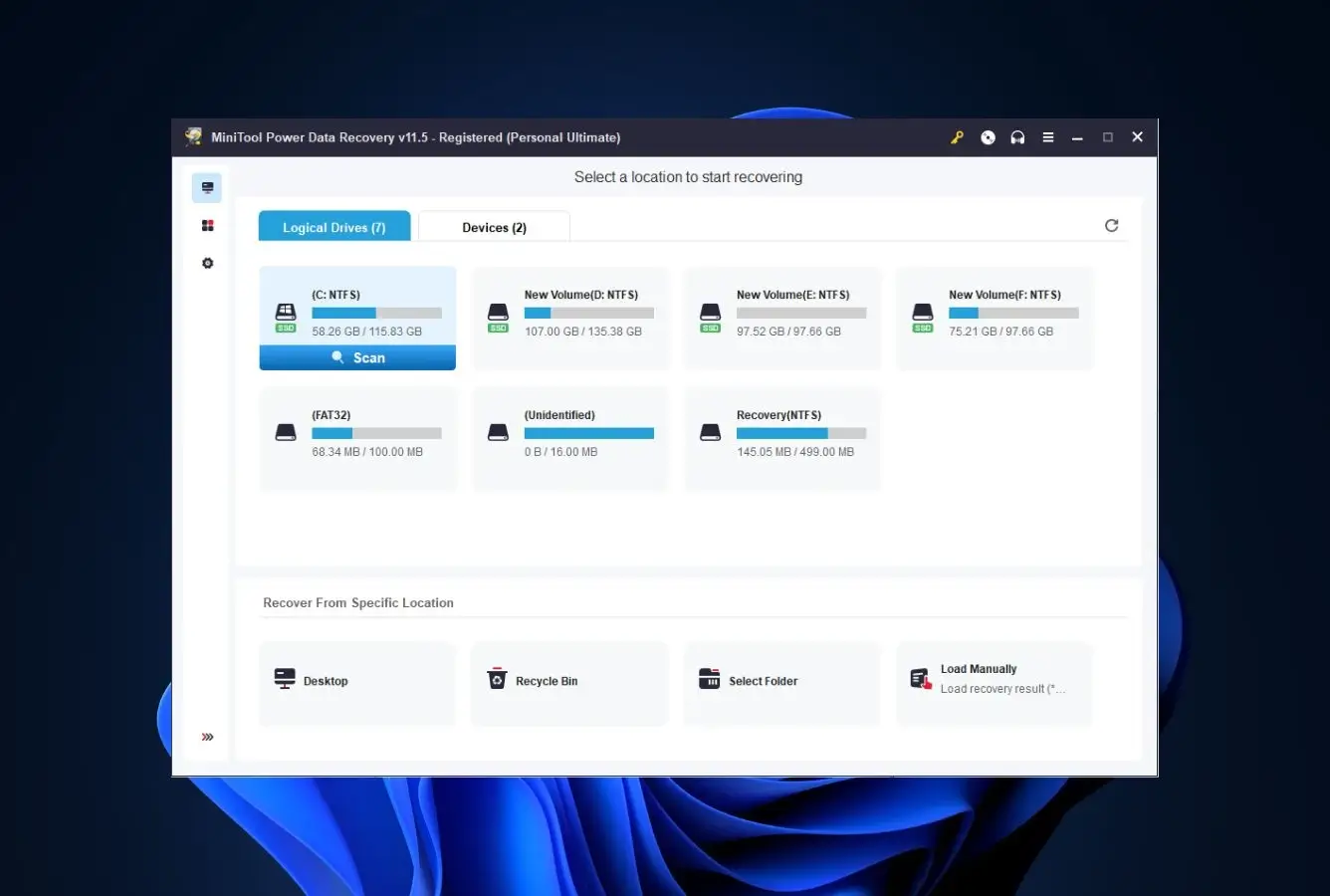
iBeesoft’s interface is a clean File Explorer-style layout that mirrors EaseUS closely — unsurprising given the shared codebase. Four steps take most users through a recovery in under fifteen minutes for routine scenarios.
Download and install (or use portable)
Download from ibeesoft.com. Install on a drive other than the one you’re recovering from — or use the portable version from a USB stick to eliminate any risk of overwriting source data during installation.
Select drive or partition
The main screen lists all detected drives and partitions. Optionally filter the scan to specific file types (documents, photos, videos, etc.) in Settings before starting — this saves time if you know what you’re looking for. Click Scan.
Scan runs Quick then Deep automatically
Quick Scan finishes in under two minutes for most drives. Deep Scan follows automatically and takes longer (tens of minutes to hours on multi-TB drives). You can browse partial results during the scan — no need to wait for full completion.
Preview, select, recover
Preview images and plain text files before recovery (videos, PDFs, Word/Excel, and archives cannot be previewed — a real limitation for mixed recovery). Select files, click Recover, and save to a different drive than the source. The free tier caps recovery at 2 GB with a 100 MB preview limit.
Independent reviewers (Handy Recovery, Cisdem) specifically note that iBeesoft cannot save scan session results — closing the application means starting over from scratch on your next attempt. This is a meaningful issue on multi-TB drives where Deep Scan takes hours. Plan to complete your recovery in a single session, or upgrade to a paid tier (which also does not resolve this limitation, according to independent testing).
Who iBeesoft Is For
iBeesoft is the answer to one specific question: “What’s the cheapest way to get EaseUS-level recovery?” It exists as a value arbitrage on the EaseUS codebase — same engine, less polish, half the price. That framing makes the target audience clear.
Three audiences get meaningful value:
One-time recovery users whose data fits in 2 GB. If you’ve accidentally deleted a folder of documents, a batch of photos, or some family videos totaling under 2 GB, iBeesoft’s free tier is often a complete solution. No payment, no time limit, no email registration. The engine works, the preview (for images and text) lets you verify before recovery, and the 2 GB cap is rarely hit for everyday personal recovery. This is genuinely the most generous free tier in the paid-tool category alongside EaseUS — Disk Drill and Wondershare Recoverit both cap free at 100 MB, Stellar at 1 GB.
Budget-conscious users who want paid support and higher allowances. At $49.95/year, iBeesoft is the cheapest annual subscription among EaseUS-engine-based tools. EaseUS charges $99.95/year for the same underlying engine; the iBeesoft savings over two years ($100) approach the price of a cross-platform lifetime license from a tool like R-Studio. If the recovery capability is your only concern and you’re comfortable with a white-label product, the savings are real. For broader category context across all operating systems, see our best data recovery software ranking.
Users who specifically want the EaseUS engine on Mac at a lower price. iBeesoft ships a Mac build alongside the Windows version, making it a cross-platform value option. Macworld’s review was critical about execution polish but positive about the core capability; if you need a Mac tool and Stellar’s or Disk Drill’s pricing is too steep, iBeesoft is worth evaluating against the free 2 GB tier first.
If your scenario is technically complex — RAID arrays, deeply corrupted filesystems, forensic-grade work, or heavy fragmentation — iBeesoft is not the right tool. The feature set is intentionally minimal, and the top tier (R-Studio, Disk Drill — both reviewed in the alternatives below) outperforms it meaningfully. If you value brand depth, active community, and frequent updates, the price gap versus EaseUS Data Recovery Wizard (the original) may not be worth the trade-off.
iBeesoft’s Strengths in Real-World Use
iBeesoft’s strengths are specific and inherited. The product isn’t trying to be a category leader — it’s trying to be the budget-priced version of one, and on that narrow brief it succeeds. Four strengths surface consistently across independent evaluations:
Same 2 GB free tier as EaseUS
Among paid data recovery tools, only EaseUS and iBeesoft offer a genuinely usable 2 GB free allowance — Disk Drill caps free at 100 MB, Wondershare Recoverit at 100 MB, Stellar at 1 GB. That 2 GB matters in practice: for the most common consumer recovery scenarios (a folder of Word documents, a batch of phone photos, an accidentally-deleted project folder), 2 GB is often the full job. You scan, preview, recover, and you’re done — with no payment. The free tier is not a demo; it’s a functional product for a meaningful chunk of use cases. For the broader free-tier landscape across Windows tools, see our free Windows data recovery software comparison.
EaseUS-grade core recovery at half the price
This is the whole value proposition. Independent reviewers consistently note iBeesoft’s recovery performance tracks closely with EaseUS across standard scenarios (deleted files, formatted drives, corrupted partitions) because it uses the same underlying engine. Pandora Recovery is explicit: “iBeesoft Data Recovery is essentially a clone of the popular EaseUS Data Recovery application.” Cisdem, Wondershare, and 4DDiG’s editorial reviews corroborate. If you want the EaseUS engine and you’re willing to accept a less-polished wrapper, $49.95/year versus $99.95/year is a real savings.
60-day money-back guarantee
Double the 30-day window offered by EaseUS, Disk Drill, and Stellar. Two months is enough time to actually encounter multiple recovery scenarios in realistic use and decide if the tool is working for you. Combined with the free 2 GB preview of core capability before any payment, iBeesoft’s refund policy makes trying the paid tier meaningfully lower-risk than most competitors.
Broad file system support
iBeesoft’s claimed file system coverage is unusually broad for a consumer tool at this price point: FAT12/16/32, exFAT, NTFS, ext2/3/4, HFS+, APFS, XFS, ReFS, Btrfs, ZFS, UFS, and RAW. Handy Recovery’s March 2026 evaluation confirms the core set works as documented. Most $49/year tools support NTFS, FAT, and exFAT only; iBeesoft’s inclusion of APFS and ext variants makes it a legitimate cross-platform option for users who work across Windows, Mac, and occasional Linux drives without committing to a more expensive multi-platform license. For HDD-specific recovery comparisons across the category, see our best hard drive recovery software ranking.
Where iBeesoft Falls Short
iBeesoft’s weaknesses are the predictable consequences of its positioning: a budget white-label product built on someone else’s engine, without the resources to differentiate, evolve, or maintain strong community channels. Three specific gaps stand out:
Dormant company presence signals stalled development
Pandora Recovery’s editorial review flags this concretely: iBeesoft’s last YouTube video was published three years ago, and the company’s Twitter account hasn’t tweeted since July 2022. LinkedIn and Facebook are similarly quiet. This isn’t a minor detail — for a commercial software product, having essentially no public-facing company presence means no visible update roadmap, no community to crowd-source troubleshooting from, no public commitment to the product’s future. Handy Recovery’s March 2026 review confirms updates continue (“the company’s main product and represents its long-term focus … keeps getting updates”), so the product isn’t abandoned. But the visibility gap affects user confidence in a way the product engine cannot compensate for. If you’re about to sign up for a multi-year subscription, this deserves weight.
Preview is genuinely limited
Independent reviewers consistently flag the preview feature as iBeesoft’s most tangible practical weakness. You can preview images (JPEG, PNG, TIFF, RAW) and plain text files — that’s it. No video preview, no PDF preview, no Word or Excel preview, no archive content peek. On a deep scan that returns 10,000+ candidate files, the inability to verify non-image files before recovery means you recover first and hope second. Pandora Recovery additionally notes the free tier caps preview at 100 MB of cumulative data — so even for the file types that can be previewed, there’s a ceiling. Every other major tool in this price range (EaseUS itself, Disk Drill, Stellar, Recoverit) offers broader preview. This is where the shared-codebase story stops being purely positive: iBeesoft appears to have the EaseUS engine without EaseUS’s preview investments.
Barebones feature set beyond core scanning
Handy Recovery’s March 2026 evaluation is direct: “iBeesoft keeps things very minimalist. The app just scans and pulls files back, and that’s about it.” No disk imaging (so every scan runs directly on the potentially-failing source drive, which is risky for dying hardware). No disk cloning. No scan result save/reload (closing the app means starting the scan over). No SMART monitoring or drive health checks. No partition tools, manual partition recovery, or hex editor. No RAID reconstruction. For the one-time user whose needs fit the core scan-and-recover workflow, this doesn’t matter. For anyone who might eventually need the richer toolkit — especially if hardware is failing, where imaging first and scanning the image is the right practice — iBeesoft forces you to look elsewhere at the moment you most need additional capability.
iBeesoft Capability Summary
How iBeesoft performs capability by capability, based on aggregated independent evaluation:
| Capability | Tier | Notes |
|---|---|---|
| Recently-deleted files (NTFS) | Very Good | Tracks closely with EaseUS; filenames and folder structure preserved |
| Recycle Bin recovery | Very Good | Fast quick scan; reliable on recent deletions |
| Formatted-drive recovery | Good | Deep scan works; partial folder-structure preservation like EaseUS |
| Corrupted partition recovery | Good | Detects unmounted partitions; recovery rates track with EaseUS |
| RAW camera format coverage | Very Good | 1,500+ file types claimed; RAW inheritance from EaseUS engine is broad |
| File system breadth | Very Good | FAT, NTFS, exFAT, ext, HFS+, APFS, XFS, ReFS, Btrfs — unusually wide |
| USB flash drive recovery | Very Good | Standard scenario; handled reliably |
| SD card / camera card recovery | Good | JPEG and common RAW work well; niche camera formats occasionally missed |
| External HDD recovery | Good | NTFS externals strong; exFAT SSDs weaker (TRIM-related) |
| Basic file repair (photos, video) | Good | Simple JPEG damage repairable; heavily fragmented video usually not |
| Portable mode (no install) | Very Good | Runs from USB; reduces source-drive write risk |
| Preview support | Limited | Images and text only — no video, PDF, Word, Excel, archive preview |
| Preview size cap (free tier) | 100 MB | Per Pandora Recovery; preview data capped at 100 MB in free tier |
| Scan speed | Fair | Slower than EaseUS on the same hardware per multiple reviews |
| Disk imaging / cloning | Not supported | No imaging — scans run directly on source drive |
| Save / reload scan results | Not supported | Closing app requires full re-scan — known limitation |
| RAID array recovery | Not supported | No RAID reconstruction — use R-Studio for this |
| Hex editor / forensic tools | Not supported | No low-level tools — consumer-focused product |
| SMART / drive health monitoring | Not supported | No proactive drive health checks |
| TRIM-active NVMe SSD | Not supported | Hardware limitation affecting all recovery tools |
Tier scale: Excellent / Very Good / Good / Fair / Limited / Not supported. Aggregated from Pandora Recovery, Handy Recovery, Cisdem, Wondershare, 4DDiG editorial reviews, and vendor documentation, 2026.
iBeesoft Data Recovery Cost
iBeesoft uses a subscription-only model with no lifetime license option. The free tier is the single most useful part of the pricing structure; the paid tiers are strictly about unlocking unlimited recovery and multi-PC coverage.
| Tier | Price | Coverage | Notes |
|---|---|---|---|
| Free | $0 | 1 PC · 2 GB recovery cap | Full scan, 100 MB preview cap, no registration. Cannot save scan sessions. |
| Personal | $49.95 / year | 1 PC · unlimited recovery | Cheapest annual subscription among EaseUS-engine tools |
| Family | $69.95 / year | Up to 5 PCs · unlimited recovery | Good value for households with multiple Windows machines |
| Company | $199.95 / year | Unlimited PCs · commercial use | For business deployment |
| Lifetime license | Not offered | — | No lifetime option at any tier |
Pricing verified against ibeesoft.com, Pandora Recovery, and SoftwareSuggest listings, April 2026. 60-day money-back guarantee on all paid tiers.
At $49.95/year, iBeesoft is the cheapest annual subscription among tools built on the EaseUS scanning engine. EaseUS itself charges $99.95/year for the same underlying engine. The iBeesoft savings are $50/year, which compounds meaningfully over multi-year use — two years of iBeesoft costs less than one year of EaseUS. The Family tier at $69.95/year for 5 PCs is particularly well-priced for households; the closest equivalent elsewhere is MiniTool’s $99 Personal Ultimate (3 PCs, lifetime), which is a one-time purchase rather than subscription but covers fewer machines.
The no-lifetime-license limitation matters over time. After three years of Personal-tier use you’ve spent $150 on subscription — approaching R-Studio’s $79.99 lifetime or MiniTool’s $99 lifetime for three PCs. For users who expect to use recovery software repeatedly over multiple years, a lifetime-licensed tool often wins on total cost of ownership despite the higher upfront price. For broader free-tier options across the category, see our best free data recovery software guide.
iBeesoft vs. Competitors (2026)
| Tool | Engine | Deleted-file | Formatted | Free Tier | Price |
|---|---|---|---|---|---|
| Disk Drill | Proprietary (CleverFiles) | Excellent | Excellent | 100 MB | $89/yr · $149 lifetime |
| R-Studio | Proprietary (R-Tools) | Excellent | Very Good | <256 KB | $79.99 one-time |
| EaseUS DRW | EaseUS (the original) | Very Good | Very Good | 2 GB | $99.95/yr |
| iBeesoft ← | EaseUS-derived | Very Good | Good | 2 GB | $49.95/yr |
| Stellar | Proprietary (Stellar) | Very Good | Good | 1 GB | $79.99/yr |
| Recuva | Proprietary (Piriform) | Good | Fair | Unlimited | Free / $24.95 |
Tier assignments based on aggregated independent research. April 2026.
Try iBeesoft Free (2 GB Recovery)
Full scan, image and text preview, 60-day money-back guarantee on paid tiers.
iBeesoft Data Recovery Features & Tools
iBeesoft’s feature set is deliberately minimal — scan, preview, recover, with basic file repair as the only meaningful extra. The shared EaseUS codebase gives iBeesoft a strong recovery core; everything beyond that core is either absent or thin.
File System & Storage Support Matrix
iBeesoft’s claimed file system coverage is broader than its price point suggests. Handy Recovery’s March 2026 testing confirms the core set works as documented.
| Storage / file system | Use case | Support | Notes |
|---|---|---|---|
| NTFS | Windows internal and external drives | Full | Primary use case; EaseUS-engine strong |
| FAT12 / FAT16 / FAT32 | Legacy drives, small USB sticks | Full | Mature EaseUS-inherited support |
| exFAT | Large SD cards, portable SSDs | Full | Standard coverage |
| ext2 / ext3 / ext4 | Linux-formatted drives | Read-only | Recover from Linux drives connected to Windows |
| HFS+ | Mac-formatted external drives | Read-only | Recover from Mac drives on Windows |
| APFS | Modern Mac file system | Read-only | Unusual at this price point |
| XFS | Linux server file system | Read-only | Enterprise storage recovery |
| ReFS | Windows Server resilient file system | Read-only | Modern Windows Server support |
| Btrfs | Linux copy-on-write file system | Read-only | Docker / NAS / SUSE enterprise use |
| RAW partitions | Corrupted or unrecognized partitions | Full | Deep scan handles unmounted partitions |
| USB flash drives | Thumb drives, pen drives | Full | Fast on removable media |
| SD cards / CF cards | Camera cards, phone storage | Full | JPEG and common RAW work well |
| External HDDs / SSDs | USB-connected drives | Full | NTFS strong; exFAT SSD weaker (TRIM) |
| BitLocker-encrypted drives | Encrypted Windows volumes | Limited | Requires BitLocker access |
| RAID arrays | Multi-disk redundant storage | Not supported | No RAID reconstruction — use R-Studio instead |
| Virtual hard drives (VHD/VHDX) | VM disk images | Not supported | No VHD scanning |
| Optical media (CD/DVD) | Damaged discs | Not supported | Use MiniTool or Stellar for CDs/DVDs |
Source: iBeesoft official documentation cross-referenced with Handy Recovery independent evaluation, 2026.
Recovery Engine Capabilities
iBeesoft’s engine inherits from EaseUS’s scanning technology. What ships is reliable; what doesn’t ship is conspicuous.
| Capability | How it works | Available |
|---|---|---|
| Quick Scan | Parses file-system metadata for recently deleted entries | All users incl. Free |
| Deep Scan (signature-based) | Sector-by-sector signature matching for formatted or corrupted drives | All users incl. Free |
| Auto Quick-then-Deep transition | Quick Scan runs first, Deep Scan starts automatically after | All users incl. Free |
| Filter by file type before scanning | Limit scan to documents, photos, video, audio, email, etc. | All users incl. Free |
| Browse results during active scan | Preview and recover partial results without waiting for scan completion | All users incl. Free |
| Basic file repair (photos, video) | Automatic repair activates when damaged files detected during scan | All users incl. Free |
| 1,500+ file type signature database | Claimed file type coverage including documents, RAW photos, video, audio, email, archives | All users incl. Free |
| Portable version | Run from USB without installing on target system | All users incl. Free |
| Preview — images and text | View images (JPEG, PNG, RAW) and plain text before recovery | All users (capped 100 MB free) |
| Preview — video / PDF / Word / Excel | No preview support for these formats | Not supported |
| Save / reload scan sessions | Save scan results to disk, reload later without re-scanning | Not supported |
| Disk imaging / drive cloning | Create byte-to-byte image of failing drive, scan the image | Not supported |
| SMART / drive health monitoring | Proactive drive health tracking | Not supported |
| Partition recovery / hex editor | Manual partition reconstruction, low-level tools | Not supported |
| RAID reconstruction | Rebuild RAID arrays from component drives | Not supported |
| Bootable recovery media | USB/ISO for crashed-system recovery | Not supported |
UI & Workflow
The interface mirrors EaseUS closely — unsurprising given the shared codebase. The main screen lists drives and partitions with type icons and a quick-scan action. Results appear in a familiar tree-view with type-based folder organization, size/date columns, and a text filter. Independent reviewers consistently praise the UI as clean and approachable: Wondershare’s editorial calls it “quite simple to use,” AppSumo verified purchasers highlight the ease of installation and use. The one consistent UX complaint is result navigation on large drives — when Deep Scan returns tens of thousands of candidate files, the lack of preview for non-image formats makes it hard to efficiently identify which files are worth recovering versus skipping. This is the cost of the preview limitation described above.
Installer, Support & Company Profile
Click to expand: installer profile, support channels, company status+
| Attribute | Value | Notes |
|---|---|---|
| Installer size | ~20 MB | Compact; standard installation wizard |
| Digital signature | Signed | Passes Windows SmartScreen |
| Bundled adware (official site) | None | ibeesoft.com installer is clean |
| Bundled adware (third-party sites) | Risk | Download only from ibeesoft.com |
| Account / registration required | No | Free tier works without any account |
| Read-only scanning mode | Yes | Cannot modify source drives |
| Current version | v4.6 | Windows build; Mac is separate product |
| Windows support | 7 through 11 | Including Windows 11 24H2 |
| Mac support | macOS 10.10+ | Separate Mac build — same engine |
| Relationship to EaseUS | Clone / white-label | Confirmed by Pandora Recovery, Cisdem, Wondershare, 4DDiG editorial reviews |
| Money-back guarantee | 60 days | Double the 30-day industry standard |
| Support channels | Email, remote assistance | 24/7 per vendor; remote-assist on paid tiers |
| YouTube channel | Dormant | No videos in years per Pandora Recovery |
| Twitter / X account | Dormant | Inactive since July 2022 |
| LinkedIn / Facebook | Dormant | Essentially no recent activity |
| Community presence | Minimal | Limited crowd-sourced troubleshooting available |
| Reported crashes | Occasional on repeated scans | Cisdem and Handy Recovery document this specifically |
iBeesoft Data Recovery User Reviews
iBeesoft’s user reviews cluster into two clear groups: enthusiastic one-time users who recovered specific files for a fraction of the cost of alternatives (especially on AppSumo, where the product is frequently offered at deep discount), and editorial reviewers who acknowledge the clone status and price advantage while flagging the barebones feature set and dormant company presence.
iBeesoft Data Recovery is essentially a clone of the popular EaseUS Data Recovery application.
Software built for everyday recovery jobs, not for lab-grade experiments. Leans heavily on automation, wide compatibility, and predictable behavior.
I’ve spent so much money trying to find software to recover an M.2 SSD drive. Nothing has been successful until iBeesoft. It is so easy to use.
iBeesoft’s speed lags behind — it takes longer to finish scanning. You may even run into a program crash when repeating the scanning.
This software saved my files 100%. I had accidentally formatted a 2TB SSD with all my photos from 2021 back to 2009. If not for this I would have lost it all.
Budget-friendly and inexpensive. Quite simple to use. Recovers files that have been erased for any cause.
Data Recovery for Mac hones in on its core features well, but the overall execution feels sloppy, as if departments within the company weren’t in sync.
The free version limits the number of files that can be recovered, potentially pushing users to opt for the paid version.
The review split is consistent: users whose data loss fit within the 2 GB free tier or who found iBeesoft at an AppSumo discount are enthusiastic. Editorial reviewers and users who encountered the scan-speed, preview, or crash issues are more critical. Professional reviewers universally note the EaseUS-clone status as the defining context for evaluating the product. No reviewer we found positioned iBeesoft as a top-tier competitor; the positioning is consistently “reasonable budget option if you know what you’re getting.”
When to Choose Something Else
iBeesoft is the budget pick for EaseUS-grade core recovery. For other priorities:
Frequently Asked Questions
Is iBeesoft Data Recovery free?+
Is iBeesoft Data Recovery safe?+
Can iBeesoft recover formatted drives?+
Does iBeesoft work on Windows 11?+
Is iBeesoft a clone of EaseUS?+
Can iBeesoft repair corrupted files?+
How does iBeesoft compare to EaseUS?+
Final Verdict
iBeesoft earns its 3.5/5 by executing a specific value arbitrage well: it delivers EaseUS-grade core recovery at roughly half the annual subscription price, with an identical 2 GB free tier that genuinely solves the problem for a meaningful portion of everyday recovery scenarios. The shared codebase — confirmed by Pandora Recovery, Cisdem, Wondershare, and 4DDiG — means the recovery performance you get tracks closely with the original. The 60-day money-back guarantee doubles the industry standard, and the broad file system coverage (APFS, HFS+, ext, XFS, ReFS, Btrfs) is unusual at this price point.
The trade-offs are real and measurable. Essentially dormant company public presence (no YouTube videos in years, Twitter inactive since mid-2022) makes community troubleshooting sparse. Preview is limited to images and text only — no video, PDF, Word, or Excel preview, which makes verification on large result sets frustrating. No disk imaging, no scan session saving, no RAID, no partition tools. Subscription-only pricing without a lifetime option means total cost of ownership over three-plus years approaches what a lifetime-licensed tool costs.
Pick iBeesoft if your scenario fits the free 2 GB tier, if you want EaseUS’s engine at half the price and can live without the polish, or if you need cross-platform Mac+Windows coverage on a budget. Pick EaseUS itself if you want the original with active community and full feature set. Pick R-Studio if total cost of ownership over multiple years matters. Pick Recuva or PhotoRec (all reviewed in the alternatives above) if your recovery scenario is simple enough that the free tier is all you need.
About the Authors


This site earns revenue through affiliate links when you purchase iBeesoft or other products through our links. This financial relationship has no influence on our tier assignments, methodology, or conclusions — all tools are evaluated independently against the same rubric and the same body of aggregated evidence. The EaseUS-clone characterization in this review reflects the consistent independent finding of Pandora Recovery, Wondershare, Cisdem, 4DDiG, and other reviewers, not our own assertion. If you believe any claim is inaccurate, contact us at contact@datarecoveryfix.com.