

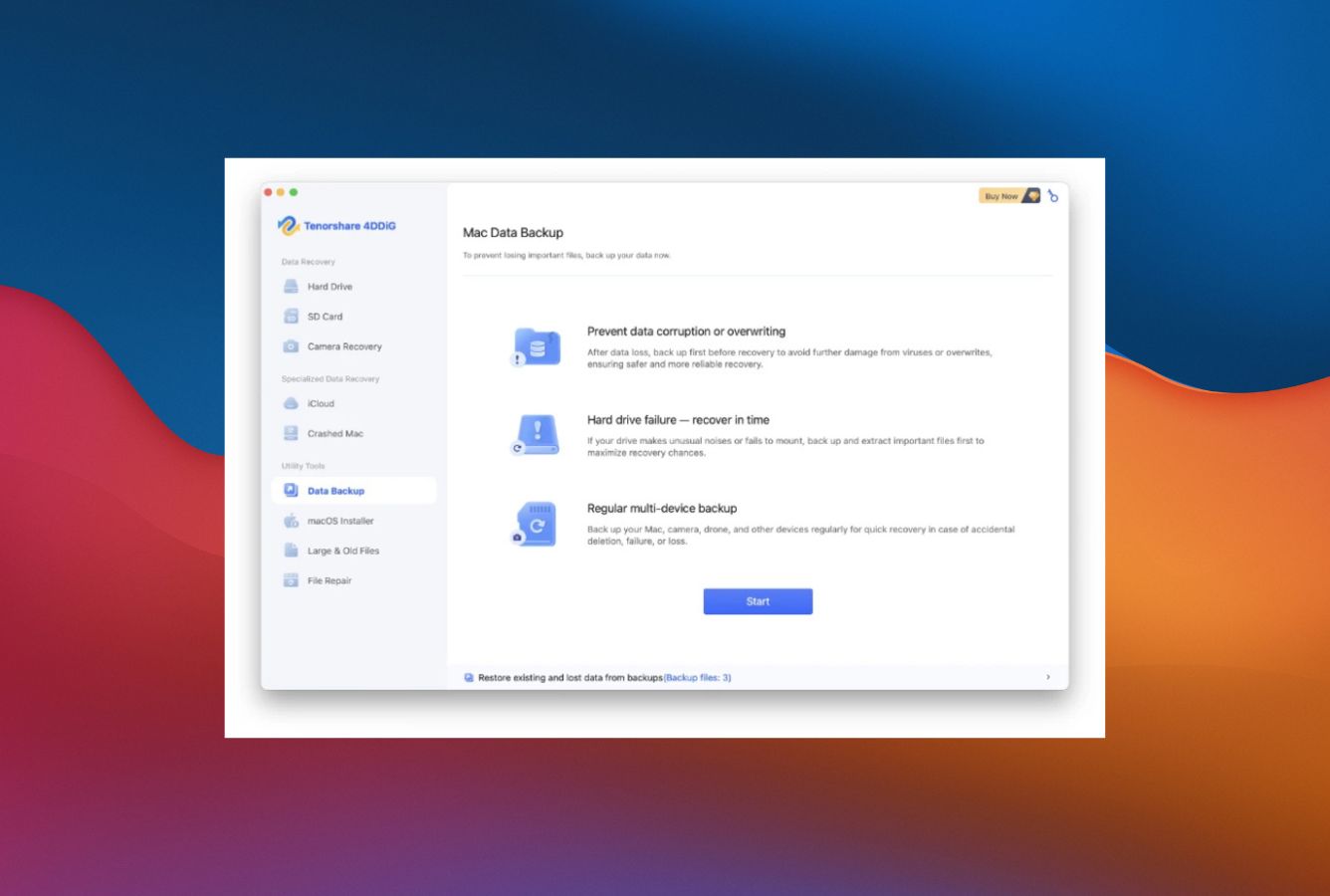
4DDiG Alternatives
|
Brief selection
A quick shortlist of our top alternative picks, based on aggregated independent research.
|
Best Alternative

EaseUS Data Recovery Wizard
Best overall · 2 GB free
|

Stellar Data Recovery
Best for photos · 1 GB free
|

Wondershare Recoverit
Best for video · 100 MB free
|
|---|---|---|---|
| Free tier | 2 GB | 1 GB | 100 MB |
| APFS recovery | Very Good | Very Good | Very Good |
| File preview | ✓ | ✓ | ✓ |
| Photo / video repair | No | Premium tier | Video only |
| Lifetime license | $169.95 | $149 | $139.95 |
Research Methodology
This review aggregates three evidence types for Tenorshare 4DDiG Mac Data Recovery: vendor documentation (the official 4DDiG Mac product page, tier matrix, supported filesystem coverage, refund and auto-renewal policy), independent external evaluation, and verified user feedback (G2, Capterra, Trustpilot, plus Reddit threads on r/datarecovery and r/mac where 4DDiG\’s wizard UX, photo/video repair, and refund handling are discussed). Tier assignments (Excellent / Very Good / Good / Fair / Limited / Not supported) reflect the aggregate of that evidence rather than an in-house benchmark, so we do not claim independent recovery percentages. For broader Mac category context, see our ranking of the best data recovery software for Mac. Full methodology details are on our How We Test page.
Is Tenorshare 4DDiG for Mac Safe?
Yes, with practical caveats around billing. Tenorshare 4DDiG is developed by Tenorshare Co., Ltd., a Chinese software company in operation since 2007 with over 142 million users across their software portfolio (which includes phone repair tools, data transfer utilities, and Windows system fixers). The Mac binary is signed and notarized by Apple, passing Gatekeeper without warnings. The application uses read-only scanning per official documentation, and recovered files are written to a destination drive that you specify, never back to the source. Tenorshare offers a 30-day money-back guarantee through the official site.
The practical safety considerations relate to billing rather than malware. Multiple consumer reports on Capterra and Trustpilot mention difficulty obtaining refunds within the 30-day window, and several users have reported being charged for additional months after attempting to cancel within the trial period. The cancellation flow requires logging into a Tenorshare account dashboard and explicitly disabling auto-renewal, which is not done automatically when you cancel through the application interface. Practical guidance: turn off auto-renewal immediately after purchase, save proof of purchase, and contact support via email with a clear refund request if you change your mind within 30 days. The product itself is safe to install and run; the friction is around subscription management. Always download from 4ddig.tenorshare.com directly to avoid tampered installers.
How to Use Tenorshare 4DDiG on Mac
4DDiG\’s Mac workflow is one of the most beginner-friendly in the consumer recovery category, organized as a three-step linear wizard with an interactive Quick Start Guide that walks first-time users through recovery.
Download and install
Download the DMG from 4ddig.tenorshare.com/mac-data-recovery.html. Open the DMG, drag the application to /Applications. On first launch, 4DDiG requests Full Disk Access permission in System Settings, which is necessary for scanning protected volumes. The Quick Start Guide appears on first launch and walks you through the workflow.
Select source location and scan
The main window presents location categories (Hard Drive, External Drive, SD Card, Trash, Desktop, Selected Folder) and scenario shortcuts (Photo Recovery, Document Recovery, Video Recovery, Audio Recovery). Select the source location and click Scan. 4DDiG runs Quick Scan first (filesystem catalog parse) and automatically continues to Deep Scan (signature-based recovery) when Quick Scan finishes. Scan progress shows estimated time remaining and live preview of files found so far. Pause is supported.
Preview, filter, and recover
Recovered files appear organized by file type (Photos, Videos, Documents, Audio, Archives, Email, Other). Use the type filter, date range, and size filter to narrow results. Click a file to preview in the inline viewer. Select files to recover, click Recover, and choose a destination on a different drive than the source. The free preview tier shows what is recoverable without saving files; recovery requires a paid license.
Optional: photo/video repair on damaged files
If recovered media files come back damaged or partially corrupted, 4DDiG includes bundled photo and video repair tools. From the main menu, select Repair Photos or Repair Videos, add the damaged files, and run the repair process. The repair quality is functional for minor corruption (broken headers, missing metadata) but limited compared to dedicated repair tools like Stellar Repair. For a casual all-in-one workflow, the bundled repair is convenient.
For unbootable Macs: bootable USB
If the Mac will not boot normally and you have access to a working Mac, run 4DDiG on the working Mac and select Crashed Computer Recovery from the main menu. 4DDiG creates a bootable USB drive (requires a 16 GB+ USB stick that gets erased). Boot the unbootable Mac from the USB, run 4DDiG, and scan the internal drive. Note this requires preparation in advance, unlike iBoysoft\’s online recovery mode that loads from macOS Recovery without a pre-built USB.
4DDiG\’s free download allows full scanning, file preview, and verification of what is recoverable. It does not allow saving recovered files to disk. This means you can confirm whether your files are findable before paying, but you must purchase a license to actually recover them. EaseUS Free at 2 GB and PhotoRec (unlimited free, terminal-only) are alternatives if you need actual free recovery.
Who Tenorshare 4DDiG for Mac Is For
4DDiG targets a specific audience: Mac users who prioritize ease of use and want an all-in-one recovery + repair tool with broad file type coverage. Three audiences get clear value:
First-time Mac recovery users who want a beginner-friendly wizard. 4DDiG\’s three-step interface and interactive Quick Start Guide are among the most approachable in the consumer Mac recovery category. For users who have never used a recovery tool and don\’t want to invest in learning a more complex interface (R-Studio, DMDE), 4DDiG delivers a workflow that requires zero prior experience. The wizard walks through location selection, scan options, and file preview without exposing any technical concepts. Disk Drill is the main competitor on UX simplicity, with similarly clean Mac UI and broader feature set at lower entry pricing ($89/year vs 4DDiG\’s $89.95/month).
Mac users dealing with damaged photos and videos who want bundled repair. 4DDiG includes photo and video repair tools alongside data recovery, which is genuinely useful when recovered media files come back damaged or partially corrupted. The repair quality is functional for minor corruption (broken headers, missing metadata, partial frames) but limited compared to dedicated repair tools. For users who want to recover and repair in a single tool without buying separate utilities, 4DDiG is convenient. For users with severely corrupted media files, dedicated tools like Stellar Repair for Photo or Stellar Repair for Video deliver better results.
Mac users with broad file type recovery needs (camera RAW, archives, multimedia). 4DDiG\’s 2000+ file type coverage includes camera RAW formats from Canon (CR2, CR3), Nikon (NEF), Sony (ARW), Fujifilm (RAF), Panasonic, and others, plus broad video format coverage (MP4, MOV, MKV, AVI, MXF, RED RAW), audio (FLAC, ALAC, OGG, AAC), and archive formats. For photographers, videographers, and content creators with diverse media files, 4DDiG\’s file type breadth is meaningful versus tools that focus on standard document formats.
4DDiG is the wrong choice for Mac users who need RAID array recovery (R-Studio at $79.99 Lifetime is the value pick), users who need Linux filesystem support (R-Studio, UFS Explorer Standard), users who need a hex editor or forensic logging (R-Studio Technician, DMDE Professional), users who want the cheapest Lifetime license (R-Studio at $79.99 is the cheapest in technical-tier Mac recovery), users with Fusion Drive systems (iBoysoft has a dedicated module), and users on a strict zero-budget constraint (PhotoRec is genuinely free, EaseUS Free recovers 2 GB).
Tenorshare 4DDiG for Mac Strengths in Real-World Use
The strengths cluster around UX, file type breadth, and bundled features. 4DDiG positions as the consumer-friendly all-in-one tool, and four patterns surface consistently in independent evaluation.
Beginner-friendly three-step wizard interface
4DDiG\’s main window presents location categories and scenario shortcuts that map directly to user intent (Photo Recovery, Document Recovery, Video Recovery) without requiring users to understand filesystem concepts. The Quick Start Guide that appears on first launch walks through the workflow with greyed-out overlays and step-by-step instructions, one of the most approachable onboarding experiences in the consumer Mac recovery category. For users who have never used a recovery tool and want a workflow that requires zero prior experience, 4DDiG delivers.
Broad file type coverage (2000+ formats)
4DDiG supports over 2000 file types including camera RAW formats (Canon CR2/CR3, Nikon NEF, Sony ARW, Fujifilm RAF, Panasonic RAW), broad video format coverage (MP4, MOV, MKV, AVI, MXF, RED RAW, BRAW), audio (FLAC, ALAC, OGG, AAC, MP3), document formats, archives, and email file formats. This is broader file type coverage than most competitors in the same price tier and is genuinely useful for photographers, videographers, and content creators with diverse media files.
Bundled photo and video repair
4DDiG includes photo and video repair tools alongside data recovery. Recovered JPEG, PNG, MP4, MOV, and other media files that come back damaged can be processed through the repair module. The repair handles broken headers, missing metadata, and partial frames for minor corruption. For users who want recovery + simple repair in a single tool without buying separate utilities, this is convenient and saves money. The repair quality is functional but limited compared to dedicated tools like Stellar Repair for Photo and Stellar Repair for Video, which deliver better results for severely corrupted files.
Apple Silicon and T2 chip support
4DDiG runs natively on Apple Silicon (M1/M2/M3/M4) Macs as a Universal Binary, supports T2-chip Intel Macs (2018-2020 MacBook Pros, MacBook Airs, iMacs, Mac minis, Mac Pros), and is compatible with macOS Tahoe 26 back through macOS 11 Big Sur. Vendor updates track each major macOS release with minimal lag (Tenorshare consistently ships compatibility updates within weeks of new macOS versions). For users on recent Macs, 4DDiG works without compatibility friction subject to the Apple Silicon internal-drive Secure Boot restriction that affects all third-party recovery tools.
Multiple recovery sources (iCloud, Trash, Time Machine)
4DDiG handles recovery from iCloud (deleted photos, notes, contacts, reminders, calendar items), Trash, Time Machine backup drives, internal HDD/SSD/Fusion Drive, external drives, SD cards, USB drives, and digital cameras. The iCloud recovery is genuinely useful for users who have synced data across Apple\’s ecosystem and need to recover items deleted from iCloud-connected devices. Source breadth is broader than tools that focus only on local storage recovery.
Filename and folder structure preservation
When the filesystem catalog is intact (most deletion scenarios), 4DDiG preserves original filenames and folder structure during recovery, which is the standard for filesystem-aware recovery tools but worth noting versus signature-based tools like PhotoRec that cannot retain filenames. For typical recovery workflows where the user wants to find a specific file by name, 4DDiG\’s named recovery is significantly more usable than tools that require manual sorting.
Where Tenorshare 4DDiG for Mac Falls Short
The limitations cluster around recovery depth, technical features, and consumer trust signals. 4DDiG prioritizes UX and file type breadth over recovery depth and technical completeness, and four patterns surface consistently in independent evaluation.
Recovery depth trails category leaders
Aggregated independent evaluation places 4DDiG in the Good tier on formatted and corrupted drive recovery scenarios. While 4DDiG handles deleted-file recovery competently, deeper recovery scenarios (formatted partitions, corrupted filesystems, partition table damage) are where tools like Disk Drill, R-Studio, and DMDE consistently outperform. For Mac users with simple deletion or SD card scenarios, 4DDiG is sufficient; for users with complex filesystem damage, alternative tools deliver better recovery rates.
No RAID, no Linux filesystems, no hex editor
4DDiG\’s filesystem coverage is consumer-focused: APFS, HFS+, FAT16/32, exFAT, NTFS-read. No RAID 0/1/5/6 reconstruction (R-Studio at $79.99 Lifetime is the value pick for RAID workflows). No ext2/3/4 or XFS for Linux server drives. No Btrfs or ZFS support. No hex editor or forensic audit logs (R-Studio Technician and DMDE Professional include these). For users with multi-disk RAID arrays, Linux NAS units, non-standard filesystems, or forensic recovery needs, 4DDiG cannot help.
Pricing is high relative to recovery depth
4DDiG\’s pricing sits at the higher end of the consumer Mac recovery category. The $89.95 monthly entry point is unusual (most consumer tools price annual subscriptions in this range), $99.95 yearly is competitive but not exceptional, and the $109.95 Lifetime is more expensive than R-Studio ($79.99 Lifetime, Mac-only) but cheaper than Disk Drill ($149 Lifetime, covers Mac and Windows). For 4DDiG\’s premium pricing to make sense, you need to specifically value the bundled photo/video repair, broad file type coverage, or wizard UX. For users who don\’t need these specific features, alternatives at lower price points deliver more recovery depth per dollar.
Consumer trust signals: refund handling and auto-renewal
Multiple Capterra and Trustpilot reviews flag refund handling and auto-renewal billing as friction points. The pattern: users purchase a 1-month or 1-year license, attempt to cancel within the refund window, and report being charged for additional months. The 30-day money-back guarantee is technically honored by Tenorshare per the official site, but the cancellation flow requires logging into a Tenorshare account dashboard and explicitly disabling auto-renewal (not done automatically through the application interface). Practical advice: turn off auto-renewal immediately after purchase, save proof of purchase, contact support via email with clear refund request, and follow up if needed. The product itself is safe; the friction is around subscription management.
4DDiG Mac Capability Summary
How Tenorshare 4DDiG for Mac performs capability by capability:
| Capability | Tier | Notes |
|---|---|---|
| UI & ease of use (wizard) | Excellent | Three-step wizard with interactive Quick Start Guide. Most beginner-friendly in consumer Mac category |
| File type breadth (2000+ formats) | Excellent | Camera RAW (Canon, Nikon, Sony, Fujifilm), broad video and audio coverage, archives, email |
| Apple Silicon & T2 chip support | Excellent | Universal Binary, native M1/M2/M3/M4. macOS Tahoe 26 compatible |
| Multiple recovery sources | Excellent | iCloud, Trash, Time Machine, internal/external drives, SD cards, cameras |
| Bundled photo/video repair | Very Good | Functional for minor corruption. Limited vs Stellar Repair for severe damage |
| APFS deleted-file recovery | Very Good | Solid coverage on standard scenarios. Trails Disk Drill on pure APFS depth |
| SD card / camera RAW recovery | Very Good | Strong for photography workflows with vendor-specific algorithms |
| Filename / folder preservation | Very Good | Preserves names when filesystem catalog is intact |
| File preview before recovery | Very Good | Inline preview for common formats. Free tier allows preview without recovery |
| Bootable USB for unbootable Mac | Good | Requires preparation in advance. Less convenient than iBoysoft\’s online recovery mode |
| Formatted / corrupted recovery | Good | Trails Disk Drill, R-Studio, DMDE on deeper recovery scenarios |
| NTFS recovery | Good | Read-only NTFS support for cross-platform drives |
| Encrypted APFS (FileVault 2) | Good | Handles encrypted volumes when unlock password provided |
| Free trial value (preview only) | Fair | Shows what is recoverable but no actual file recovery in free tier |
| Pricing value (Lifetime $109.95) | Fair | $109.95 Lifetime more expensive than R-Studio $79.99 but cheaper than Disk Drill $149 |
| Consumer trust (refund handling) | Fair | Refund and auto-renewal complaints in consumer reports. Disable auto-renew immediately |
| Fusion Drive recovery | Limited | iBoysoft has dedicated Fusion Drive module. 4DDiG handles standard scenarios only |
| RAID reconstruction | Not supported | R-Studio at $79.99 Lifetime is the value pick for RAID workflows |
| Linux filesystems (ext2/3/4, XFS) | Not supported | R-Studio, UFS Explorer Standard, DMDE handle Linux filesystems |
| Btrfs / ZFS filesystems | Not supported | UFS Explorer Standard at $64.95 Lifetime fills this gap |
| Hex editor / forensic mode | Not supported | R-Studio Technician and DMDE Professional include hex editing |
| iCloud scanning / cloud export | Not supported | iCloud recovery only (deleted iCloud items). EaseUS DRW Mac has full iCloud scanning |
| Time Machine backup parsing | Good | Reads Time Machine backups as recovery source |
| S.M.A.R.T. drive monitoring | Not supported | Disk Drill includes drive health monitoring at the same Lifetime price tier |
| Disk imaging (byte-to-byte) | Not supported | R-Studio includes byte-to-byte imaging for safe recovery from failing drives |
| Internal Mac SSD with TRIM | Not supported | Apple Silicon Secure Boot. Hardware limitation affecting all recovery tools |
Tier scale: Excellent / Very Good / Good / Fair / Limited / Not supported. Aggregated from 4DDiG product documentation, independent external evaluation, and verified user feedback (G2, Capterra, Trustpilot, Reddit), 2026.
Tenorshare 4DDiG Mac Data Recovery Cost
Tenorshare 4DDiG Mac Data Recovery uses a four-tier pricing model with monthly, yearly, lifetime, and business multi-Mac options:
| Edition | Price | Type | Coverage |
|---|---|---|---|
| Free Preview | $0 | No time limit | Full scanning, file preview only. No actual file recovery |
| 1-Month License | $89.95 | Subscription | Unlimited recovery for one Mac, 30 days. Auto-renews unless cancelled |
| 1-Year License | $99.95/year | Auto-renew subscription | Unlimited recovery for one Mac. Cancellable from Tenorshare account dashboard |
| Lifetime License (Best for individuals) | $109.95 | One-time perpetual | Unlimited recovery for one Mac, lifetime updates within major version |
| Business / Multi-Mac | $199+ | Annual subscription | Up to 5 Macs commercial use. For service providers and businesses |
Pricing verified against 4ddig.tenorshare.com, April 2026. 30-day money-back guarantee applies. Tenorshare uses 2Checkout / Paddle as payment processors. Important: auto-renewal must be cancelled from your Tenorshare account dashboard, not from the application interface.
4DDiG\’s pricing sits at the higher end of the consumer Mac recovery category. By comparison, Disk Drill Lifetime is $149 (covers Mac and Windows), R-Studio Standard Lifetime is $79.99 (Mac-only, the cheapest perpetual license in technical-tier Mac recovery), Stellar Pro Lifetime is $149 (Mac-only, includes basic photo recovery), EaseUS Pro Lifetime is $169.95 (similar pricing tier, but includes iCloud scanning and cloud export), and UFS Explorer Standard is $64.95 Lifetime (broadest filesystem support but no GUI polish). For 4DDiG\’s $109.95 Lifetime to make sense, you need to specifically value the bundled photo/video repair, broad file type coverage (2000+ formats), or wizard UX. For broader Mac category context, see our best data recovery software for Mac ranking; for free-first comparisons, see our best free data recovery software roundup.
Tenorshare 4DDiG vs. Competitors (2026)
How Tenorshare 4DDiG Mac stacks up against the most common Mac recovery alternatives:
| Tool | UI / wizard | File type breadth | Bundled repair | Free tier | Lifetime price |
|---|---|---|---|---|---|
| 4DDiG Mac ← | Excellent | 2000+ formats | Photo + video | Preview only | $109.95 |
| Disk Drill Mac | Excellent | 400+ | No | Preview only | $149 |
| Stellar Mac (Premium) | Very Good | 300+ | Photo + video | 1 GB | $199 |
| EaseUS DRW Mac | Very Good | 1000+ | No | 2 GB | $169.95 |
| R-Studio Mac | Fair (technical) | Broad | No | <256 KB demo | $79.99 |
| iBoysoft Mac | Excellent | Standard | No | 1 GB | $169.95 |
Tier scale: Excellent / Very Good / Good / Fair / Limited / Not supported. Aggregated from vendor documentation and independent external evaluation, 2026.
4DDiG\’s standout advantages are bundled photo and video repair (Stellar Premium is the main competitor with this feature, at $199 Lifetime), broad file type coverage (2000+ formats versus 300-1000 for most competitors), and beginner-friendly wizard UX. Trade-offs: $109.95 Lifetime is more expensive than R-Studio ($79.99) but cheaper than Disk Drill ($149) and EaseUS ($169.95); free tier is preview-only versus EaseUS Free 2 GB or PhotoRec unlimited; recovery depth on formatted/corrupted drives trails category leaders; and consumer reports flag refund handling as a friction point.
Try 4DDiG Mac Data Recovery Free
500 MB free recovery. Built-in file repair included.
Tenorshare 4DDiG Mac Data Recovery Features & Tools
4DDiG packs more bundled utility features than most consumer recovery tools at its price point. Beyond core data recovery, it bundles photo and video repair, iCloud restore, multiple recovery sources (Trash, Time Machine, internal/external drives, SD cards, cameras), and bootable USB media creation into a single application. This all-in-one approach appeals to users who want one tool for multiple data management tasks rather than buying separate utilities.
The two genuine differentiators are the broad file type coverage (2000+ formats including camera RAW from Canon, Nikon, Sony, Fujifilm) and the bundled photo and video repair tools that handle damaged JPEG, PNG, MP4, MOV, and other media files. The repair quality is functional for minor corruption (broken headers, missing metadata) but limited compared to dedicated repair tools like Stellar Repair for Photo and Stellar Repair for Video, which deliver better results for severe damage. Filesystem coverage is consumer-focused: APFS (encrypted and standard), HFS+, FAT16/32, exFAT, plus NTFS-read for cross-platform drives. Apple Silicon native (M1/M2/M3/M4), T2 chip support, macOS Tahoe 26 compatible.
What\’s absent: RAID reconstruction (R-Studio at $79.99 Lifetime is the value pick), Linux filesystem support like ext2/3/4 / XFS / Btrfs / ZFS (R-Studio, UFS Explorer Standard, DMDE handle these), hex editor and forensic audit logs (R-Studio Technician, DMDE Professional), S.M.A.R.T. drive monitoring (Disk Drill includes this), byte-to-byte disk imaging (R-Studio includes this), and Fusion Drive recovery module (iBoysoft has dedicated support). For workflows that need any of these, alternative tools are required.
Alternatives to Tenorshare 4DDiG for Mac
4DDiG is the value pick for Mac users who specifically want all-in-one recovery + repair with broad file type coverage. Other tools serve specific Mac scenarios better:
Open Finder, navigate to the folder where files were lost, click the Time Machine icon in the menu bar, and browse to a backup before the deletion event. If Time Machine was active, this takes 2 minutes and recovers files with original names and folder structure intact, free.
Tenorshare 4DDiG Mac User Reviews
4DDiG has substantial review platform coverage, with sentiment patterns dividing along scenario type and billing experience. Verified user feedback skews positive on ease of use, broad file type support, and the bundled photo/video repair feature. Sentiment skews critical on refund handling, auto-renewal billing, and recovery depth on complex scenarios. Tenorshare\’s 142M+ user base across all their products generates volume but the review distribution is polarized.
Easy to install, easy to use, easy interface. I recovered all my lost data from SD cards and external drives. The wizard makes the process straightforward.
I easily recovered all my deleted external drive data. Fast, smooth program with a complete interface for easy navigation. The photo repair feature was a nice bonus.
Solid for casual Mac recovery if you need camera RAW formats and the photo repair add-on. The pricing is high relative to alternatives but the all-in-one workflow is nice.
Cancelled within the 3-day trial period but was charged for another month. Not refunding anything despite the published 30-day money-back guarantee.
Completely useless on a corrupted drive. Could not recover a single Excel file from a formatted partition. Customer support refused a refund.
The lifetime licensing does not easily follow the computer after reinstalling the OS. You have to contact support to reactivate it each time. Annoying.
Recurring themes across verified user feedback: strong praise for the wizard UX, broad file type support, and bundled photo/video repair (these are the differentiators that earn positive reviews on simple recovery scenarios). Criticism centers on auto-renewal billing practices, refund handling, recovery depth on corrupted/formatted drives, and Lifetime license reactivation friction. 4DDiG works well for users with simple scenarios who want all-in-one recovery + repair; for users who need deeper recovery or who are sensitive to subscription billing, alternatives at lower price points are available.
Frequently Asked Questions
Is Tenorshare 4DDiG for Mac free?+
Is 4DDiG safe to use on Mac?+
Does 4DDiG work on Apple Silicon Macs?+
Can 4DDiG recover from a crashed or unbootable Mac?+
Does 4DDiG include photo and video repair?+
How does 4DDiG compare to Disk Drill for Mac?+
Does 4DDiG handle RAID arrays or Linux filesystems?+
How is the 30-day money-back guarantee handled?+
Final Verdict
Tenorshare 4DDiG Mac Data Recovery earns 4.0/5 as the consumer-tier all-in-one Mac recovery tool with a beginner-friendly three-step wizard interface, support for 2000+ file types (broadest in the consumer Mac category), and bundled photo and video repair tools. The application supports Apple Silicon natively, T2 chip-equipped Macs, and macOS Tahoe 26 through macOS 11 Big Sur. The free preview tier allows scan and file verification before purchase, and the $109.95 Lifetime tier delivers reasonable value for users who want one-time payment over recurring subscriptions.
The trade-offs are recovery depth and consumer trust signals. Aggregated independent evaluation places 4DDiG\’s formatted and corrupted drive recovery in the Good tier, trailing Disk Drill, R-Studio, and DMDE on deeper recovery scenarios. The pricing of $109.95 Lifetime is more expensive than R-Studio ($79.99 Lifetime) but cheaper than Disk Drill ($149 Lifetime, covers Mac and Windows). Refund handling and auto-renewal billing surface as friction points in consumer reports; the 30-day money-back guarantee is technically honored but the cancellation flow requires logging into the Tenorshare account dashboard, not done from the application interface. Best fit for Mac users who want all-in-one recovery + repair with broad file type coverage and prefer a Lifetime license over recurring subscriptions, with the practical advice to disable auto-renewal immediately after purchase. For broader Mac category context, see our best Mac data recovery software ranking.
About the Authors


This site earns revenue through affiliate links when you purchase Tenorshare 4DDiG or other products through our links. This financial relationship has no influence on our tier assignments, methodology, or conclusions. All tools are evaluated independently against the same rubric and the same body of aggregated evidence. If you believe any claim is inaccurate, contact us at contact@datarecoveryfix.com.