iCare Data Recovery Review (2026): Free Tier Specialist
iCare Data Recovery is a Windows-only consumer recovery tool from iCareAll Inc., a Chengdu-based developer founded in 2009. Version 9.0 supports NTFS, FAT32, and exFAT file systems with three discrete recovery modes — Deleted File Recovery, Deep Scan Recovery, and RAW Drive Recovery — covering most consumer scenarios. The standout proposition is the Free edition: unlimited Deleted File Recovery with no data cap or time limit, plus a portable ZIP build that runs without installation. The paid Pro tiers ($69.99/year up to $399.99 lifetime for unlimited PCs) face stiff competition from better-performing rivals, but the Free edition remains genuinely valuable for accidental-delete scenarios on NTFS. Our review aggregates vendor documentation, independent evaluation, and verified user feedback.
evaluation, user reports
Win XP+ supported
$69.99/yr Pro

iCare Data Recovery’s Free edition is its strongest selling point — and one of the most generous free tiers in the consumer recovery category. Unlimited Deleted File Recovery with no data cap and no time limit is rare; competitors typically offer 1–2 GB free or unlimited only on basic undelete with significant feature stripping. Combined with the portable ZIP build that runs without installation (genuine best practice for recovery work, since installing software can overwrite the very files you’re trying to restore), the Free edition delivers real consumer value at zero cost. BitLocker support, three discrete scan modes, and broad legacy Windows OS coverage (XP through 11, Server 2003–2022 in Pro) round out the consumer-friendly profile.
The friction concentrates around the paid tiers and one significant feature gap. The interface is functional but dated — independent reviewers consistently flag the cumbersome partition-by-partition file browsing and slow Deep Scan completion times. The critical gap is that Deep Scan does not work on exFAT partitions — a meaningful limitation given that exFAT is the default for USB drives and SD cards over 32 GB. RAW camera format support is thin (CR3, NEF, ARW often fail). At Pro pricing of $69.99/year, iCare competes with Disk Drill ($89/year) and Stellar ($79.99/year), both of which substantially outperform it on general-purpose scenarios. No money-back guarantee makes the free trial verification path essential. Use the Free edition for what it’s good at; for everything else, the alternatives offer better value.
✓ What We Liked
- Free edition — unlimited Deleted File Recovery with no data cap or time limit
- Portable ZIP version — runs without installation, best practice for recovery work
- Three discrete recovery modes — Deleted File, Deep Scan, RAW Drive — cover main scenarios
- BitLocker encrypted-drive support — needed for Windows 11 24H2 default-encrypted volumes
- Broad legacy Windows OS support — XP through 11, Server 2003–2022 in Pro
- VirusTotal 0/72 detections — confirmed malware-free with read-only scanning
- Lightweight — 4.2 MB installer, runs on systems with just 256 MB RAM
✕ What We Didn’t
- No Deep Scan on exFAT — major gap for USB drives and SD cards over 32 GB
- Dated UI — partition-by-partition file browsing slows the recovery workflow
- No money-back guarantee — verify recovery via Free edition or 1 GB Pro trial first
iCare Data Recovery Alternatives
Brief selection A quick shortlist of our top alternative picks, based on aggregated independent research. |
Best Alternative  EaseUS Data Recovery Wizard Best overall · 2 GB free |
 Stellar Data Recovery Best for photos · 1 GB free |
 Wondershare Recoverit Best for video · 100 MB free |
|---|---|---|---|
| Deep Scan | ✓ | ✓ | ✓ |
| Formatted Drive Recovery | ✓ | ✓ | ✓ |
| RAW Photo Support | Broad | Broad | Limited |
| File Repair | ✓ | ✓ | Video only |
| Free Tier | 2 GB | 1 GB | 100 MB |
Research Methodology
This review aggregates three evidence types for the current iCare Data Recovery 9.0 for Windows: vendor documentation (icare-recovery.com, the in-app capabilities and licensing pages, the published filesystem and file format lists), independent external evaluation cross-referenced across long-running editorial sources, and verified user feedback from primary platforms — CNET, Softpedia, the Reddit r/datarecovery community, and Windows-specific forums where users discuss recovery outcomes. Tier assignments (Excellent / Very Good / Good / Fair / Limited / Not supported) reflect the aggregate of that evidence per capability. Where vendor positioning diverges from independent results — particularly around exFAT support (vendor lists exFAT as a supported filesystem; independent evaluation confirms Deep Scan does not work on exFAT), we follow the independent evidence and note the gap. Full methodology details are on our How We Test page.
Is iCare Data Recovery Safe?
iCare Data Recovery is safe to install and run when downloaded from the official source. iCareAll Inc. has been developing the software since 2009, with active maintained profiles on CNET and Softpedia. The software scored 0/72 detections on VirusTotal — independently confirmed malware-free. The application performs read-only scanning by default and writes only to a separate destination drive when recovering files; it never modifies the source. The default 4.2 MB installer is small and bundles no third-party software.
A genuine differentiator: iCare offers a portable ZIP version that requires no installation. This is best practice for recovery work because installing software can overwrite the very deleted files you’re trying to recover. The portable build runs from any folder or USB stick with no registry entries and no background services. Most consumer recovery tools force a traditional installer, making them harder to use safely on the same machine where data was lost. One safety note: searches for “iCare Data Recovery crack” or “free license key” return cracked installers from third-party sites — these consistently contain malware. The Free edition (no payment required) makes cracked versions pointless and risky.
How to Use iCare Data Recovery
Download Free or portable ZIP
Get the Free edition from icare-recovery.com. Choose the 4.2 MB installer or the portable ZIP. Critical: install or extract on a different drive than the one you’re trying to recover from. The portable ZIP runs straight from a USB stick — preferred for serious recovery scenarios.
Choose a recovery mode
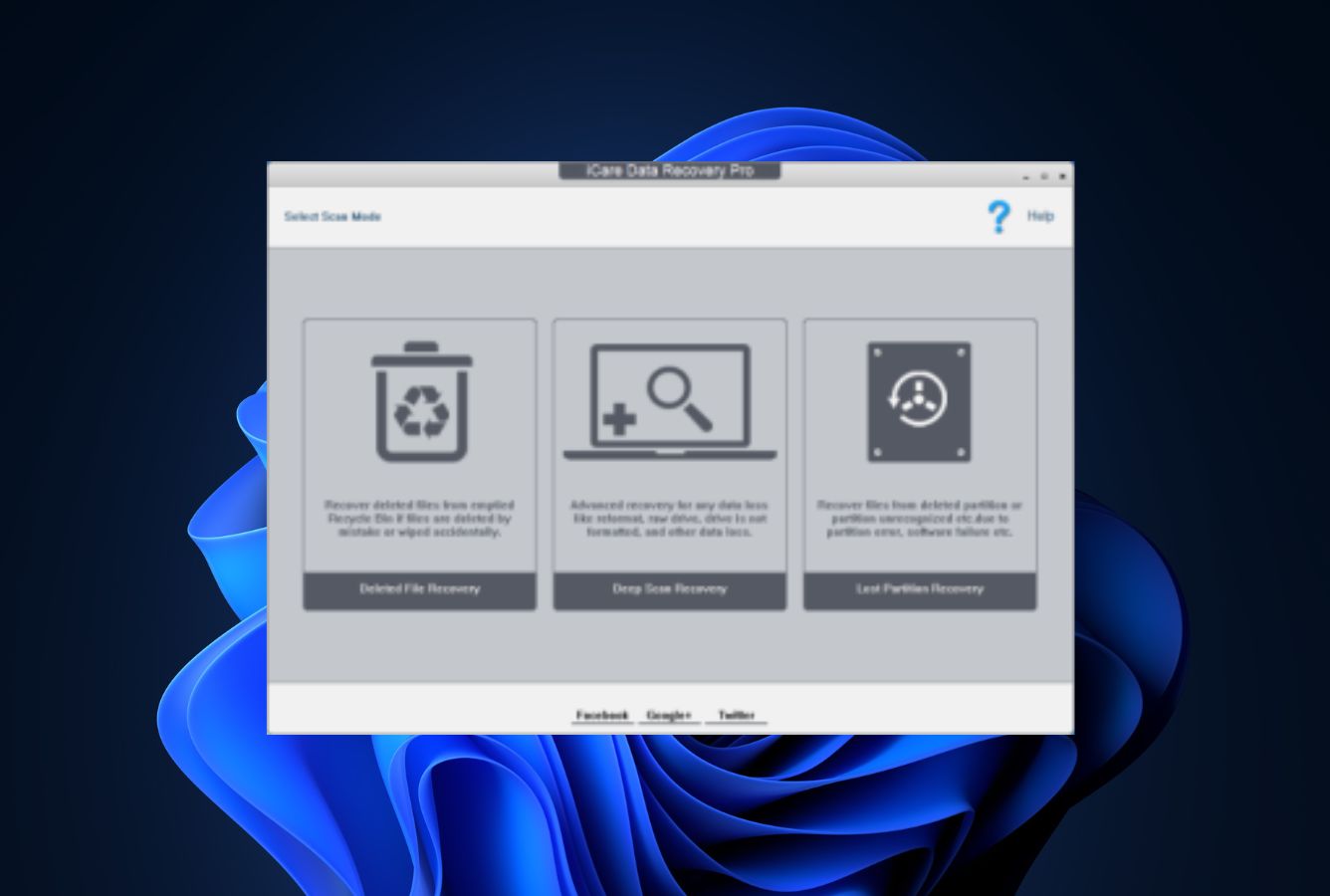
iCare presents three discrete options on the main screen. Deleted File Recovery for recently deleted files with intact filesystem (fast, free, unlimited). Deep Scan Recovery for formatted NTFS or FAT32 drives — note this does NOT work on exFAT. RAW Drive Recovery for partitions Windows reports as RAW or refuses to mount. Pick the mode that matches your scenario; iCare doesn’t auto-route between them.
Select the partition or physical disk
For deleted-file scenarios, choose the partition where the files lived. For lost partitions, select the physical disk. Quick Scan in Deleted File mode finishes in minutes; Deep Scan can run several hours on a 4 TB drive. Use the session save feature to pause and resume long scans without rescanning from the start.
Preview, then recover
Browse results in the directory tree, preview documents/photos/videos to verify integrity, and select files to restore. Save to a different drive than the source. Free edition allows unlimited recovery for Deleted File mode (500 files/day for Deep Scan). Pro license unlocks unlimited Deep Scan and RAW Drive recovery.
If your data loss is on the same drive as Windows, run the portable ZIP version from a USB stick rather than installing on the affected drive. Installing software can overwrite deleted files in unallocated space — the portable build avoids that risk entirely. This is the single most important practice for maximizing recovery chances and is something most paid competitors don’t offer.
Who iCare Data Recovery Is For
iCare Data Recovery’s Free edition fits one specific user well in 2026: anyone facing a recently deleted file scenario on NTFS or FAT32 who wants unlimited free recovery without buying a license. The Free edition has no data cap, no time limit, and no per-file restrictions on Deleted File Recovery mode. Combined with the portable ZIP build that runs without installation, this is one of the best free tools available for the most common consumer data loss scenario — accidental Recycle Bin emptying, deleted documents, files lost to a too-aggressive cleanup. For this user the value calculus is straightforward: zero cost, no signup, no payment details, no upgrade nag.
A concrete example: someone empties the Recycle Bin on their NTFS Windows partition, then realizes they needed a deleted document. iCare’s Free edition Deleted File Recovery mode runs on the affected partition (ideally launched from the portable ZIP on a USB stick to avoid overwriting), finds the document with original filename and folder structure intact, and recovers it to a different drive. Total cost: zero. Total time: minutes. The Free edition delivers exactly what this user needs.
A second specific user: anyone running an older Windows version (XP, Vista, Windows 7, Server 2003 onward) where modern recovery tools no longer install. iCare’s broad legacy OS support is genuinely valuable — Disk Drill, EaseUS, and Stellar have mostly dropped Windows 7 and earlier. For users on these systems, iCare is one of the few remaining maintained options. The Pro edition’s Server support extends this through Windows Server 2022.
For users with formatted exFAT drives (most USB drives over 32 GB, most SD cards), corrupted partitions needing filesystem reconstruction, RAW camera format recovery, or anyone whose primary criterion is recovery rate per dollar on harder scenarios, the next section explains why mainstream alternatives are typically better fits.
iCare’s Strengths in Real-World Use
Aggregated independent evaluation and verified user feedback consistently surface four areas where iCare Data Recovery earns its place against bigger general-purpose competitors.
The Free edition is genuinely category-leading for basic undelete
Most consumer recovery tools cap their free tiers at 1–2 GB (EaseUS at 2 GB, Stellar at 1 GB, Disk Drill at 100 MB). iCare’s Free edition gives unlimited Deleted File Recovery with no data cap, no time limit, no signup, and no upgrade pressure. Independent evaluation confirms this is one of the most generous free tiers in the consumer category — a meaningful advantage when the recovery scenario fits the mode (recently deleted files, intact filesystem). The Free edition even includes BitLocker support for encrypted volumes if you have the unlock key. For users whose scenario matches, the value calculus is unbeatable: zero cost.
Portable ZIP build is best practice for recovery
iCare offers a portable ZIP version that requires no installation. This matters more than it sounds: when data is deleted from a drive, recovery success depends on not overwriting the unallocated space where deleted files still physically reside. Installing recovery software on the affected drive can overwrite those files. The portable ZIP runs from any folder or USB stick with no registry changes and no background services — you can launch it from a USB stick connected to the affected machine and avoid the installation problem entirely. Most paid competitors don’t offer this, and it’s a genuine differentiator for serious recovery work.
Three discrete recovery modes match scenarios cleanly
Where some tools auto-route between modes (and sometimes pick the wrong one), iCare presents three clear options on the main screen: Deleted File Recovery (fast, free unlimited), Deep Scan Recovery (formatted drives), and RAW Drive Recovery (corrupted/inaccessible partitions). The clarity helps less-technical users pick the right approach for their specific scenario rather than wondering which mode is running. Combined with the session save feature (pause and resume long Deep Scans without rescanning), the workflow is straightforward even for users who’d find more sophisticated tools intimidating.
Broad legacy Windows OS support and BitLocker handling
iCare runs on Windows XP, Vista, 7, 8, 8.1, 10, and 11 — broader than most modern competitors which have largely dropped pre-Windows 10 support. The Pro edition adds Windows Server 2003 through 2022 coverage. For users on legacy systems (still common in industrial, embedded, small-business, and home environments where modern hardware isn’t justified), iCare is one of the few maintained options remaining. BitLocker encrypted-drive recovery (with the unlock key or password) is increasingly relevant since Windows 11 24H2 enables BitLocker by default on clean installs — iCare handles this in both Free and Pro editions.
Where iCare Falls Short
The friction concentrates around the paid tier value proposition and one significant feature gap.
Deep Scan does not work on exFAT — major gap
The single most consistent technical complaint across independent evaluation is that iCare’s Deep Scan Recovery mode does not work on exFAT partitions. This is a meaningful limitation: exFAT is the default filesystem for USB drives over 32 GB, most SD cards over 32 GB, and many external SSDs. Independent testing has repeatedly confirmed this — vendor documentation lists exFAT among supported filesystems, but the deep scan engine specifically cannot process exFAT structures. For users facing formatted USB drives, formatted SD cards, or formatted external storage with exFAT, iCare is effectively useless beyond basic Deleted File Recovery on intact filesystems. EaseUS, Disk Drill, and Stellar all handle exFAT deep scan as standard.
Dated UI and partition-by-partition browsing
Independent reviewers consistently flag the interface as functional but visually dated. The bigger ergonomic issue is that iCare organizes scan results by partition rather than by file type, recovery probability, or path — meaning users must browse each partition’s results separately rather than seeing everything at once. Independent evaluation explicitly cites this as a workflow friction. Combined with slow Deep Scan completion times (multiple hours on large drives, with no parallelization), the paid tier doesn’t feel competitive against modern competitors that have invested in interface modernization. For non-technical users, the friction adds up.
Paid tier value is hard to defend
At $69.99/year for the Home License, iCare Pro competes directly with Disk Drill ($89/year) and Stellar ($79.99/year) — both of which substantially outperform it on general-purpose recovery scenarios with more polished interfaces, broader file signature libraries, and stronger format breadth (Disk Drill 400+ signatures, iCare 800+ but with thinner per-format coverage). The lifetime license at $399.99 is more competitive over multi-year ownership but still hard to recommend over DMDE ($48 perpetual) for technical users or modern competitor lifetime deals when offered. No money-back guarantee is unusual in the category — competitors offer 14-30 day refunds. The Free edition or 1 GB Pro trial is the only verification path.
Thin RAW camera format coverage and weak media recovery
Vendor documentation cites “800+ file types,” but independent evaluation consistently rates RAW camera format coverage as thin — CR3, NEF, ARW, and other modern RAW formats often produce inconsistent results, particularly post-formatting. Standard JPEG and PNG come back reliably, but photographers needing dedicated camera-card recovery should look elsewhere. Video recovery is similarly inconsistent — fragmented MP4 and MOV files frequently fail to play after recovery. For broader category context, see our best photo recovery software roundup.
iCare Data Recovery Capability Summary
How iCare Data Recovery performs, capability by capability, based on aggregated independent evaluation and vendor documentation:
| Capability | Tier | Notes |
|---|---|---|
| Free recovery tier value | Excellent | Unlimited Deleted File Recovery — most generous free tier in category |
| Portable ZIP build | Excellent | Runs without installation — best practice for serious recovery work |
| NTFS deleted-file recovery | Very Good | Reliable on recently-deleted NTFS with intact MFT |
| Recycle Bin recovery | Very Good | Strong on recently-emptied Recycle Bin scenarios on NTFS |
| Document recovery (DOCX/PDF/XLSX) | Very Good | Reliable across both Deleted File and Deep Scan modes |
| Legacy Windows OS support | Very Good | XP through 11; Server 2003–2022 in Pro — broader than most rivals |
| BitLocker encrypted-drive recovery | Good | Works with unlock key or password — included in Free edition |
| FAT32 deleted-file recovery | Good | Solid on FAT32 USB drives and small SD cards |
| Formatted NTFS recovery | Good | Deep Scan handles NTFS adequately; folder structure typically lost |
| Formatted FAT32 recovery | Good | Deep Scan handles FAT32; mid-tier results |
| RAW Drive Recovery (corrupted partitions) | Fair | Works but produces flat file listings without filesystem reconstruction |
| Lost partition recovery | Fair | Basic capability; lacks filesystem reconstruction depth of professional tools |
| Standard photo recovery (JPEG/PNG) | Good | Common formats recover reliably |
| RAW camera format recovery | Fair | CR3, NEF, ARW often inconsistent; thin signature coverage |
| Video file recovery | Fair | Common formats OK; fragmented MP4/MOV often fail |
| Interface polish | Fair | Functional but dated; partition-by-partition file browsing slows workflow |
| Scan speed | Fair | Deep Scan slow on large drives — no parallelization |
| File types supported | Good | 800+ types per vendor; thinner per-format depth than Disk Drill / EaseUS |
| Money-back guarantee | Not supported | No refund policy — verify via Free edition or 1 GB Pro trial |
| exFAT Deep Scan | Not supported | Major gap — exFAT formatted drives (USB >32GB, SD cards) cannot be deep-scanned |
| File repair (photo / video) | Not supported | Recovery only — partially corrupted files stay damaged |
Tier scale: Excellent / Very Good / Good / Fair / Limited / Not supported. Aggregated from independent evaluation and verified user feedback, 2026.
iCare Data Recovery Cost
iCare offers a tiered pricing model with three paid editions plus the genuinely useful Free edition. The Free edition provides unlimited Deleted File Recovery with no data cap, no time limit, and no payment required — independently verified as one of the most generous free tiers in the consumer category. Deep Scan in the Free edition is limited to 500 files per day. The Pro trial adds 1 GB of full-feature recovery for users who want to test Deep Scan and RAW Drive Recovery on their specific scenario before paying. Home License at $69.99/year covers 1 PC. Premium License at $99.99/year covers 2 PCs. Unlimited License at $399.99 lifetime covers unlimited PCs with no expiration.
The pricing math is mixed. The Free edition is excellent value — possibly best-in-category for basic undelete scenarios. The paid tiers are harder to defend: $69.99/year competes directly against Disk Drill ($89/year), Stellar ($79.99/year), and EaseUS ($99.95/year), all of which substantially outperform iCare on general-purpose scenarios with more polished interfaces and broader feature sets. The $399.99 lifetime license is more competitive over multi-year ownership but still face-to-face with DMDE Standard at $48 perpetual for technical users. No money-back guarantee is unusual in the category and increases the importance of using the Free edition or Pro trial to verify outcomes before paying. For broader category context, see our best free data recovery software guide where iCare’s Free edition consistently ranks well.
iCare vs. Competitors (2026)
| Tool | Free Tier | NTFS Recovery | exFAT Deep Scan | Portable | Price |
|---|---|---|---|---|---|
| iCare ← | Unlimited undelete | Very Good | Not supported | ✓ | $69.99/yr |
| Disk Drill | 100 MB | Excellent | Yes | ✗ | $89/yr |
| EaseUS DRW | 2 GB | Very Good | Yes | ✗ | $99.95/yr |
| Stellar | 1 GB | Very Good | Yes | ✗ | $79.99/yr |
| Recuva | Unlimited | Good | Limited | ✓ | Free / $24.95 |
| DMDE | 4,000 files/dir | Very Good | Yes | ✓ | $48 perpetual |
Tier assignments based on aggregated independent evaluation and verified user feedback. 2026.
Try iCare Free Edition
Unlimited deleted-file recovery. No data cap. Portable ZIP available — no installation needed.
iCare Features & Tools
iCare Data Recovery’s feature philosophy is consumer-focused minimalism. Where competitors load up on disk health monitoring, partition management, file shredding, and S.M.A.R.T. dashboards, iCare focuses on a small number of recovery scenarios and does them with consumer-friendly clarity. The result is a lean tool that’s easy to navigate but lacks the supplementary capabilities that bigger competitors include. There’s no hex editor, no RAID support, no S.M.A.R.T. monitoring, no file shredding, no file repair, and no cloud integration.
The most distinctive feature is the combination of the unlimited Free edition and the portable ZIP build. Free unlimited Deleted File Recovery is rare in the category — competitors typically cap at 1–2 GB. The portable ZIP that runs without installation is genuine recovery best practice and uncommon among paid tools. Combined, these two features make iCare the most consumer-friendly free option for basic NTFS undelete scenarios.
The three discrete recovery modes — Deleted File, Deep Scan, RAW Drive — provide clear scenario-to-mode mapping that less-technical users can navigate without confusion. BitLocker encrypted-drive support rounds out the meaningful feature set; it’s increasingly relevant as Windows 11 24H2 enables BitLocker by default. The session save feature lets you pause long Deep Scans and resume later — useful on multi-hour scans of large external drives.
iCare Data Recovery User Reviews
iCare Data Recovery has modest but consistent independent review coverage. CNET and Softpedia maintain active product profiles. Verified user feedback across the Reddit r/datarecovery community, software directories, and Windows-specific forums converges on a clear pattern: the Free edition’s unlimited undelete and portable ZIP build earn praise; the dated interface, exFAT Deep Scan gap, slow scan times, and weak RAW format coverage produce the friction. Editorial reviews from independent recovery sites follow a similar pattern — generally positive about the Free edition value, generally critical of the Pro tier value calculus relative to better-performing competitors at similar prices.
Average user rating 3.4/5. The Free edition’s unlimited deleted-file recovery is exceptional value. Deep Scan adequate but slow on large drives.
Free edition saved my Recycle Bin emptying disaster. Unlimited recovery, portable ZIP from a USB stick — exactly what I needed at zero cost.
Lightweight installer, runs on legacy Windows versions where modern tools won’t install. Free unlimited undelete is the standout feature.
Tried iCare on a formatted exFAT USB. Deep Scan didn’t work — turns out it doesn’t support exFAT at all. Switched to EaseUS which handled it.
UI feels stuck in 2014. Browsing files partition-by-partition is tedious vs modern tools that show everything at once. Pro doesn’t justify $69/yr.
Tried recovering CR3 files from a formatted SD card. Most came back corrupted. Use a dedicated photo recovery tool for RAW formats.
Verified user feedback converges: the Free edition’s unlimited undelete and portable ZIP build earn the strongest praise; the exFAT Deep Scan gap, dated UI, and weak RAW format coverage are the consistent friction points. Free edition + portable ZIP is the recommended starting point — exhaust this before paying for Pro. The Pro tier’s value proposition is genuinely hard to defend against Disk Drill and Stellar at similar prices.
When to Choose Something Else
iCare’s Free edition is genuinely best-in-category for basic NTFS undelete, but several common scenarios are better served by other tools:
Frequently Asked Questions
Is iCare Data Recovery free?+
Is iCare Data Recovery safe to use?+
Can iCare Data Recovery recover formatted drives?+
Does iCare Data Recovery work on Windows 11?+
Is iCare Data Recovery better than Recuva?+
Does iCare support BitLocker drives?+
How much does iCare Data Recovery Pro cost?+
Final Verdict
iCare Data Recovery’s Free edition is a genuine standout in the consumer category. Unlimited Deleted File Recovery with no data cap or time limit, paired with the portable ZIP build that runs without installation, makes this one of the best free options available for the most common consumer data loss scenario — accidental Recycle Bin emptying or recently deleted files on NTFS. BitLocker support, broad legacy Windows OS coverage, and three discrete recovery modes round out a solid free package. For users whose scenario matches what the Free edition does well, the value calculus is unbeatable: zero cost, no signup, malware-free.
Beyond the Free edition, the value calculus weakens significantly. The Deep Scan exFAT gap is a major limitation — exFAT is the default for USB drives and SD cards over 32 GB, and iCare cannot Deep Scan them. The interface feels dated, scan times are slow, RAW camera format coverage is thin, and the $69.99/year Pro license competes against Disk Drill and Stellar at similar prices but with substantially better general-purpose recovery and more polished interfaces. No money-back guarantee makes free verification essential. The lifetime license at $399.99 only makes sense for users who specifically value iCare’s exact feature combination over multi-year ownership.
Choose iCare Free for unlimited NTFS undelete, portable recovery work, or legacy Windows systems where modern tools no longer install. For exFAT formatted drives, RAW camera format recovery, corrupted partitions needing filesystem reconstruction, or general-purpose recovery, the alternatives in our best Windows data recovery software roundup deliver more capability for similar money — and most include money-back guarantees iCare doesn’t offer.
About the Authors


This review reflects independent research by the datarecoveryfix.com team. Some links on this page may earn the site a referral fee at no extra cost to you — this does not influence our ratings, rankings, or editorial conclusions. If you believe any claim is inaccurate, contact us at contact@datarecoveryfix.com.