Disk Drill Review (2026): The Recovery Benchmark
Disk Drill by CleverFiles is the most capability-complete data recovery tool on Windows. It covers every major file system (NTFS, FAT32, exFAT, ReFS, APFS, HFS+, EXT), recognizes roughly 400 file signatures, reconstructs RAID 0/1/5/6/10/1E/JBOD, handles Windows Storage Spaces, and includes Advanced Camera Recovery for fragmented action-cam and drone video. One Pro license unlocks both Windows and Mac versions — a rarity in the category.
Our review of v6.2 aggregates vendor documentation from CleverFiles, independent testing from Pandora Recovery Scoreboard, HandyRecovery, and 7datarecovery, plus user feedback from G2, Capterra, and BBB (where CleverFiles holds a 4.87/5 rating). The core finding: if your budget allows $89/year and your free-tier allowance of 100 MB is enough for testing the scan, Disk Drill is as close as Windows recovery gets to a no-compromise choice — with one notable trade-off around the free-tier cap.
tests, user reports
v6.2
100 MB free tier
v6.2

Disk Drill is the default recommendation for Windows users who want a complete, polished recovery tool and are willing to pay for it. Independent testing consistently places it in the upper tier across deleted-file recovery, formatted-drive recovery, and RAID reconstruction. The breadth of supported file systems and the inclusion of both Windows and macOS in one license make it exceptional value at the lifetime price point. The one genuine caveat: the 100 MB free tier is more a preview than a useful free option.
✓ What We Liked
- Broadest file-system coverage in the category — NTFS, FAT, exFAT, ReFS, APFS, HFS+, EXT
- Roughly 400 file signatures including modern RAW formats (CR3, ARW, ORF, DNG)
- Advanced Camera Recovery reconstructs fragmented video from action cams, drones, dashcams
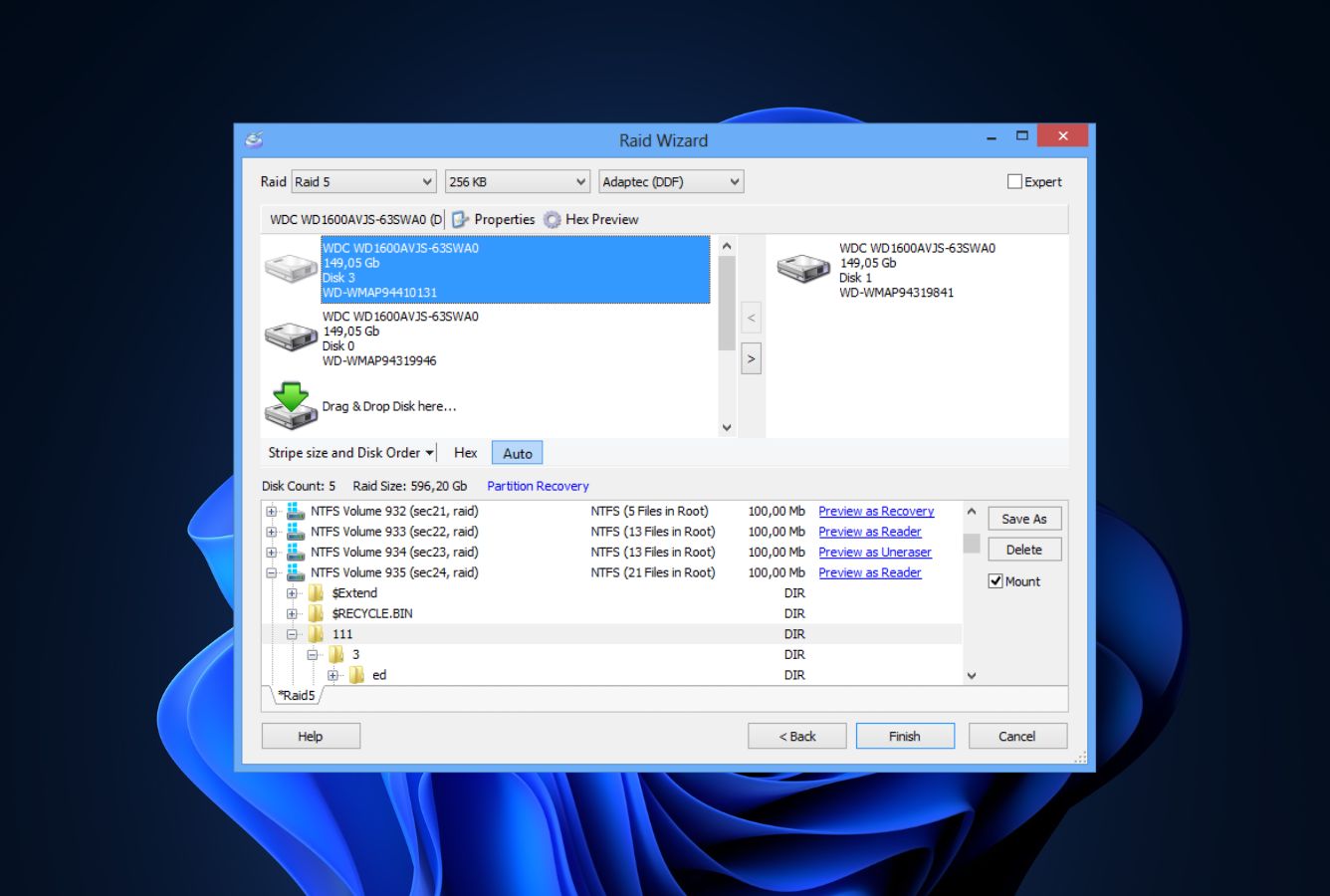
- RAID 0/1/5/6/10/1E/JBOD reconstruction plus Windows Storage Spaces support
- One Pro license covers both Windows and macOS — unusual in the category
- Byte-to-byte disk imaging for scanning failing drives safely
- Lifetime license option ($149) unusual among subscription-only competitors
✕ What We Didn’t
- Free tier is capped at 100 MB of recovery — effectively a paid preview
- Pricing is higher than Stellar, Recuva Pro, or Wondershare entry tiers
- Multi-terabyte Deep Scans can take several hours (architectural, not a defect)
Disk Drill Alternatives
Brief selection A quick shortlist of our top alternative picks, based on aggregated independent research. |
Best Alternative

EaseUS Data Recovery Wizard
Best overall · 2 GB free
|

Stellar Data Recovery
Best for photos · 1 GB free
|

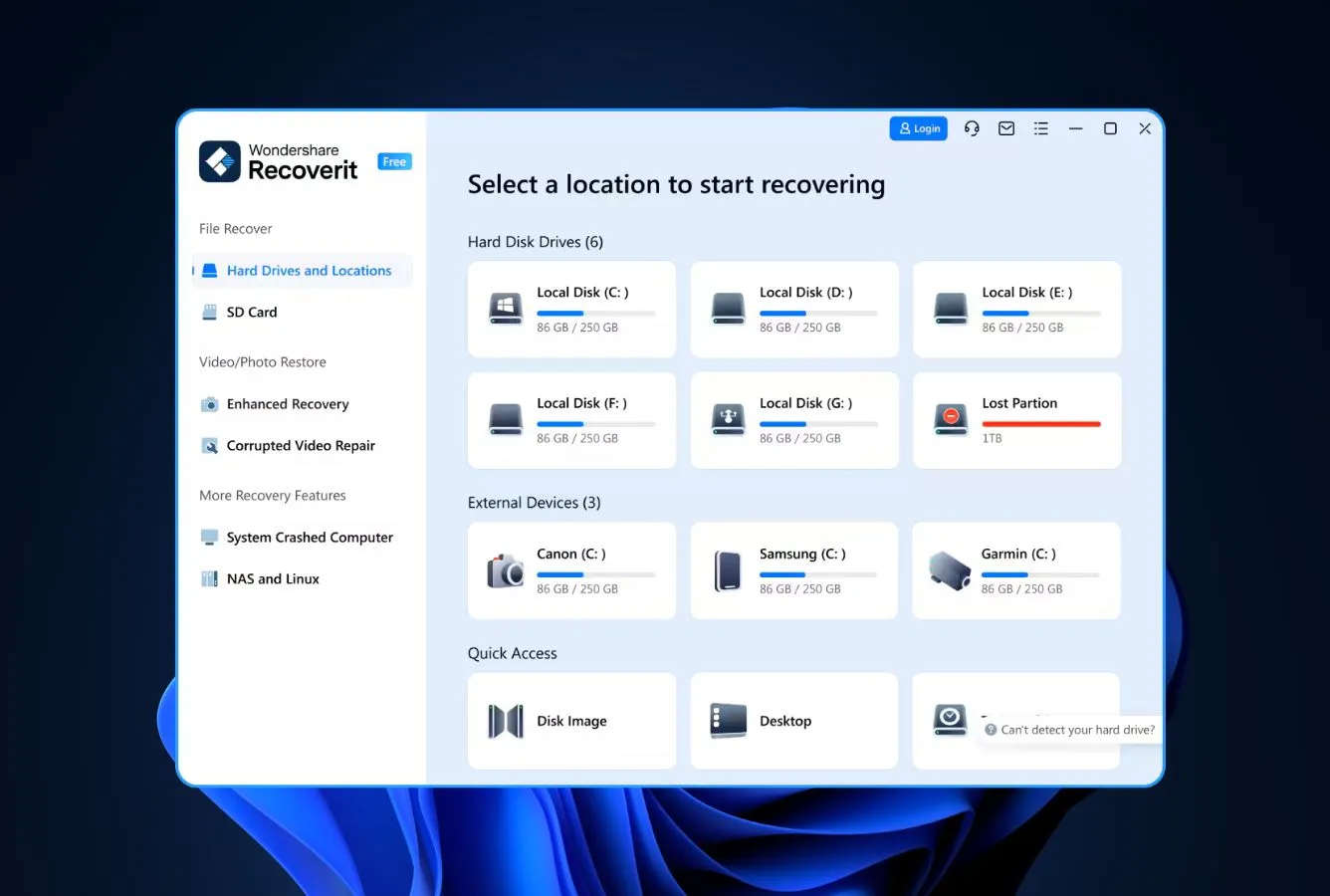
Wondershare Recoverit
Best for video · 100 MB free
|
|---|---|---|---|
| Deep Scan | ✓ | ✓ | ✓ |
| Formatted Drive Recovery | ✓ | ✓ | ✓ |
| RAW Photo Support | Broad | Broad | Limited |
| File Repair | ✓ | ✓ | Video only |
| Free Tier | 2 GB | 1 GB | 100 MB |
Research Methodology
This review aggregates three evidence sources for Disk Drill v6.2: vendor documentation (CleverFiles’ official product page, release notes, supported-filesystem documentation, pricing page), independent external testing (Pandora Recovery Scoreboard, HandyRecovery’s hands-on PC testing, 7datarecovery’s 7-expert evaluation, TechRadar’s editorial review, Setapp’s comparative review), and community feedback (G2, Capterra, BBB, Reddit’s r/datarecovery, Trustpilot). Feature claims and architectural details are cross-referenced across these source types before being stated as fact.
Tier assignments (Excellent / Very Good / Good / Fair / Limited / Not supported) reflect the aggregate of that evidence for each capability — not an in-house benchmark. Where independent testing diverges from CleverFiles’ marketing claims (for example, Setapp describes the current free tier as 500 MB while CleverFiles’ own product pages and Pandora both list 100 MB — we follow the vendor documentation), we note the discrepancy. For a broader view of the Windows landscape Disk Drill competes in, see our ranking of the best Windows data recovery software. Full methodology details are on our How We Test page.
This review does not claim in-house benchmarks. Tier labels aggregate vendor documentation, independent external testing, and community feedback. Specific numbers cited (file-signature count, supported file-system count, pricing, RAID levels) come directly from CleverFiles’ documentation or from published independent tests.
Is Disk Drill Safe?
Disk Drill is safe to install and use. CleverFiles has published Disk Drill since 2010, making it one of the oldest continuously-developed data recovery products on the market. The company holds a 4.87/5 BBB rating and maintains an active security response channel. The installer is digitally signed, passes Windows SmartScreen verification, and does not bundle third-party adware or promotional offers. HandyRecovery’s testing team explicitly confirmed the tool is completely safe to install and use after extensive evaluation.
During operation, Disk Drill scans drives in strict read-only mode. Recovery only writes to a user-selected destination drive — not to the source being scanned. One note of caution from community feedback: a small number of G2 reviewers report occasional file-integrity issues after recovery from severely damaged drives (files that appear recovered but open corrupted). This is a category-wide problem with deep-scan reconstructions rather than a Disk Drill-specific defect — always verify critical recovered files against known-good copies before relying on them.
How to Use Disk Drill
Disk Drill’s workflow is more guided than most tools in the category — Deep Scan, Quick Scan, and Universal Partition Search all run from the same interface with minimal configuration needed:
Download and install
Download the installer from cleverfiles.com. Run with administrator privileges — Disk Drill needs elevated access to read raw disk sectors. Setup completes in about a minute.
Select the target drive
The home screen lists all connected drives — internal disks, external USB/SATA/NVMe drives, SD cards, memory cards, iPhones and Android devices over USB, and mounted NAS shares. Click the drive you need to scan.
Choose the scan type (or let Disk Drill pick)
Universal Scan runs Quick Scan then Deep Scan automatically. Quick Scan parses existing file-system metadata in minutes. Deep Scan reads the drive sector-by-sector for file-signature matches — slower (hours for multi-terabyte drives) but finds files Quick Scan misses.
Filter, preview, and recover
Results group into Deleted, Existing, and Reconstructed categories. Filter by file type, size, date, or path. Click any file to preview. Select, click Recover, save to a different drive than the source. Free tier caps at 100 MB; upgrade to Pro to remove the cap.
A multi-terabyte Deep Scan can run for several hours. This is the price of signature-based recovery: the tool reads every sector looking for file headers. If you’re tight on time, run Quick Scan first — it completes in minutes and often finds what you need.
Who Disk Drill Is For
Disk Drill is for users who want a complete, polished recovery tool and are willing to pay for it. The ideal user is someone facing a non-trivial data-loss scenario — a formatted drive, a corrupted partition, a RAID rebuild gone wrong, a camera card with fragmented video, or a drive Windows can no longer mount — and wants the highest probability of recovery in a single purchase.
A concrete example: a photographer or videographer whose DJI drone SD card suddenly shows as unreadable, containing several hours of fragmented 4K footage from a shoot that cannot be repeated. Disk Drill’s Advanced Camera Recovery module is explicitly designed for exactly this case, supports 150+ camera models, and reconstructs fragmented video from signatures when standard file-system parsing fails. For a broader look at tools in this space, see our best video file repair software roundup.
If you need a truly free tool (more than 100 MB of free recovery), a tool focused on only one platform, or the cheapest viable option, Disk Drill is not the best fit — the next sections explain when an alternative makes more sense than paying for this one.
Disk Drill’s Strengths in Real-World Use
Disk Drill’s strengths cluster around completeness and polish. Independent testing consistently highlights four attributes that separate it from lower-tier tools:
Broadest file-system coverage in the Windows category
Disk Drill scans NTFS, NTFS+EFS, FAT12/16/32, exFAT, ReFS, APFS, HFS+, and EXT2/3/4 — the full desktop filesystem matrix. 7datarecovery’s team explicitly calls this out as one of the tool’s defining strengths. For cross-platform users (a Windows machine with a drive previously formatted on macOS, a Linux bootable connected via USB, a modern Storage Spaces pool), this breadth matters more than raw recovery-rate improvements on any single filesystem. ReFS support in particular is rare outside enterprise-focused tools.
Advanced Camera Recovery for fragmented video
Fragmented video files from action cameras (GoPro), drones (DJI), and dashcams are notoriously difficult to recover because the file structure is often split across non-contiguous sectors and damaged during the interrupted write. Disk Drill’s ACR module is purpose-built for this — it supports roughly 150 camera models from major brands and reconstructs video when a standard signature scan would produce garbled playback. 7datarecovery’s testing used a damaged DJI drone SD card and reported ACR as one of the standout differentiators.
RAID reconstruction without separate tooling
Version 6 reconstructs RAID 0, 1, 5, 6, 10, 1E, and JBOD configurations, plus Windows Storage Spaces and supported NAS devices over SSH. R-Studio remains more specialized for professional-grade custom-parity arrays, but for standard consumer and prosumer RAID setups, Disk Drill removes the need for a second paid tool. For the full RAID-recovery landscape, see our best RAID recovery software roundup.
One license covers Windows and Mac
The Pro license activates on both operating systems simultaneously with up to three device activations. For households or small businesses mixing Windows and Mac, this is genuinely rare — most competitors require separate licenses per platform. Combined with the $149 lifetime option, Disk Drill delivers unusual long-term value among premium recovery tools.
Where Disk Drill Falls Short
The weaknesses are real but narrow. Disk Drill is not trying to be the cheapest tool or the best free tool — once you accept that, most of its limits are pricing-related rather than architectural:
Free tier is a preview, not a real free tool
The 100 MB free-recovery cap is the tightest among major Windows recovery tools. EaseUS offers 2 GB free, Stellar offers 1 GB, and Recuva is functionally unlimited. Disk Drill’s free tier is better thought of as a try-before-you-buy mode — run a full scan, preview everything, recover a small sample to confirm the tool finds what you need, then decide whether to pay. If you came here looking for a genuine free option, our best free data recovery software roundup covers better-fit alternatives.
Premium pricing relative to the budget tier
At $89/year or $149 lifetime, Disk Drill sits in the upper price tier. Stellar’s entry-level license starts around $49/year, Recuva Pro is $24.95, Wondershare Recoverit starts at $59.99. The lifetime option closes much of the gap over multi-year use, but the first-year outlay is the highest in the category. For occasional recovery needs, the cost-benefit math may not favor Disk Drill over a cheaper alternative.
Long Deep Scans on large drives
Pandora Recovery notes that multi-terabyte Deep Scans can require several hours. This is inherent to signature-based recovery (every sector gets read), not a defect — but if you’re under time pressure or working with an unstable failing drive where scan time translates to risk, the duration is worth planning for. Using the byte-to-byte imaging feature first, then running Deep Scan on the image, mitigates the risk on failing drives.
No phone support
CleverFiles provides email and text-chat support with generally positive G2 feedback about responsiveness, but there is no phone hotline. For users accustomed to immediate-response enterprise support (R-Studio Technician, for instance), the async-only model may feel slow. Priority support is available on the Enterprise license tier.
Disk Drill Capability Summary
How Disk Drill performs, capability by capability, based on aggregated independent evaluation:
| Capability | Tier | Notes |
|---|---|---|
| Deleted-file recovery (NTFS) | Excellent | Best-in-category Quick Scan plus signature-based Deep Scan |
| Formatted-drive recovery | Excellent | Signature scanning handles formatted drives where metadata is wiped |
| Corrupted-partition recovery | Very Good | Universal Partition Search reconstructs lost partition tables |
| exFAT support | Excellent | Full support including modern large SD cards and portable SSDs |
| ReFS support | Excellent | One of few consumer-grade tools with working ReFS recovery |
| RAW camera format support | Excellent | ~400 signatures including CR3, ARW, ORF, DNG, RAF, NEF |
| Fragmented video recovery | Excellent | Advanced Camera Recovery for GoPro, DJI, dashcam footage |
| RAID reconstruction | Very Good | RAID 0/1/5/6/10/1E/JBOD plus Storage Spaces (Pro only) |
| NAS recovery over network | Good | Supported NAS devices via SSH; setup requires Linux familiarity |
| Byte-to-byte disk imaging | Excellent | Safe workflow for failing drives (Pro only) |
| TRIM-active NVMe SSD | Not supported | Hardware limitation across all recovery tools |
| Free tier generosity | Fair | 100 MB cap is tight vs EaseUS (2 GB) or Recuva (unlimited) |
Tier scale: Excellent / Very Good / Good / Fair / Limited / Not supported. Aggregated from independent testing (Pandora Recovery, HandyRecovery, 7datarecovery, TechRadar) and vendor documentation, 2026.
Disk Drill Cost
Disk Drill offers a free tier and two paid editions. The free edition allows unlimited scanning, full file preview, S.M.A.R.T. monitoring, and restoration of up to 100 MB — tight enough that most users treat it as a preview rather than a standalone recovery tool. Pro is $89 per year or $149 as a one-time lifetime license, activates on up to three devices, and includes both Windows and macOS versions. Enterprise is $499 lifetime for 10-user commercial licensing with priority support.
The lifetime license is the standout value proposition: at $149 for permanent use of both the Windows and Mac versions with all future updates included, it’s meaningfully cheaper than paying annual subscription fees past the second year. Among subscription-only competitors (EaseUS $99.95/yr, Recoverit $59.99/yr, Stellar $49/yr entry tier), only Recuva offers a cheaper paid tier at $24.95 — and that’s for a tool with substantially narrower capabilities.
CleverFiles periodically offers promotional discounts (20% educational, 50% competitive upgrade) and runs Windows + Mac “two for one” promotions. Check the official purchase page before buying at full price.
Disk Drill Free vs Pro
The free edition is best understood as a fully-featured preview tool: you can scan, see exactly what is recoverable, and verify that Disk Drill works on your specific drive before paying. Pro removes the 100 MB recovery cap and unlocks the technical capabilities that justify the price (RAID reconstruction, byte-to-byte imaging, hex viewer, Advanced Camera Recovery for fragmented video). For a typical “I deleted a folder of documents” scenario where the recovery is under 100 MB, the free edition genuinely solves the problem; for anything larger or more complex, Pro is required.
| Capability | Free | Pro |
|---|---|---|
| Price | $0 | $89/yr or $149 lifetime |
| Devices per license | 1 | Up to 3 (Windows + macOS combined) |
| Recovery cap | 100 MB | Unlimited |
| Unlimited scanning | ✓ | ✓ |
| Full file preview before recovery | ✓ | ✓ |
| S.M.A.R.T. drive monitoring | ✓ | ✓ |
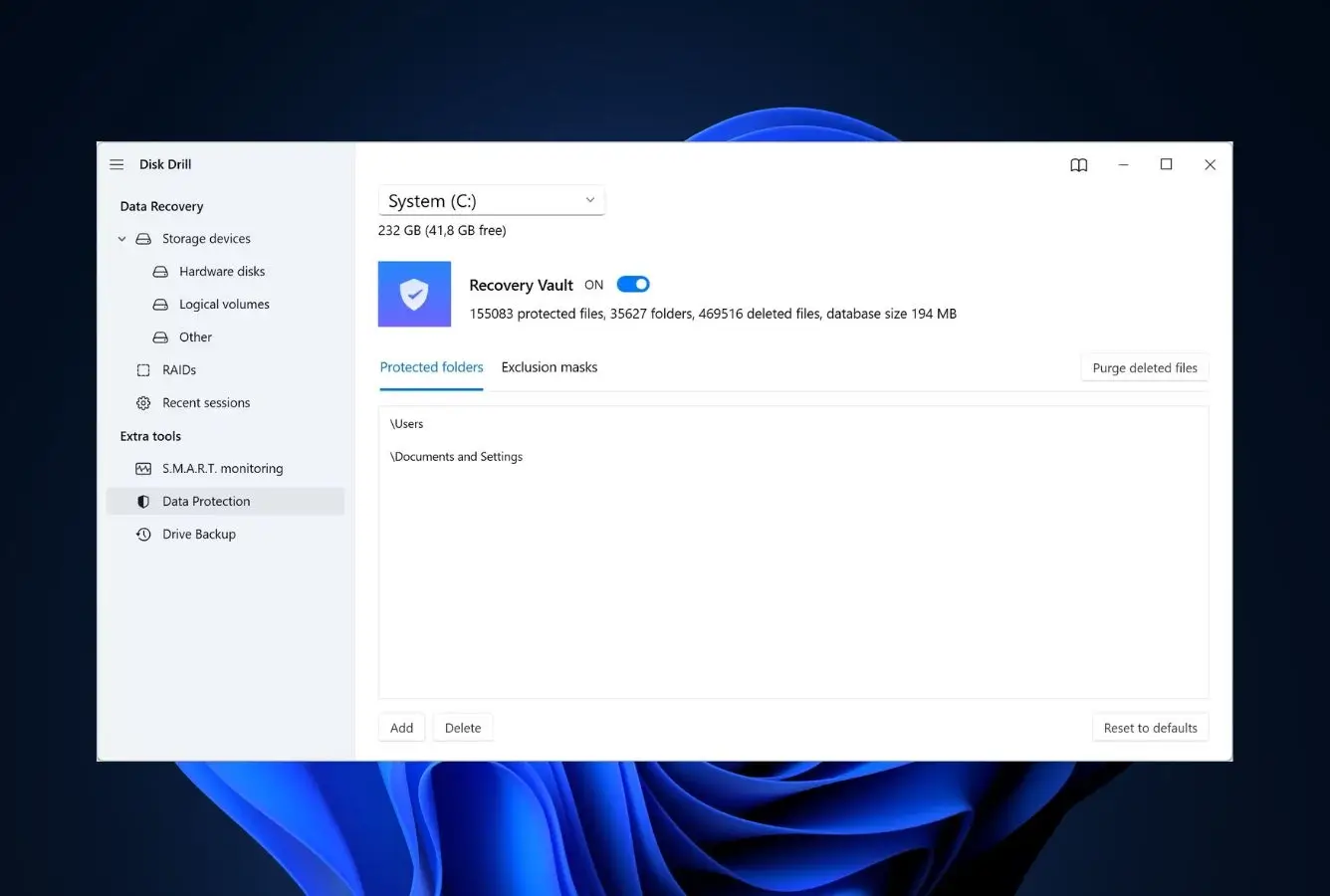
| Recovery Vault (proactive protection) | ✓ | ✓ |
| Quick Scan + Deep Scan | ✓ | ✓ |
| Filesystem coverage (NTFS, FAT, exFAT, ReFS, APFS, HFS+, EXT) | ✓ | ✓ |
| Advanced Camera Recovery (fragmented video) | Not included | ✓ |
| RAID 0/1/5/6/10/1E/JBOD reconstruction | Not included | ✓ |
| Byte-to-byte disk imaging | Not included | ✓ |
| Hex viewer | Not included | ✓ |
| Bootable USB media for unbootable PCs | Not included | ✓ |
| Priority support | Standard | Priority |
| Lifetime upgrades | n/a | Included with lifetime license |
Edition matrix per CleverFiles documentation, April 2026.
When the free edition is enough: a single deletion event under 100 MB, a small batch of accidentally-formatted SD card photos, a verification scan to confirm a drive is recoverable before paying. Many users complete recovery entirely on the free tier.
When you need Pro: recovery over 100 MB, fragmented video files (action cam, drone footage), RAID array reconstruction, byte-to-byte cloning of a failing drive before recovery, hex-level forensic work, or bootable media for an unbootable PC. The lifetime license at $149 covering both Windows and macOS on up to three devices is the standout value pick — meaningfully cheaper than annual subscriptions past year two.
Disk Drill Enterprise vs Pro
Pro and Enterprise share the same recovery engine and core feature set; the difference is licensing scope and commercial-use rights. Enterprise is for IT teams, MSPs, and businesses that need to deploy Disk Drill across multiple workstations under a single contract with a clearer commercial-use grant and priority support guarantees. For individual technicians and home users, Pro is sufficient.
| Capability | Pro | Enterprise |
|---|---|---|
| Price | $89/yr or $149 lifetime | $499 lifetime |
| License type | Personal / single-technician | Commercial / business |
| Devices / users | Up to 3 devices | Up to 10 users |
| Cross-platform (Windows + macOS) | ✓ | ✓ |
| Recovery engine (Quick + Deep Scan) | ✓ | ✓ |
| RAID reconstruction | ✓ | ✓ |
| Advanced Camera Recovery | ✓ | ✓ |
| Byte-to-byte imaging + hex viewer | ✓ | ✓ |
| Bootable USB media | ✓ | ✓ |
| Commercial use rights | Limited (single technician) | Full commercial |
| Priority support | ✓ | Priority + dedicated channel |
| Volume license management | No | Centralized for 10 users |
| Per-user cost (lifetime) | ~$50/device | ~$50/user |
Edition matrix per CleverFiles documentation, April 2026.
Choose Pro when: you are an individual user, a freelance technician, or a small team where one or two people handle recovery work occasionally. Pro covers up to three devices on a single license, including both Windows and macOS, which suits most personal and one-person-shop scenarios. The $149 lifetime tier delivers permanent updates without recurring fees.
Choose Enterprise when: you run an IT department, MSP, or recovery business where multiple staff need to use Disk Drill on client systems with explicit commercial-use rights. The $499 lifetime tier covers up to ten users — roughly $50 per user — and includes priority support with a dedicated channel. For larger deployments, contact CleverFiles for custom volume pricing. R-Studio Technician at $899 is the main alternative for higher-end commercial recovery work, with portable USB key activation and additional forensic features that Disk Drill Enterprise does not match.
Disk Drill vs. Competitors (2026)
| Tool | Deleted-file Recovery | Formatted Drive | Corrupted Drive | Free Tier | Price |
|---|---|---|---|---|---|
| Disk Drill ← | Excellent | Excellent | Very Good | 100 MB | $89/yr or $149 lifetime |
| R-Studio | Excellent | Very Good | Excellent | <256 KB | $79.99 one-time |
| EaseUS DRW | Very Good | Very Good | Very Good | 2 GB | $99.95/yr |
| Stellar | Very Good | Good | Good | 1 GB | $79.99/yr |
| Recuva | Good | Fair | Not supported | Unlimited | Free / $24.95 |
Tier assignments based on aggregated independent research. April 2026.
Try Disk Drill Free (100 MB)
Scan your drive, preview recoverable files, upgrade to Pro if the tool finds what you need.
Disk Drill Features & Tools
Disk Drill’s feature set is unusually broad for the category — the tool combines core data recovery with a suite of disk-management extras (S.M.A.R.T. monitoring, byte-level imaging, secure erasure, duplicate finder) that typically require a separate utility. Here’s the feature inventory, grouped by function.
File-System Support Matrix
Disk Drill scans more file systems than any other Windows recovery tool in the major consumer category. Support extends beyond Windows-native systems to macOS and Linux.
| File system | Platform context | Support | Notes |
|---|---|---|---|
| NTFS / NTFS+EFS | Windows internal drives, external HDDs | Full | Quick Scan + Deep Scan; handles compressed and encrypted files |
| FAT12 / FAT16 / FAT32 | USB sticks, small SD cards, legacy drives | Full | Complete metadata + signature scanning |
| exFAT | Large SD cards, portable SSDs, camera cards | Full | Modern removable-media default |
| ReFS | Windows Server, Storage Spaces pools | Full | Rare capability — most consumer tools skip ReFS |
| APFS | macOS drives mounted on Windows | Full | Cross-platform recovery without a Mac |
| HFS+ | Legacy macOS drives | Full | Pre-APFS Mac file system |
| EXT2 / EXT3 / EXT4 | Linux drives connected to Windows | Full | Recover Linux data without booting Linux |
Source: CleverFiles’ official supported-filesystem documentation, cross-referenced with 7datarecovery and Pandora Recovery independent testing.
Recovery Engine
Disk Drill offers multiple scan modes that run in sequence by default — Quick Scan for intact file systems, Deep Scan for signature-based recovery, Universal Partition Search for corrupted partition tables.
| Capability | How it works | Available |
|---|---|---|
| Quick Scan (metadata parsing) | Reads existing file-system directory entries for deleted metadata | Yes — Free + Pro |
| Deep Scan (signature-based) | Searches raw sectors against ~400 file-type signatures | Yes — Free + Pro |
| Universal Partition Search | Reconstructs lost or damaged partition tables | Yes — Free + Pro |
| Byte-to-byte disk imaging | Creates a sector-level image of a failing drive for safe scanning | Yes — Pro only |
| RAID reconstruction | Rebuilds RAID 0/1/5/6/10/1E/JBOD from member drives | Yes — Pro only |
| Advanced Camera Recovery (ACR) | Reconstructs fragmented video from 150+ camera models | Yes — Pro only |
| File preview before recovery | Renders content to verify recoverability | Yes — Free + Pro |
| Hex viewer | Byte-level inspection for forensic work | Yes — Pro only |
| Session persistence | Pause and resume long scans across reboots | Yes — Pro only |
UI & Workflow
The interface is organized around a single primary view — a list of connected drives. Selecting a drive launches the scan; results appear progressively as the scan runs, grouped into Deleted, Existing, and Reconstructed categories. A left-rail filter panel narrows results by file type, size, date, or path, and a preview pane renders selected files before recovery.
Secondary features (S.M.A.R.T. monitoring, Recovery Vault setup, byte-to-byte imaging, duplicate finder) live in a sidebar rather than a top menu — intentionally discoverable without cluttering the main recovery flow. CleverFiles has refined this layout across v5 and v6; HandyRecovery’s reviewers describe the current interface as polished and approachable even for first-time users. There are no advanced preferences required before scanning — the tool picks sensible defaults for each drive type.
One caveat worth mentioning: scan categorization into “Existing” files can be confusing for new users. These are files that still exist on the drive but can be recovered if they get deleted later — the interface shows them alongside deleted files, which some reviewers find cluttered. Filtering to “Deleted only” fixes this quickly.
Safety, Footprint & Support
Click to expand: installer profile, privacy stance, and support channels+
| Attribute | Value | Notes |
|---|---|---|
| Installer size | ~45 MB | Direct download from cleverfiles.com |
| Digital signature | Signed | Passes Windows SmartScreen without warning |
| Bundled adware / third-party offers | None | Clean installer, no deceptive checkboxes |
| Account / registration required | No | Free tier requires no account; Pro needs license key only |
| Background services | Optional | Recovery Vault adds a small background service (off by default) |
| Read-only scanning mode | Yes | Scans cannot modify source data |
| Auto-update mechanism | Yes | Built-in updater; can be disabled in preferences |
| Developer tenure | 15+ years | CleverFiles publishing since 2010 |
| BBB rating | 4.87 / 5 | Based on aggregated customer reviews |
| Support channels | Email + text chat | No phone hotline; priority support on Enterprise |
| Documentation depth | Extensive | Detailed user guide, knowledge base, video walkthroughs |
Disk Drill User Reviews
Disk Drill has one of the highest review volumes in the Windows data recovery category, with coverage across G2, Capterra, Trustpilot, and BBB. The consensus is consistently positive, with criticisms clustering around the free-tier cap and pricing rather than product quality:
It allows you to access hard drives that are effectively dead, and still be able to extract and save the data from them. It can be a lifesaver.
Disk Drill’s team stepped in, manually repaired the file, and returned a playable version, allowing me to recover valuable footage I couldn’t reproduce.
What sets it apart from various competing programs is the ability to recover fragmented videos, whereas many competitors cannot handle this correctly.
Disk Drill shines as a data recovery software application in just about every way possible.
Disk Drill is worth every penny, and there’s even a free version.
CleverFiles earns a 4.87 out of 5 rating based on aggregated customer feedback.
I was hopeful because of the ease of use in the GUI for Disk Drill to be able to recover some critical files. However, after going through part of the process they then hit you with a software charge.
Disk Drill wins for damaged drives and advanced file recovery. With its Deep Scan feature and advanced recovery algorithms, Disk Drill excels at recovering from corrupted or failing drives that other tools struggle with.
Positive reviews praise recovery capability, interface polish, and customer support responsiveness. Critical reviews center on the 100 MB free-tier cap (users surprised they can’t recover unlimited data for free) and overall pricing — rarely on product reliability itself.
When to Choose Something Else
Disk Drill handles nearly every Windows data-loss scenario well, but specific use cases fit alternatives better:
Frequently Asked Questions
How much data can Disk Drill recover for free on Windows?+
Does Disk Drill work on NTFS, exFAT, and ReFS drives?+
Can Disk Drill recover data from an SSD with TRIM on Windows?+
Is Disk Drill safe to install on Windows?+
What’s the difference between Disk Drill free and Pro?+
Does Disk Drill support Windows 11 and Windows Server?+
Can Disk Drill recover data from a RAID array?+
Final Verdict
Disk Drill v6 by CleverFiles is the default recommendation for Windows users who want a polished, broadly capable data recovery tool and have budget for it. Independent testing from Pandora Recovery, HandyRecovery, 7datarecovery, and TechRadar consistently places it in the upper tier across deleted-file recovery, formatted-drive recovery, corrupted-partition rebuilds, and fragmented-video reconstruction. The breadth of supported file systems is the defining strength — NTFS, FAT, exFAT, ReFS, APFS, HFS+, EXT all in one tool is rare.
The trade-offs are real but narrow. The 100 MB free tier is meaningfully tighter than EaseUS or Recuva — Disk Drill is not the right tool if you need a genuine free recovery solution. The first-year $89 Pro price is the highest in the consumer category, though the $149 lifetime license flips the cost-benefit math for any user who might need the tool more than twice. RAID and byte-to-byte imaging are Pro-only. Support is email and chat, no phone hotline.
Choose Disk Drill if: you need the broadest file-system and RAID coverage in one tool, you want one license that covers both Windows and Mac, or you deal with fragmented camera/drone video. Choose something else if: you need genuine unlimited free recovery, your recovery need is a one-off simple undelete, or you require enterprise-grade forensic tooling — then look at SSD-specialized tools, Recuva, or R-Studio respectively.
About the Authors


This review may contain affiliate links through CleverFiles’ partner program. Commissions do not influence our ratings, research methodology, or conclusions — the same research process applies to tools with and without affiliate partnerships. If you believe any claim is inaccurate, contact us at contact@datarecoveryfix.com.