Puran File Recovery Review (2026): Free Three-Mode Scanner
Puran File Recovery is a free Windows data recovery tool from Puran Software, an Indian software company that has been building Windows utilities since 2007. After nearly seven years without an update, the tool received a significant v2.0 overhaul in November 2025 and a follow-up v2.0.1 patch in January 2026 — signaling the project is alive again. Our review aggregates vendor documentation, independent external evaluation, and community feedback for v2.0.1 to evaluate where the tool's strengths and limits actually lie.
tests, user reports
Windows
v2.0.1

A free, focused recovery tool that punches above its price tier for users with a basic Windows scenario. Independent evaluation places Puran in the middle tier overall, with stronger results on simple deletions and weaker results where signature scanning is the only path. The three scan modes (Quick, Deep, Full) cover both filesystem-aware and signature-based recovery. The trade-offs: slow deep scans, FAT/NTFS only (no exFAT, EXT, APFS, or HFS+), and the official site still uses HTTP. For free, it's a sensible second-pick after Recuva for a non-critical recovery.
✓ What We Liked
- Completely free for personal use — no data caps, no feature restrictions, no registration
- Three scan modes: Quick, Deep, and Full — covering both filesystem and signature recovery
- 50+ file format signatures for deep/full scans
- Custom Scan List lets you target specific file extensions
- Preserves folder structure and file paths where possible
- Portable version runs from USB without installation
- Returned to active development in late 2025 after years of dormancy
✕ What We Didn’t
- Deep scans are slow — significantly longer than competitors on the same drive
- Official website still uses HTTP (no HTTPS), which can trigger browser warnings
- Only supports FAT and NTFS — no exFAT, EXT, HFS+, or APFS
Puran File Recovery Alternatives
Brief selection A quick shortlist of our top alternative picks, based on aggregated independent research. | Best Alternative  EaseUS Data Recovery Wizard Best overall · 2 GB free |  Stellar Data Recovery Best for photos · 1 GB free |  Wondershare Recoverit Best for video · 100 MB free |
|---|---|---|---|
| Deep Scan | ✓ | ✓ | ✓ |
| Formatted Drive Recovery | ✓ | ✓ | ✓ |
| RAW Photo Support | Broad | Broad | Limited |
| File Repair | ✓ | ✓ | Video only |
| Free Tier | 2 GB | 1 GB | 100 MB |
Research Methodology
This review aggregates three evidence sources for v2.0.1: vendor documentation (the official Puran Software product page, the v2.0 release announcement, supported-format lists), independent external evaluation (cross-referenced across multiple data-recovery review publications), and community feedback (Reddit r/datarecovery and r/techsupport, longstanding free-software forum discussions, Trustpilot, SourceForge, MajorGeeks listings). Tier assignments — Excellent, Very Good, Good, Fair, Limited, Not supported — reflect the aggregate of that evidence per capability. Where independent testing diverges sharply from vendor claims, we follow the independent evidence. Full methodology details are on our How We Test page.
Is Puran File Recovery Safe?
Puran File Recovery is safe to use. The software scans drives in read-only mode, the developer (Puran Software) has been operating since 2007, and the application itself has no telemetry or upsell prompts. The main trust concern is the official website still uses HTTP rather than HTTPS, which can trigger browser warnings and gives a negative first impression. Always download from puransoftware.com directly.
How to Use Puran File Recovery
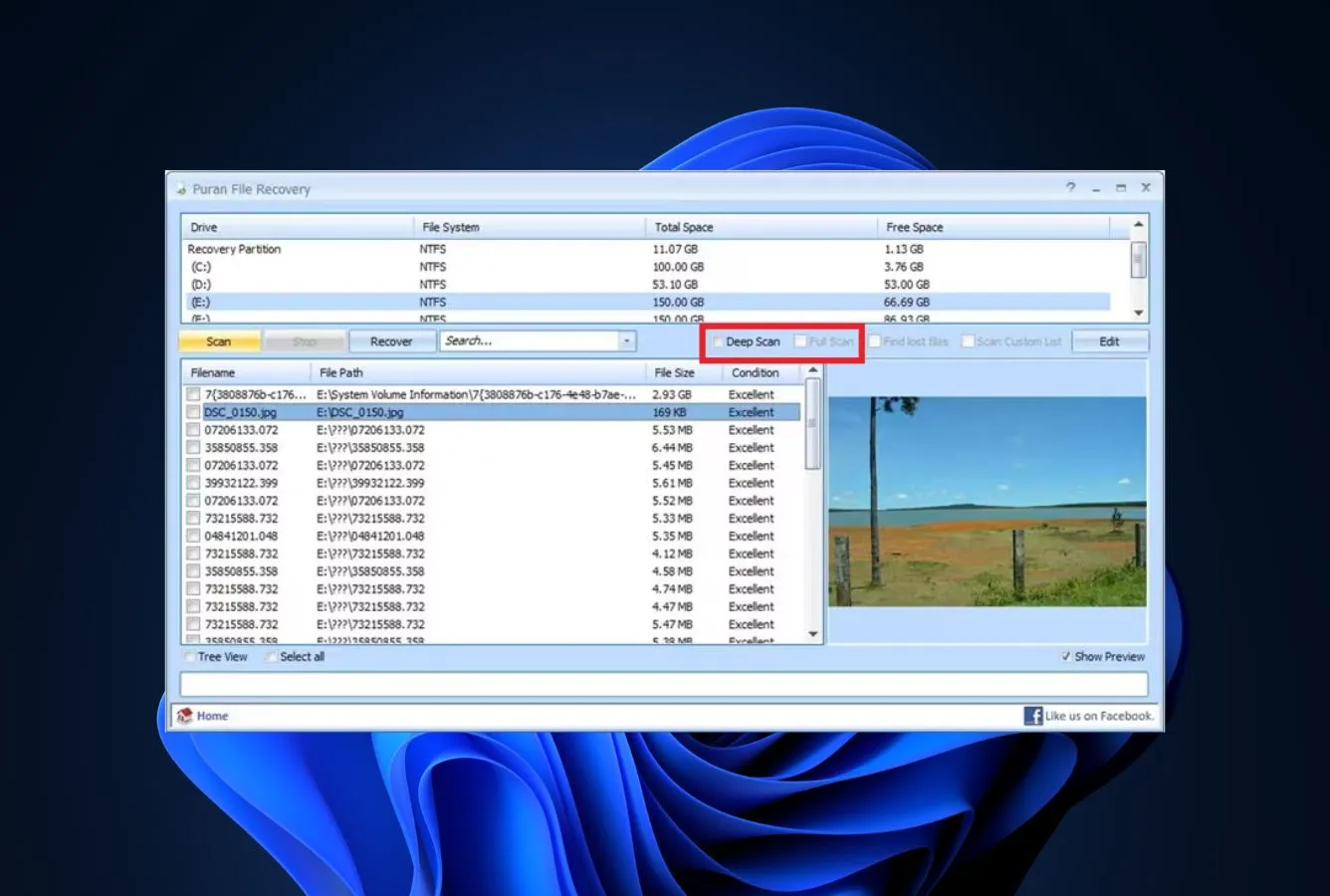
Puran File Recovery uses a single-window interface with scan-mode selection up front. The flow is simple: pick a drive, pick a mode, scan, browse results, recover.
Download and install
Download from puransoftware.com. The installer is about 2 MB. A portable version is also available for USB operation — useful if the target drive is the only drive in the system.
Select the target drive
On launch, pick the drive from the dropdown at the top of the window. Internal drives, external HDDs/SSDs, USB drives, and SD cards all appear if they're mounted. Optionally enable Custom Scan List to target specific file extensions.
Choose a scan mode
Three modes: Quick (filesystem MFT/FAT walk only), Deep (Quick + signature scan of unallocated space), Full (whole-drive signature scan including allocated blocks for formatted-drive recovery). Quick is fast, Full is slow.
Browse results and recover
Results appear in a tree view with file condition indicators (Excellent / Good / Lost). Use the Restore button to copy out files. Always save to a different drive than the source.
Quick Scan is fast and finds everything that's recoverable from intact filesystem metadata. Only escalate to Deep or Full if Quick doesn't find your files. Full Scan can take many hours on a large drive. For drives that are heavily formatted or corrupted, see our best Windows recovery picks for stronger options.
Who Puran File Recovery Is For
Puran File Recovery fits the user who wants a free, no-strings recovery tool for a basic Windows scenario — an emptied Recycle Bin, a recently deleted file, a small SD card photo loss — and is willing to wait for a slow deep scan if the simple recovery doesn't work. Independent evaluation places Puran in the middle tier overall, with the key advantage being it's genuinely free with unlimited recovery.
A practical example: a home user who emptied the Recycle Bin and realized two days later they needed a file. Puran's Quick Scan finds it in minutes, and the unlimited free recovery means no payment friction. For a one-time consumer recovery on FAT or NTFS, this is hard to beat at zero cost.
If your situation is more demanding — a formatted drive, an exFAT external, an APFS Mac drive, or a video file that needs repair — the next section explains where Puran's limits start.
Puran File Recovery's Strengths in Real-World Use
Puran's appeal is straightforward: it's free, it's competent, and it covers more scan modes than most free tools.
Three scan modes for a free tool
Most free recovery tools offer one scan strategy — either filesystem-aware (Recuva) or signature-based (PhotoRec). Puran offers three: Quick (filesystem-only), Deep (filesystem + signature in unallocated space), and Full (whole-drive signature scan). This is unusual at zero cost. Independent evaluation places Quick Scan results competitive with Recuva and Full Scan results competitive with PhotoRec on FAT/NTFS, though not as fast or as broad in format coverage as the leaders.
Custom Scan List for targeted recovery
The Custom Scan List feature lets you specify file extensions or signatures to look for. If you know you're after JPG and CR2 files only, you can skip the rest and dramatically reduce scan time. Few free tools offer this; vendor documentation lists it as a v2.0 feature highlight, and community feedback consistently mentions it as a useful differentiator.
Genuinely portable build with no install
Puran ships a true portable executable that runs from a USB drive without installation. This matters in recovery scenarios where the only drive in the system is the target drive — installing software on it could overwrite recoverable data. The portable build is also free, which is unusual among recovery tools that gate portable versions behind paid tiers.
Unlimited free recovery with no upsell
There is no 2 GB cap, no nag screen, no “upgrade to Pro” pop-up. The application is free for personal use and that's the entire pitch. For users who need a recovery tool once and don't want to make a buying decision under stress, Puran removes the friction entirely.
Where Puran File Recovery Falls Short
Puran is competent but not competitive at the top of the category. The honest evaluation is below.
Slow deep and full scans
Independent evaluation and community feedback both flag Puran's deep and full scans as significantly slower than competitors on the same hardware. The signature-scanning code path appears unoptimized compared with PhotoRec or commercial tools. For a small SD card this is a non-issue; for a 4 TB external HDD, expect to leave the scan running overnight. If you need quick results, consider PhotoRec or a paid tool.
FAT and NTFS only — no exFAT, EXT, APFS, or HFS+
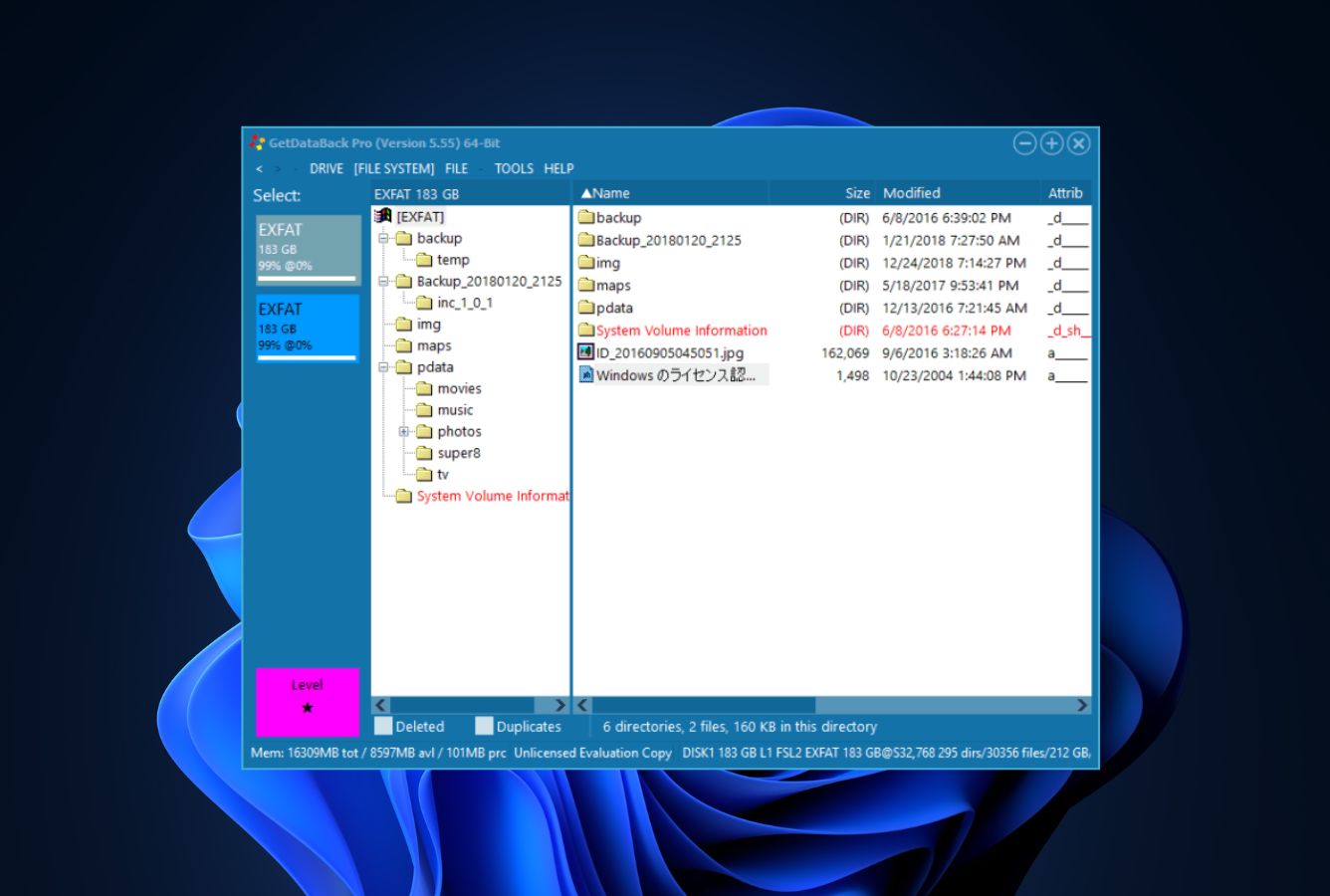
Puran's file-system support is limited to FAT12/16/32 and NTFS. exFAT — the default file system for SDXC cards and most modern external drives — is not supported. Mac filesystems (APFS, HFS+) and Linux filesystems (EXT) are also not supported. This is a significant gap for any user with modern external storage. GetDataBack covers eight file systems including exFAT and APFS for users who need broader coverage.
HTTP-only download site
The puransoftware.com domain still uses HTTP rather than HTTPS, which triggers browser security warnings and looks legitimately suspicious in 2026. The software itself is safe and the developer is genuine, but the friction at download time is real. If your browser blocks the download, you may need to manually allow it — not a great first impression for a recovery tool.
Puran File Recovery Capability Summary
How Puran File Recovery performs, capability by capability, based on aggregated independent evaluation:
| Capability | Tier | Notes |
|---|---|---|
| Deleted-file recovery (NTFS) | Good | Quick Scan; competitive with Recuva |
| Deleted-file recovery (FAT) | Good | Same engine across FAT family |
| Formatted-drive recovery | Fair | Full Scan signature mode; slow but works |
| Corrupted-partition recovery | Fair | Limited compared with GetDataBack or DMDE |
| exFAT support | Not supported | FAT and NTFS only |
| APFS / HFS+ support | Not supported | Windows-only filesystems |
| Linux EXT support | Not supported | No support for ext2/3/4 |
| RAW camera format support | Fair | Limited signature library |
| JPEG / MP4 repair | Not supported | No built-in repair |
| SD card recovery (FAT) | Good | Works well on FAT-formatted cards |
| SD card recovery (exFAT) | Not supported | exFAT cards excluded |
| USB / external HDD recovery | Good | NTFS or FAT only |
| SSD recovery (TRIM disabled) | Good | Normal operation |
| TRIM-active NVMe SSD | Not supported | Hardware limitation across all tools |
| Custom scan list | Very Good | Useful for targeted recovery |
| Portable version | Very Good | True portable executable |
| Free tier capacity | Excellent | Unlimited — no caps |
| Scan speed (deep/full) | Limited | Slower than competitors |
Tier scale: Excellent / Very Good / Good / Fair / Limited / Not supported. Aggregated from independent testing and community feedback, 2026.
Puran File Recovery Cost
Puran File Recovery is free for personal use. There is no Pro tier, no premium upgrade, and no commercial license offered on the website — commercial use requires contacting Puran Software directly for a quote. For home users, students, and personal recoveries, the application is free with no caps.
Compared with the broader Windows market, Puran is one of three legitimate free recovery tools (alongside Recuva and PhotoRec) that offer unlimited recovery without a paid tier. EaseUS, Stellar, and Disk Drill all cap their free tiers between 100 MB and 2 GB.
For a free tool that fits Puran's capability profile (FAT/NTFS recovery on Windows, with patience for slow scans), the value is excellent. For paid alternatives with broader coverage, see our best free data recovery software guide.
Download Puran File Recovery Free
Free for personal use. No registration. No data limits.
Puran File Recovery vs. Competitors
How Puran File Recovery compares against the four mandatory baseline competitors. Tiers are aggregated from independent testing and community feedback.
| Tool | Deleted-file Recovery | Formatted Drive | Corrupted Drive | Free Tier | Price |
|---|---|---|---|---|---|
| Disk Drill | Excellent | Excellent | Very Good | 500 MB | $89/yr |
| EaseUS DRW | Excellent | Very Good | Very Good | 2 GB | $99.95/yr |
| Stellar Data Recovery | Very Good | Good | Good | 1 GB | $79.99/yr |
| Recuva | Good | Fair | Not supported | Unlimited | Free / $24.95 |
| Puran File Recovery ← | Good | Fair | Fair | Unlimited | Free |
Tier labels reflect aggregated independent evaluation, 2026.
Puran File Recovery Features & Tools
Puran ships a small but useful feature set built around its three scan modes. The features below define its tier placement.
Puran File Recovery User Reviews
Puran has a small but loyal user base reflecting its niche position as a free, focused tool. Sentiment is positive on the value proposition, mixed on speed and coverage.
Good free option for FAT/NTFS scenarios. The custom scan list saves real time when you know the file extensions you want.
Three scan modes is unusual for a free tool. Quick mode is competitive with Recuva. Full scan is slow but gets results.
Recovered photos from a corrupted USB drive when other free tools failed. Worth running before paying for anything.
Solid free recovery utility. The v2.0 update finally brought it into the modern era. Recommended for casual home use.
Slow on big drives. If you have time and patience and your scenario is FAT or NTFS, it works. Anything more complex, look elsewhere.
Long-time free favorite. Glad to see Puran is updated again after the long gap.
Community sentiment is consistently positive on the free price point and the unusual three-mode scan structure for a no-cost tool. The recurring criticism is scan speed on large drives and the limited file-system coverage. Most users frame it as a sensible second-pick after Recuva for cases where Recuva doesn't find the files.
When to Choose Something Else
If Puran's scenario fit isn't right for you, here are stronger alternatives at various price points:
Frequently Asked Questions
Is Puran File Recovery free?+
Is Puran File Recovery safe?+
Can Puran File Recovery recover formatted drives?+
Does Puran File Recovery work on Windows 11?+
What file types can Puran File Recovery detect?+
Is Puran File Recovery better than Recuva?+
Does Puran File Recovery have a portable version?+
Final Verdict
Puran File Recovery is a quietly competent free Windows recovery tool that became more relevant in late 2025 when v2.0 ended a multi-year dormant period. Independent evaluation places it in the middle tier overall, with the unusual three-mode scan strategy giving it an edge over single-mode free competitors. The unlimited free recovery, the portable build, and the Custom Scan List are real differentiators at zero cost.
Choose Puran if you want a free, focused recovery tool for a FAT or NTFS scenario and you're willing to wait for a slow scan. Choose something else if you need exFAT, APFS, or EXT support, faster scans, or a polished interface — Recuva covers simpler scenarios faster, and EaseUS covers broader scenarios at a price. For a category-wide view, see our best free data recovery software guide.
About the Authors


Our reviews are based on aggregated independent research — vendor documentation, third-party testing, and verified user feedback. We may earn a commission when you purchase through links on this page, at no extra cost to you. Affiliate relationships do not influence ratings or rankings; tier assignments reflect the evidence on hand. Have a correction or a tip? Email contact@datarecoveryfix.com.