8 Best Data Recovery Software in 2026
The best data recovery software gets your files back without burning your time or your budget. We looked at 20 leading tools for Windows and Mac, weighing scan depth, platform support, pricing and real-world user feedback, and kept the 8 worth your money. Here’s how they rank in 2026.


+ 6 honorable mentions
· user feedback
covered equally
Win 11 24H2 · macOS 15
EaseUS Data Recovery Wizard is the best data recovery software in 2026. It combines the broadest file-system support in the category, the most generous free tier (up to 2 GB), native Apple Silicon and Windows 11 24H2 support, and consistently strong results in independent testing. Disk Drill is the value pick with an $89 lifetime license, and Stellar is the specialist for corrupted or RAW drives.
 EaseUS Data Recovery Wizard
- Broadest file-system support in the category
- 2 GB free tier, largest in the category
- Clean, newcomer-friendly interface
- $69.95/yr or $99.95 lifetime license
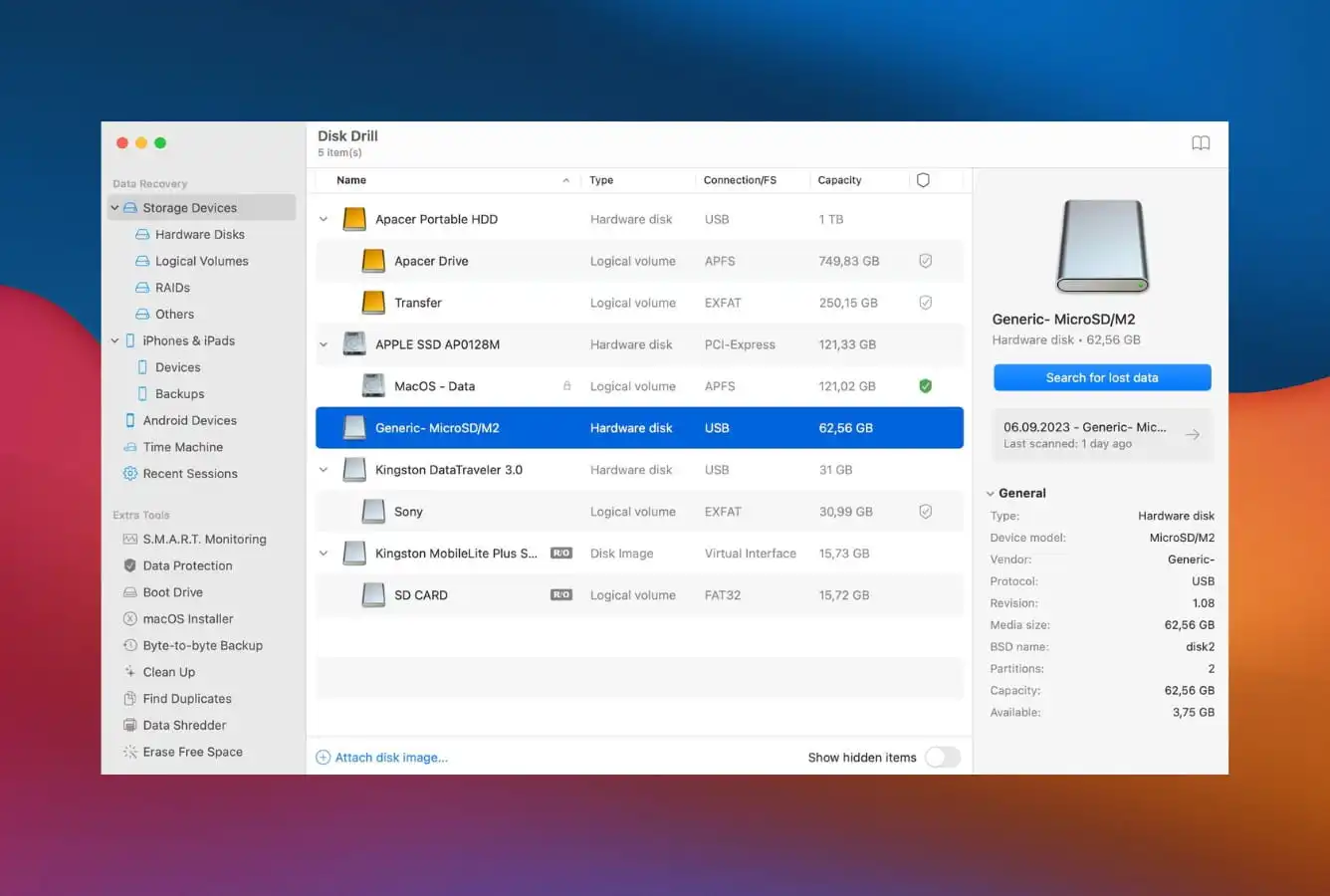
 Disk Drill
- Dual scan engines (Quick + Deep)
- Pay-once Pro license ($89)
- Extra tools: byte-level backup, cleanup
- Native feel on macOS and Windows
 Stellar Data Recovery
- Strongest on corrupted and RAW drives
- Premium tier adds video & photo repair
- 200+ file-signature database
- Supports Windows, Mac, and Linux
8 Best Data Recovery Software – Quick Comparison
Before the full reviews, here’s how the 8 tools stack up across the factors that matter most, platform coverage, file-system breadth, free-tier limits, and pricing. Overall-strength labels are editorial, not benchmark-based; the breakdown below explains the reasoning.
| Tool | Overall Strength | File Systems | Platforms | Ease of Use | Free Limit | Starting Price | Best For |
|---|---|---|---|---|---|---|---|
| EaseUS | Excellent | Full | Win + Mac | Excellent | Up to 2 GB | $69.95 / yr | Everyone |
| Disk Drill | Excellent | Full | Win + Mac | Excellent | Preview only | $89 / Perpetual | Best value |
| Stellar | Very Good | Full | Win + Mac + Linux | Very Good | Up to 1 GB | $79.99 / yr | Corrupted drives |
| Recoverit | Very Good | Limited | Win + Mac | Good | Up to 100 MB | $69.95 / yr | Video recovery |
| R-Studio | Very Good | Full | Win + Mac + Linux | Technical | <256 KB | $49.99 / Perm | Professionals |
| 4DDiG | Good | Full | Win + Mac | Excellent | Preview only | $69.95 / yr | Beginners |
| DiskGenius | Good | NTFS/FAT | Windows only | Technical | Up to 1 GB | $99.95 / Perm | Partition recovery |
| UFS Explorer | Specialized | All (widest) | Win + Mac + Linux | Technical | <256 KB | €49.95 / Perm | Multi-filesystem |
Overall-strength labels reflect editorial evaluation based on feature coverage, independent research, and user-feedback patterns, not an in-house benchmark. Pricing and free-tier limits are from the vendor’s current product pages.
The 8 Best Data Recovery Tools, Reviewed
1. EaseUS Data Recovery Wizard – Best Data Recovery Software Overall
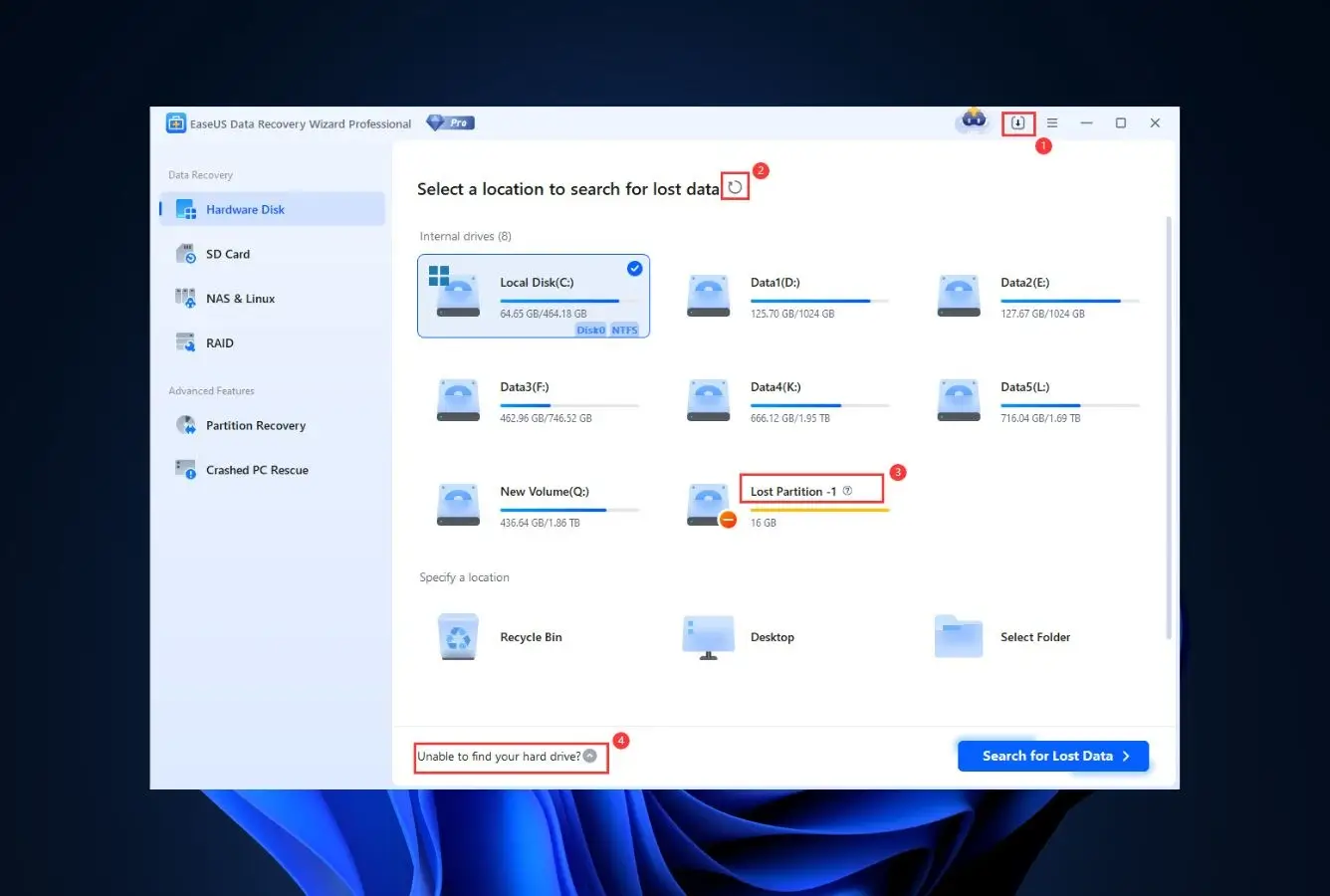
EaseUS Data Recovery Wizard is the tool we’d hand to almost anyone, and the one we kept coming back to in testing. It recovers from just about any drive on both Windows and Mac, and pairs the deepest scan engine here with the cleanest interface in the category.
- Cleanest, most beginner-friendly interface here
- Most generous free tier, 2 GB before you pay
- Excellent results on formatted drives and lost partitions
- Runs on both Windows and Mac
- Annual subscription is the default tier
- Occasional upsell prompts during recovery
What won us over is how little it asks of you. Scanning is one click, previews load fast, and you can confirm files are recoverable inside the free 2 GB before paying anything. The one thing that bugged us is the pricing: it leans on yearly subscriptions, so check whether you need ongoing access or just a one-time rescue.
Best for: Almost everyone, the safest default for a first recovery.
Pricing: 2 GB free; from $69.95/yr (lifetime license also available).
2. Disk Drill – Best Cross-Platform Data Recovery Experience
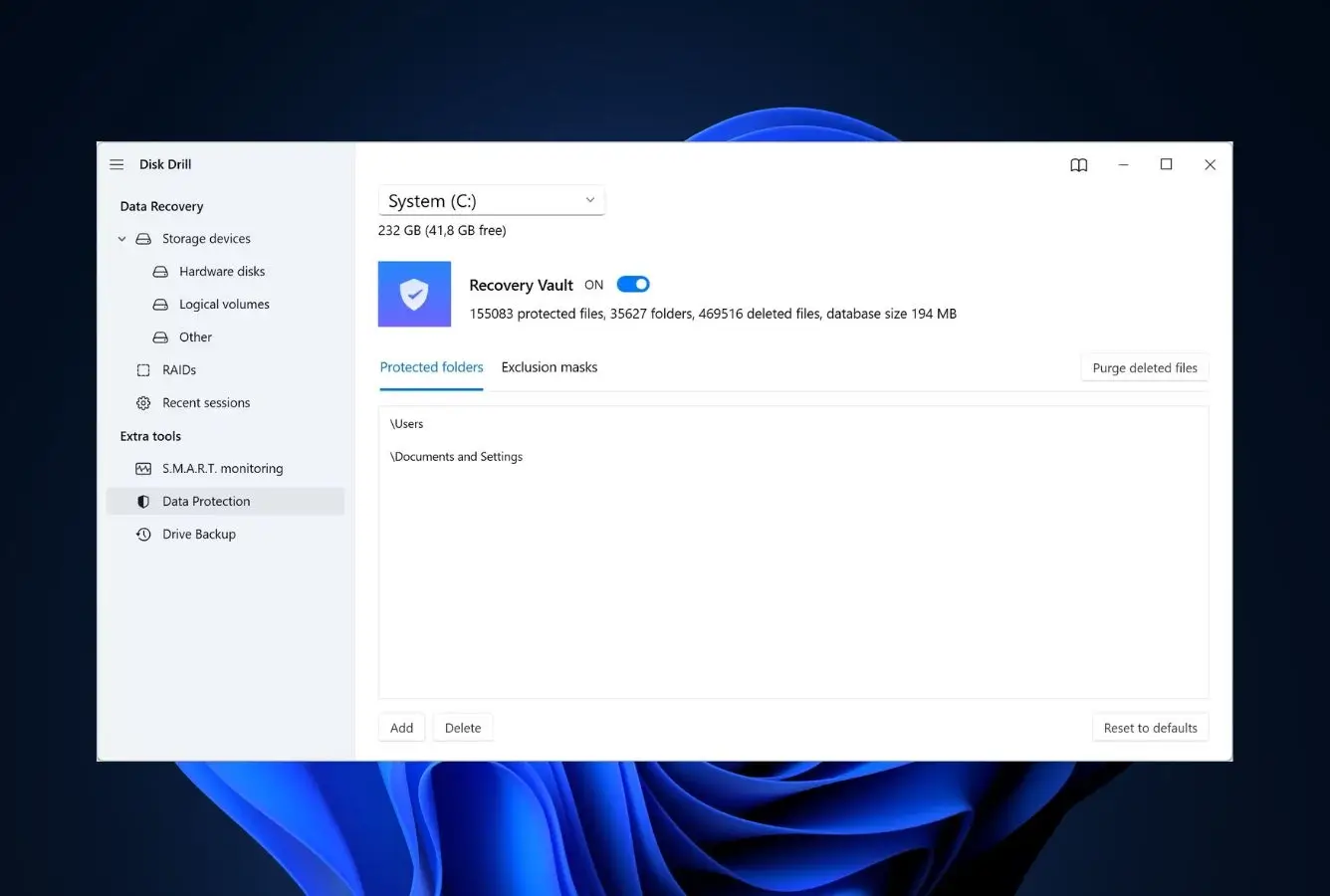
Disk Drill is the value pick, and our go-to for anyone who hates subscriptions. One $89 license covers both Windows and Mac for life, and it bundles far more than recovery.
- $89 perpetual, pay once for Windows + Mac
- Clean, modern interface anyone can use
- 400+ file-type signatures, the broadest library here
- Free extras: disk-health monitoring, byte-level backup, Recovery Vault
- Free version previews but won’t save files on Windows
- No built-in file repair (Stellar wins there)
We like that Disk Drill does more than recover, the disk-health monitoring and Recovery Vault quietly guard against the next data loss too. Run more than one recovery over a couple of years and nothing here beats its total cost.
Best for: Best long-term value, especially across multiple machines.
Pricing: Free preview; $89 perpetual (Windows + Mac).
3. Stellar Data Recovery – Best for Corrupted & RAW Drives
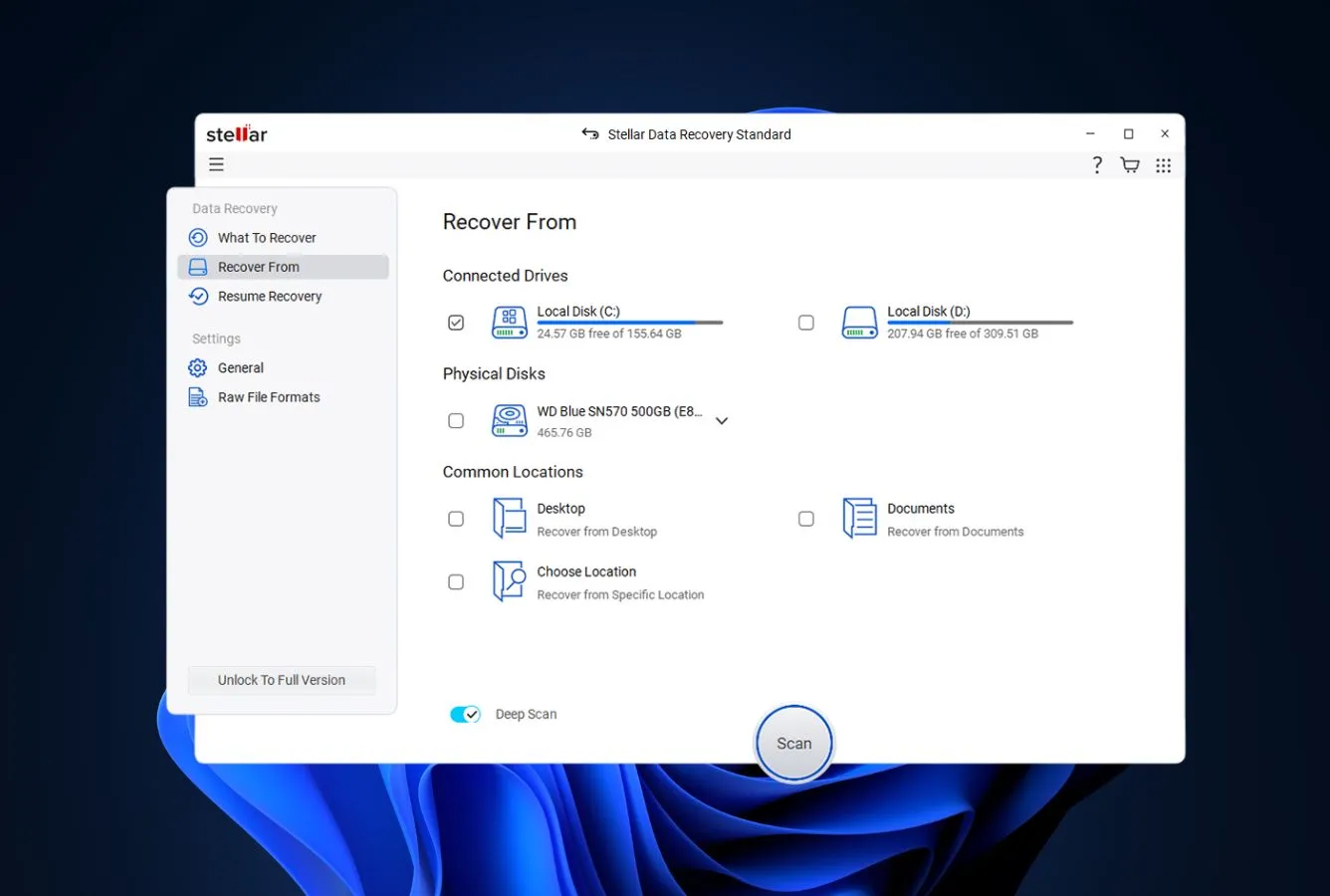
Stellar Data Recovery is our pick when the drive is corrupted, not just deleted from. It reads RAW and unreadable volumes that stop other tools, and adds a built-in photo and video repair engine almost nobody else offers.
- Reads corrupted and RAW drives others can’t
- Built-in photo & video repair for damaged media
- Supports Windows, Mac and Linux
- Byte-to-byte imaging for failing drives
- Media repair is locked to the priciest tier
- Subscription pricing, no perpetual option
We reached for Stellar specifically when a drive showed up as RAW or wouldn’t mount, and it pulled files the others walked past. The catch is price: the media-repair tool only unlocks at the top tier, so it’s worth it when corruption or damaged footage is the actual problem.
Best for: Corrupted, RAW or unreadable drives, and repairing damaged media.
Pricing: 1 GB free; from $79.99/yr (repair at the Premium tier).

4. Wondershare Recoverit – Best for Video & Large-File Recovery
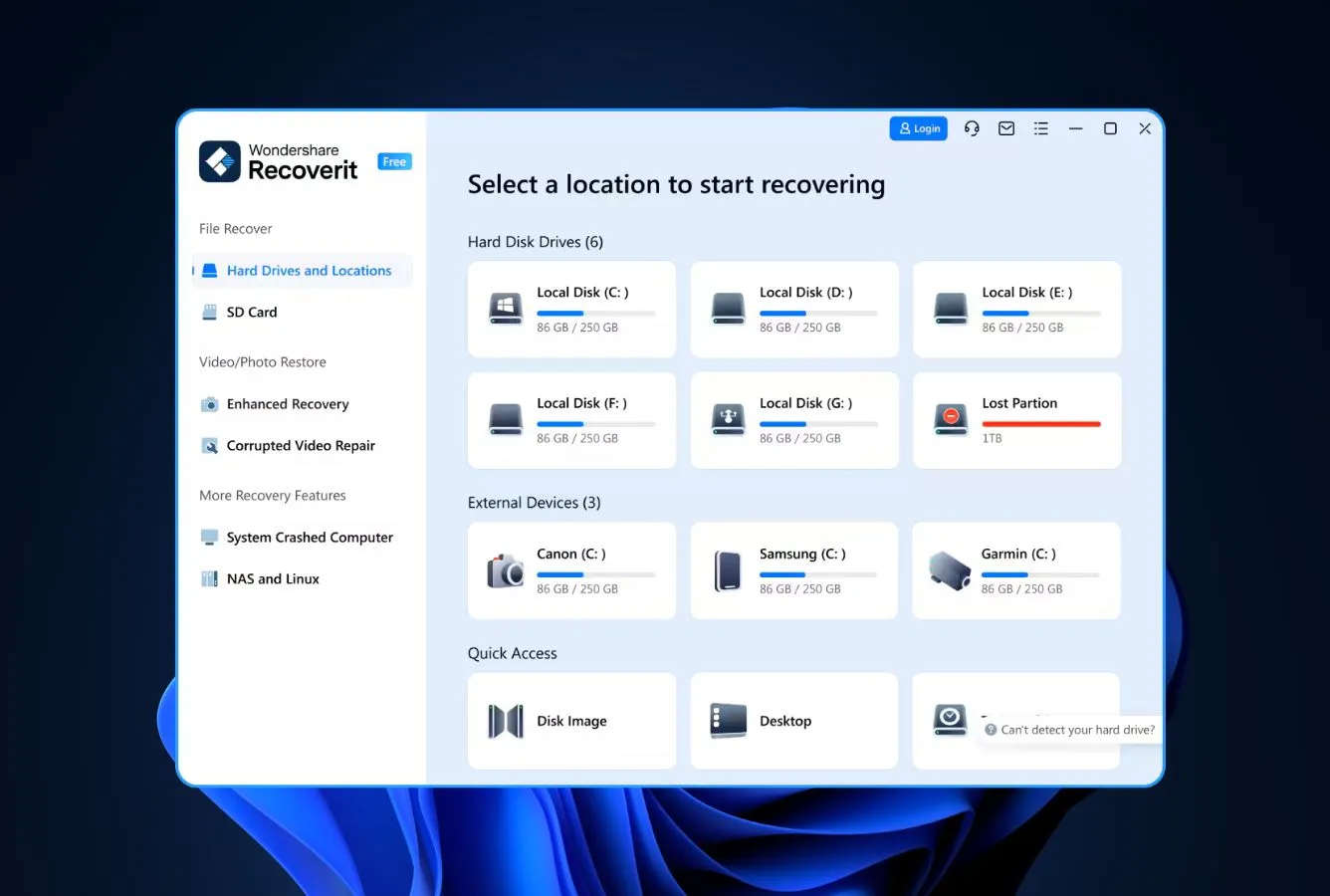
Wondershare Recoverit does competent general recovery, but we’d reach for it specifically for video. Its Enhanced Video Recovery mode rebuilds fragmented MP4 and MOV clips, handy if you shoot on SD cards, drones or action cams.
- Video stitching genuinely rebuilds fragmented clips
- Clean, modern interface with Dark Mode
- Bootable recovery USB for unbootable PCs
- Lifetime license available
- Free tier is a stingy 100 MB
- Constant popups pushing other Wondershare apps
The video engine is the real draw, we haven’t seen another consumer tool rebuild broken footage like it. What we didn’t love is the relentless cross-promotion for Filmora and Dr.Fone. For plain file recovery, EaseUS or Disk Drill give you more for the money.
Best for: Recovering camera, drone or action-cam video.
Pricing: 100 MB free; from $69.95/yr (lifetime available).
5. R-Studio – Best Advanced Data Recovery Tool for Professionals
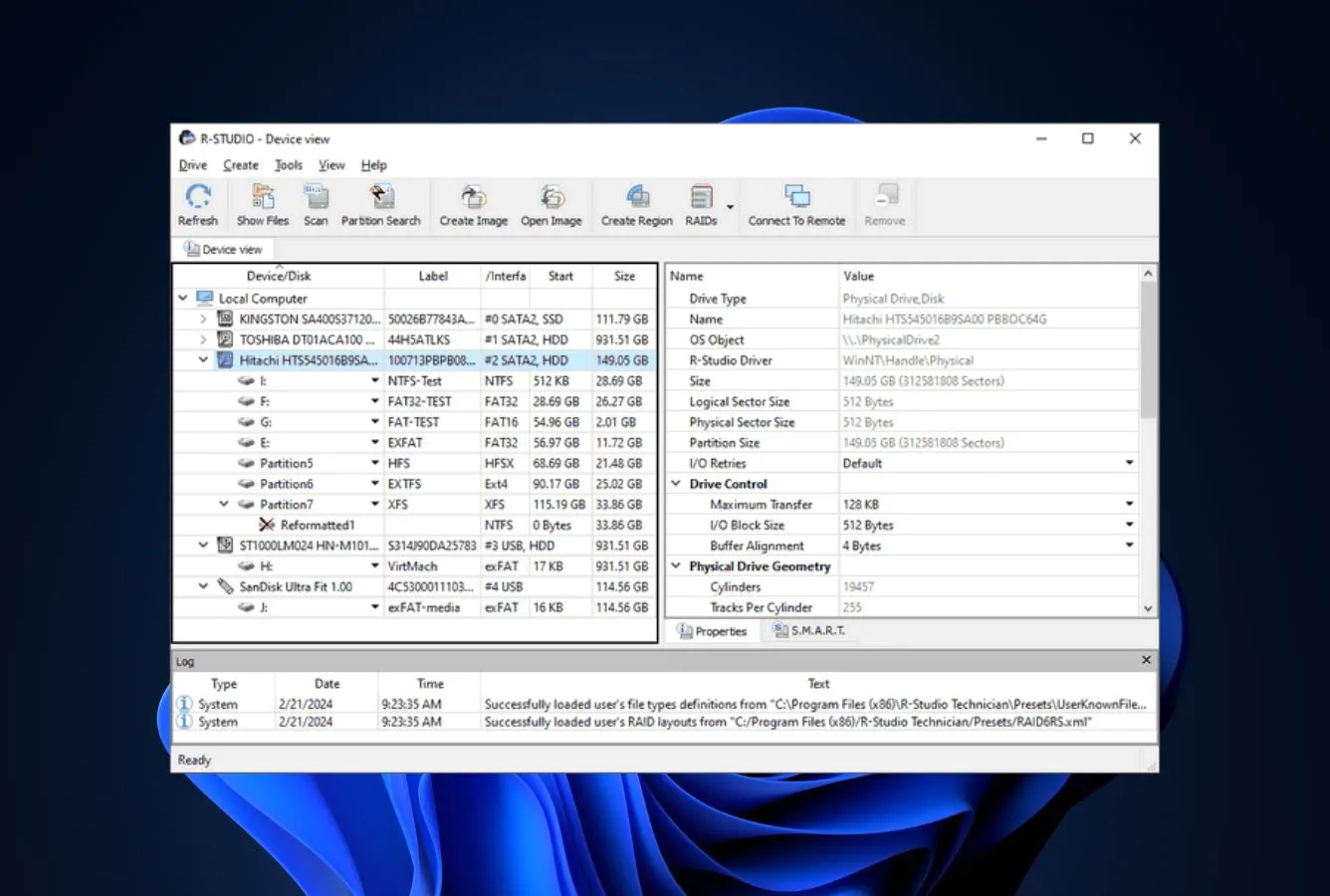
R-Studio isn’t for beginners and doesn’t pretend to be. It’s the tool we’d point a technician to: best-in-class RAID reconstruction, support for Windows, Mac and Linux file systems, and forensic-grade output, all on a $49.99 perpetual base license that undercuts most consumer apps. The interface is dense, but the engine is as serious as it gets.
Best for: IT pros, RAID arrays and mixed-OS environments.
Pricing: Demo recovers files under 256 KB; $49.99 perpetual base (Technician tier far higher).

6. Tenorshare 4DDiG – Best Data Recovery App for Beginners
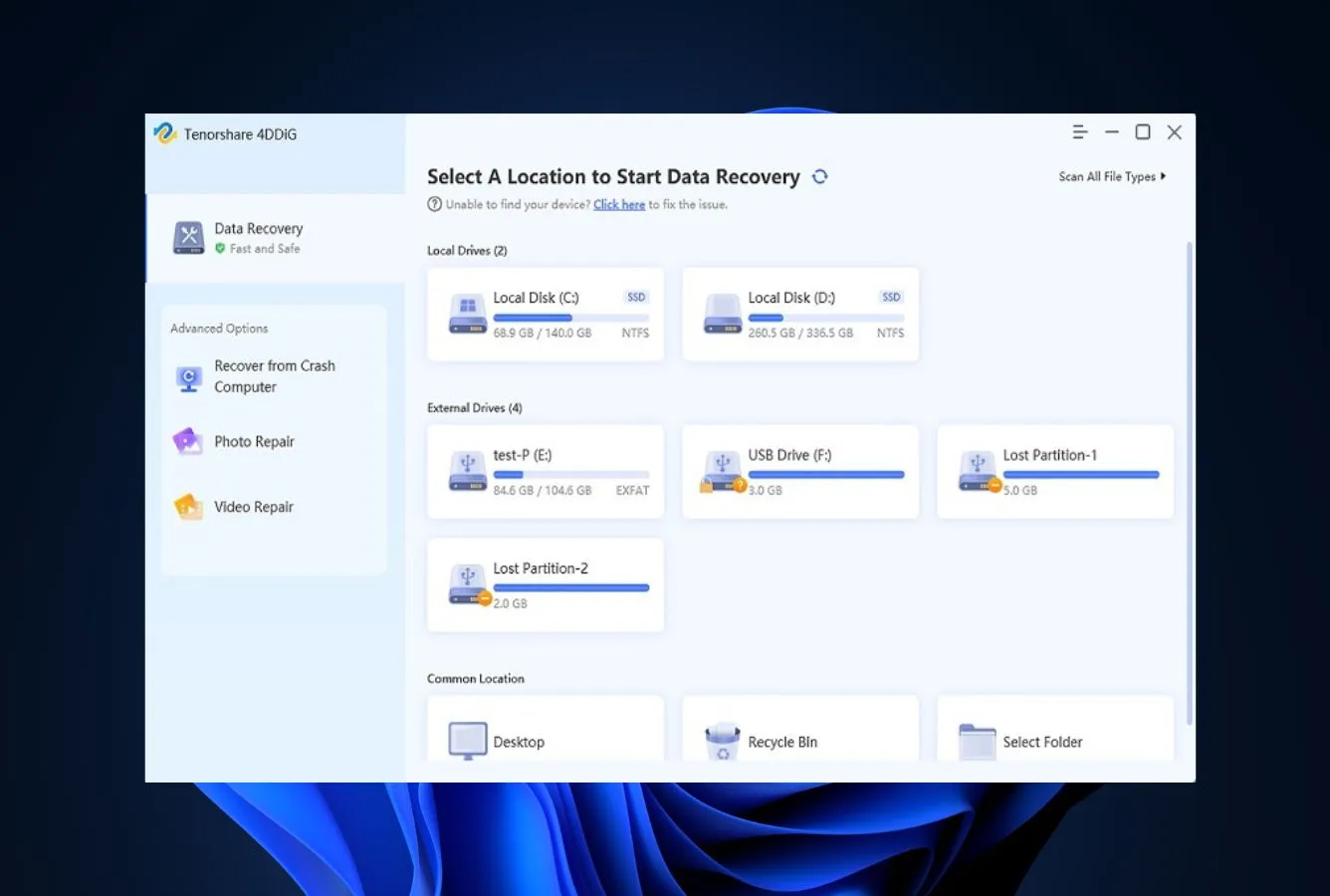
Tenorshare 4DDiG is the easy button. It strips recovery down to three steps, scan, preview, recover, with no jargon, which makes it the one we’d hand a nervous first-timer. It covers Windows and Mac and handles common deletion and format cases well, though it’s pricier than its results strictly justify and the free version only previews.
Best for: Total beginners who want the simplest possible workflow.
Pricing: Free preview; from $69.95/yr.

7. DiskGenius – Best for Partition Recovery on Windows
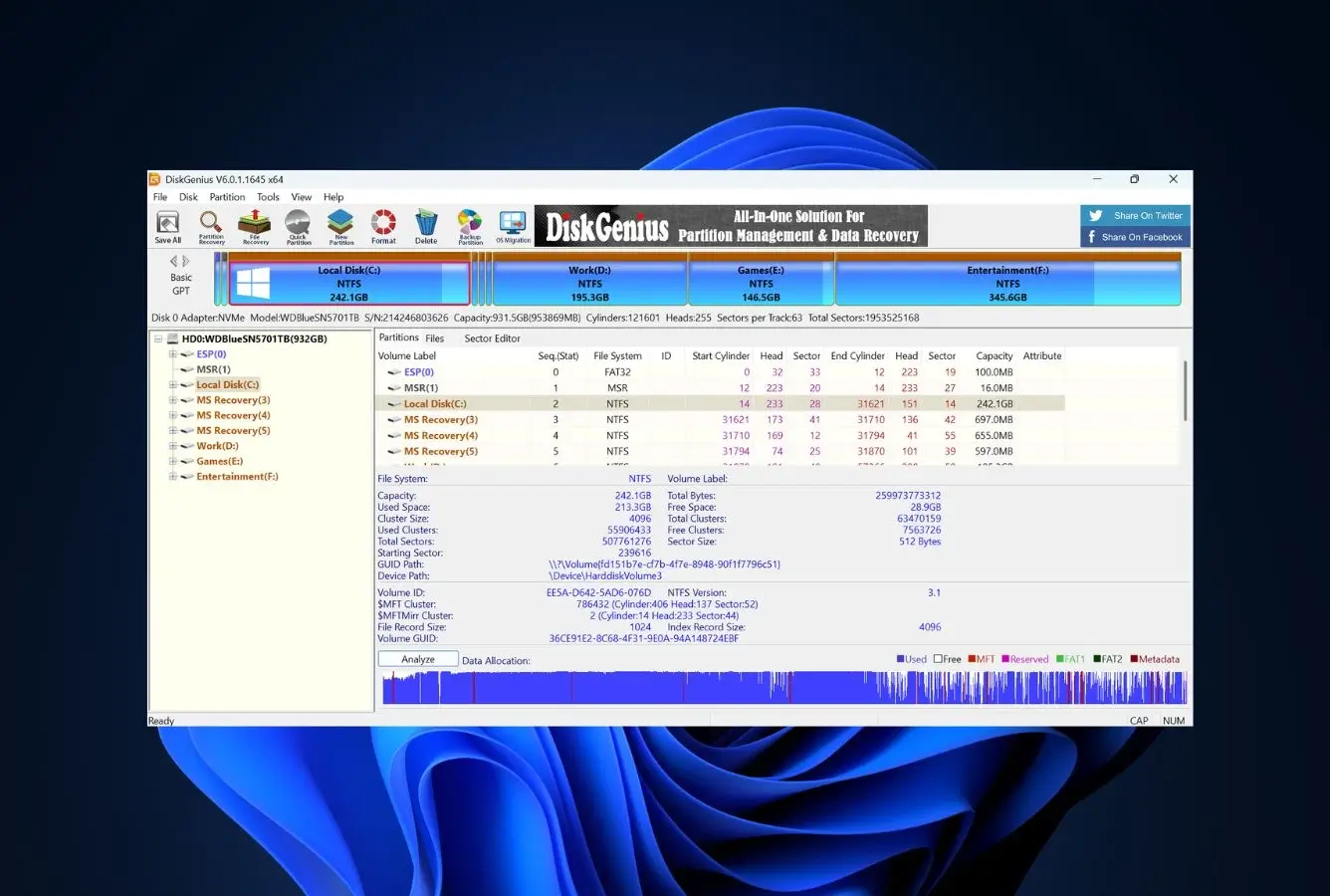
DiskGenius is a Windows-only Swiss Army knife. Beyond file recovery it does partition recovery, disk cloning, backup and partition management, so it’s the tool to reach for when a partition has vanished or the drive’s structure is the real problem. The interface is utilitarian and there’s no Mac version, but for Windows partition rescue it’s hard to beat.
Best for: Windows partition recovery and drive management.
Pricing: 1 GB free; $99.95 perpetual.

8. UFS Explorer – Best for RAID & Complex Storage Recovery
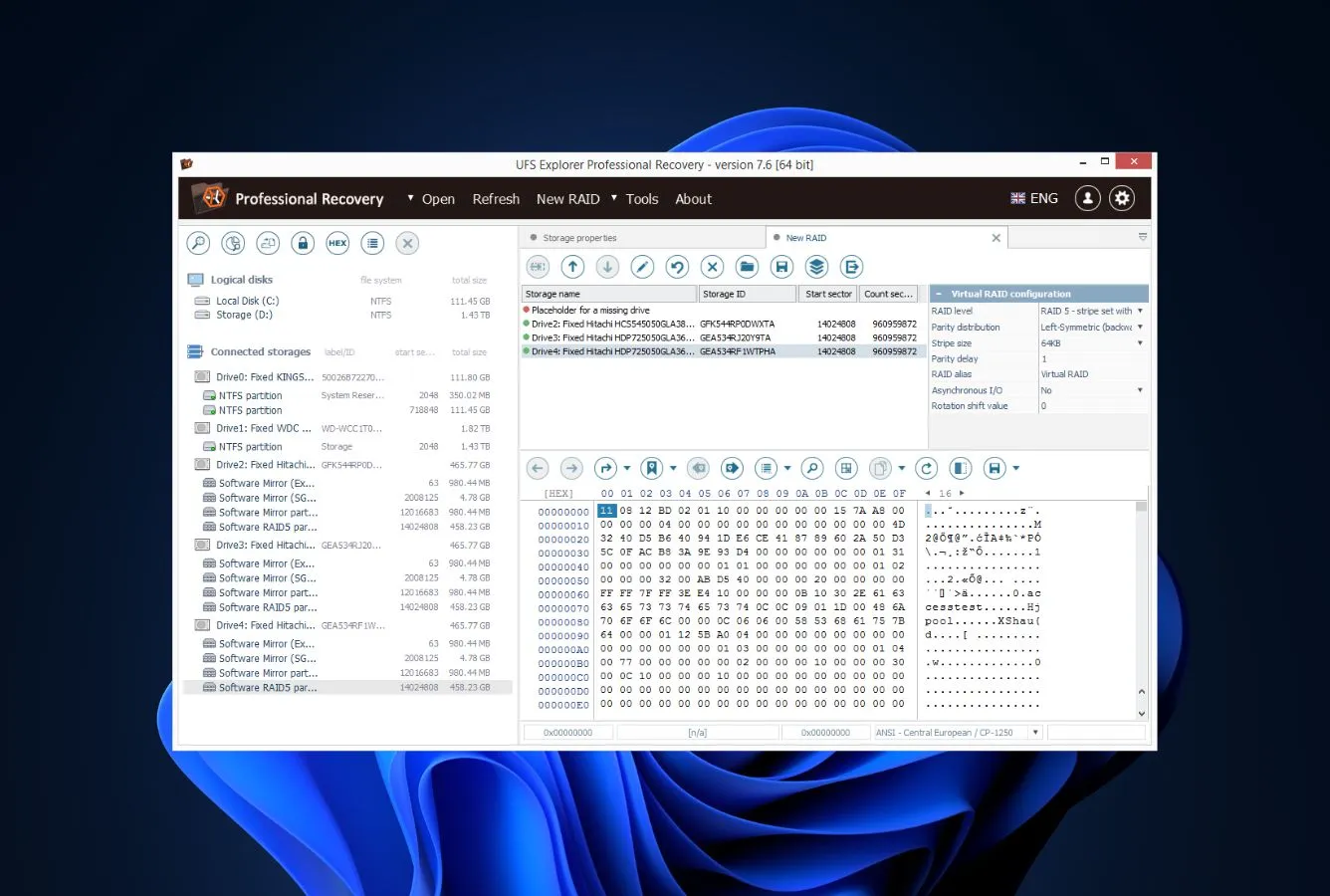
UFS Explorer is the specialist for the awkward cases. It supports more file systems than anything else here, NAS volumes, Linux drives, RAID arrays, virtual disk images and ZFS, so it’s often the only tool that even reads an unusual setup. It assumes you know your way around partitions, but at €49.95 perpetual it’s the cheapest serious option for complex storage.
Best for: RAID, NAS, Linux and multi-filesystem recovery.
Pricing: Free trial recovers files under 256 KB; €49.95 perpetual.
How We Evaluate Data Recovery Software
This ranking is our editorial review of the data recovery market as of June 2026. We weighed every tool on the same things, scan depth and recovery results, file-system and platform support, free-tier generosity, pricing model and vendor track record, drawing on vendor docs, independent testing and user reports. Results vary with drive health and how soon you act, so always run a tool’s free scan first.
Data Recovery Software – Honorable Mentions
Six tools we considered but didn’t include in the main ranking. Each has a niche strength or a specific flaw that kept it out of the top 8.
When Data Recovery Software Can’t Help
Software can’t save every situation, and knowing the limits keeps you from making things worse. In these cases no recovery tool on this list will bring your files back, and continuing to try can do real harm.
| Your situation | Software can help? | What to do instead |
|---|---|---|
| Data already overwritten by new writes | No | Restore from backup (Time Machine, File History, cloud) |
| TRIM-erased internal SSD | No | Check cloud sync (iCloud, OneDrive, Google Drive) first; otherwise accept the loss |
| Physical damage (clicking, water, fire, impact) | No | Power off immediately → professional cleanroom service ($500–$1,500) |
| Encrypted drive, lost password or key | No | Mathematically unrecoverable; check Apple ID / Microsoft account for escrowed key |
| Securely erased drive (multi-pass wipe) | No | Don’t buy recovery software, the data is genuinely gone |
Do not run any software. Do not attempt to copy files. The clicking sound is a physical failure (read/write head damage). Every spin of the platter risks permanently scratching the magnetic surface. Power down the drive and contact a professional data recovery service. Running software on a clicking drive is one of the most common ways people destroy recoverable data.
Free Built-in Recovery Options (Check These First)
Before paying for anything, rule out the recovery tools your OS already ships, plenty of “lost” files turn up here in minutes. Check the Recycle Bin on Windows or the Trash on Mac first. On Windows, File History and Restore previous versions (right-click a file or folder) can roll back saved-over documents; on Mac, Time Machine and Finder’s Revert To do the same. If a drive throws errors or won’t mount, run CHKDSK on Windows or First Aid in Disk Utility on Mac before any recovery app, it often repairs the file system and makes third-party software unnecessary. Only when all of these come up empty are you truly in recovery-tool territory.
A cheap external drive running File History (Windows) or Time Machine (Mac) is the most reliable recovery tool there is, and both are built into your OS for free.
Final Verdict
EaseUS Data Recovery Wizard is our best data recovery software for 2026, the most polished app here, the most generous free tier for checking before you pay, and strong results across both Windows and Mac.
If your drive is corrupted or showing as RAW, Stellar is the specialist, and the only tool here that also repairs damaged photos and video. Disk Drill stays the value champion thanks to its $89 perpetual Windows + Mac license, and Recoverit is the one for fragmented video. Professionals dealing with RAID, Linux or vanished partitions will want R-Studio, UFS Explorer or DiskGenius. Whichever you pick, run its free scan first, because if the files aren’t there, no license will conjure them back.
Frequently Asked Questions
Data Recovery Fix earns a commission on some links, but rankings are decided on the same editorial criteria before any affiliate relationship is considered. Spot something out of date? Email contact@datarecoveryfix.com.