DMDE Mac Review (2026): Power User's Toolkit
DMDE (DM Disk Editor and Data Recovery Software) for Mac is a technical-tier recovery utility from Dmitry Sidorov, in continuous development since 2006 with over 1 million users worldwide. The Mac build is a Universal Binary supporting Apple Silicon (M1/M2/M3/M4) and Intel Macs, with the broadest filesystem support in the consumer-priced category: FAT12/16/32, exFAT, NTFS, ReFS, ext2/3/4, HFS+/HFSX, APFS, and Btrfs.
Pricing is uniquely flexible: Free Edition recovers up to 4000 files per directory request with unlimited repetitions, Express subscription $9.95/mo or $20/year, Standard perpetual license $48, Professional 1-OS $95, Multi-OS $133. The differentiators are the strongest RAID reconstructor in the consumer-priced category, hex disk editor, partition manager, and exceptional value at lowest perpetual price. This review aggregates vendor documentation, independent external evaluation, and verified user feedback.
evaluation, user reports
Active since 2006
Free tier 4000 files/batch

A technical-tier Mac recovery toolkit with broadest filesystem support in the consumer-priced category (FAT, NTFS, ReFS, ext2/3/4, HFS+, APFS, Btrfs), best-in-class RAID 0/1/4/5/6 reconstructor, and exceptional pricing ($48 perpetual Standard, free tier recovers 4000 files/dir). Trade-offs: 1990s-style menu-driven UI with steep learning curve, no Mac-native UI conventions, no photo/video repair, no iCloud or Time Machine sources. Best fit for technical Mac users with RAID, multi-OS, or Linux filesystem recovery needs who want maximum capability at lowest cost.
✓ What We Liked
- Most generous free tier in the consumer Mac category: 4000 files per directory request, unlimited repetitions, all features included
- Broadest filesystem support in consumer-priced category: FAT12/16/32, exFAT, NTFS, ReFS, ext2/3/4, HFS+/HFSX, APFS, Btrfs
- Best-in-class RAID 0/1/4/5/6 reconstructor with custom striping, JBOD/spanned support, automatic parameter detection
- Portable application: no installation required, runs from a single binary, leaves no trace
- Filesystem support independent of host OS (recover Linux ext4 on Mac, NTFS on Linux, etc.)
- Hex disk editor with custom templates for forensic work and signature analysis
- $48 Standard perpetual license is the cheapest perpetual at this technical capability tier
- Continuous active maintenance since 2006 (1M+ users), credible single-developer track record
✕ What We Didn't
- 1990s-style menu-driven UI with no modern Mac UI conventions. Steep learning curve, especially for first-time recovery users
- No bundled photo or video repair. No iCloud, Time Machine, or backup-source recovery. Limited multimedia workflow
- macOS UI may behave inconsistently due to system-level quirks. Email-only support, no live chat
DMDE Alternatives
|
Brief selection
A quick shortlist of our top alternative picks, based on aggregated independent research.
|
Best Alternative

EaseUS Data Recovery Wizard
Best overall · 2 GB free
|

Stellar Data Recovery
Best for photos · 1 GB free
|

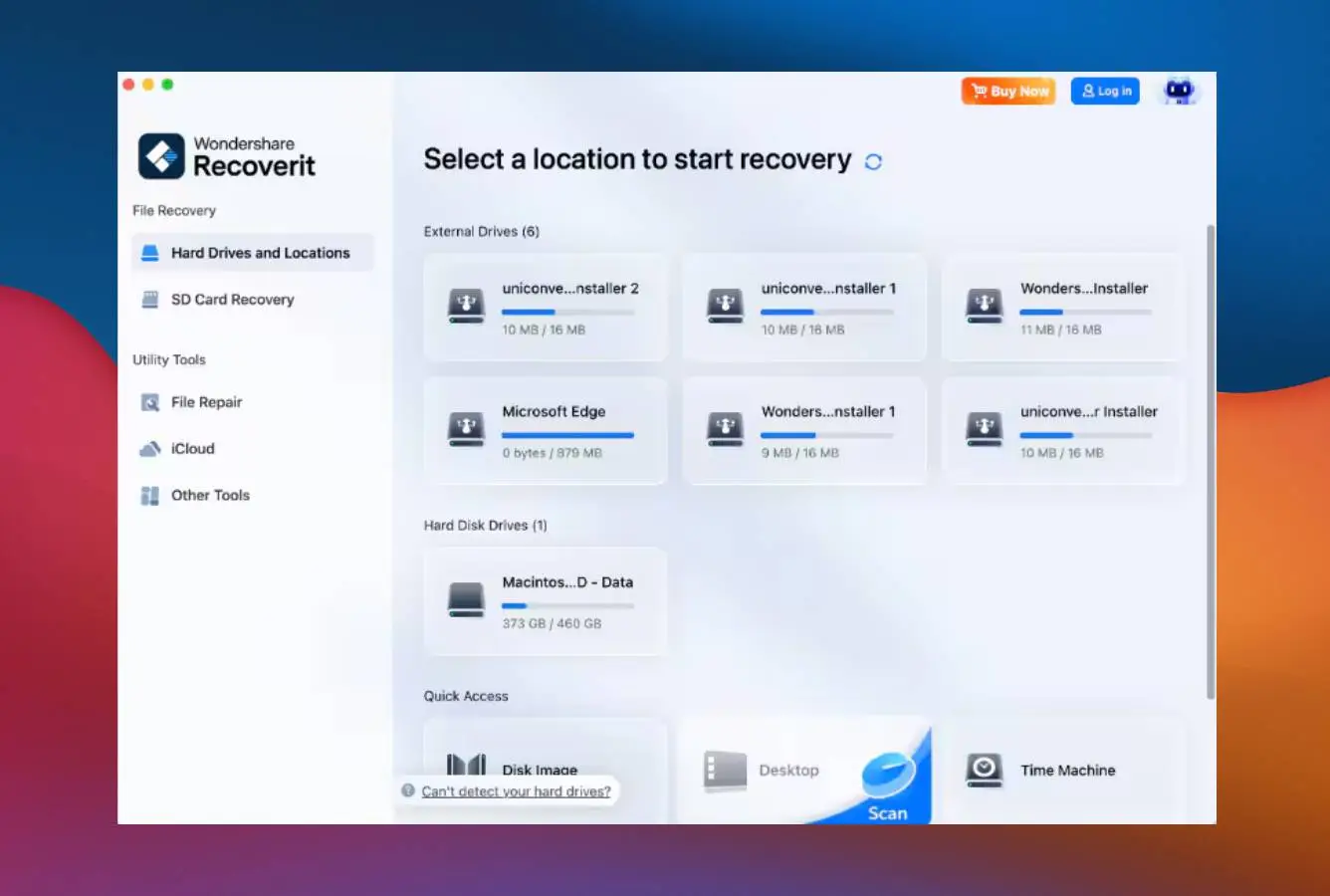
Wondershare Recoverit
Best for video · 100 MB free
|
|---|---|---|---|
| Free tier | 2 GB | 1 GB | 100 MB |
| APFS recovery | Very Good | Very Good | Very Good |
| File preview | ✓ | ✓ | ✓ |
| Photo / video repair | No | Premium tier | Video only |
| Lifetime license | $169.95 | $149 | $139.95 |
Research Methodology
This review aggregates three evidence types for DMDE for Mac: vendor documentation (the official DMDE product page, supported filesystem coverage, license tier matrix, RAID constructor specifications), independent external evaluation, and verified user feedback (G2, Capterra, Reddit r/datarecovery and r/techsupport where DMDE\'s technical capability and dated UI are extensively discussed). Tier assignments (Excellent / Very Good / Good / Fair / Limited / Not supported) reflect the aggregate of that evidence rather than an in-house benchmark. For broader Mac category context, see our ranking of the best data recovery software for Mac. Full methodology details are on our How We Test page.
Is DMDE for Mac Safe?
Yes. DMDE is developed by Dmitry Sidorov, a single developer in continuous maintenance of DMDE since 2006, with over 1 million users worldwide. The application uses read-only scanning per official documentation. The Mac build runs as a portable application (no installation required, leaves no trace on disk), and is signed for macOS distribution. DMDE has been featured in independent reviews from Forbes Advisor, Softpedia, Digital Trends, and other established publications as a credible technical recovery tool.
Two practical safety considerations apply. First, on Apple Silicon and T2 Macs, internal Mac SSD scanning is constrained by Apple\'s Secure Boot and hardware-level encryption, a hardware restriction affecting all third-party recovery tools. To scan the internal startup disk on these Macs, you may need to lower system security via Recovery Mode, which is a security downgrade. Most DMDE use cases involve external drives, RAID arrays, or recovery from failing drives that don\'t require system security changes. Second, DMDE\'s macOS UI may behave inconsistently due to system-level quirks (the developer documents this), which is a usability friction rather than a safety issue. Always download from dmde.com directly to avoid tampered installers.
How to Use DMDE on Mac
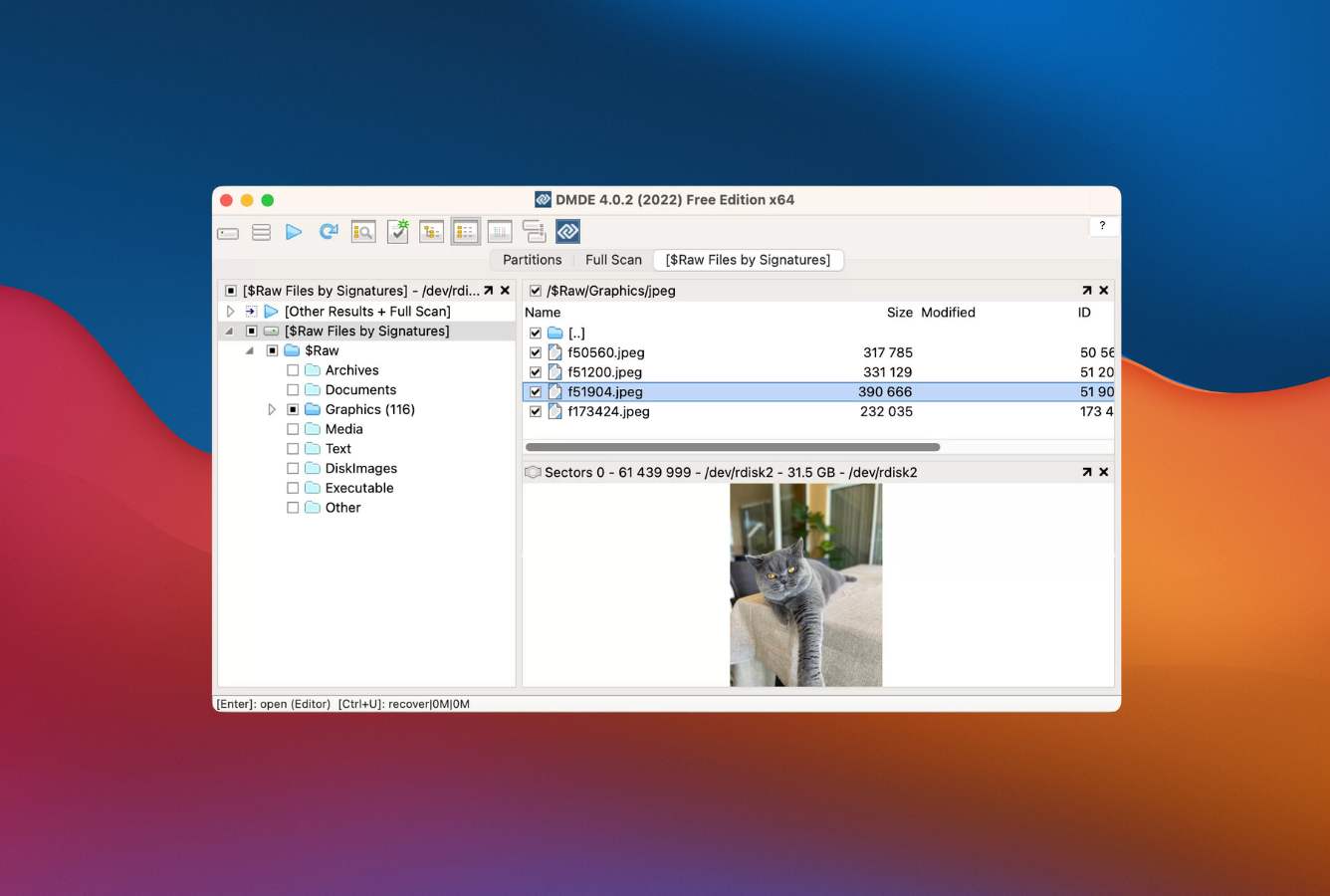
DMDE\'s Mac workflow is technical and menu-driven, prioritizing capability over UX polish. The interface assumes some prior experience with disk recovery concepts. The dated 1990s-style UI is consistent across Windows, macOS, and Linux versions.
Download and run (no installation)
Download the DMG or ZIP from dmde.com/download.html. Extract and run dmde directly. No installer, no registry entries, no system traces. On first launch you may need to grant Full Disk Access in System Settings to scan protected volumes. The Free Edition is fully functional with the 4000-files-per-directory limit on recovery operations.
Select source: Physical or Logical Device
The Select Disk dialog presents Physical Devices (entire drives) and Logical Devices (mounted volumes) in a list. Select the source device. For RAID recovery, use Tools > RAID Constructor to build a virtual RAID from individual disks or images before scanning. For partition manager work, use Tools > Partitions to view, edit, or undelete partitions. The Free Edition includes all these tools.
Run Quick Scan or Full Volume Search
Quick Scan is fast and useful for minor filesystem damage. For severe damage, use Full Volume Search (sector-by-sector deep scan). Scans can be saved to disk and reloaded later, useful for long-running scans on large drives. Pre-scan parameters allow you to limit scan area, choose filesystem hints, and configure raw signature detection.
Browse and recover from the directory tree
Recovered files appear in the directory tree organized by filesystem catalog or signature-detected groups. Use Recover from Current Panel to recover individual directories (limited to 4000 files per request in Free Edition). Right-click for options including custom file mask, recursive recovery, and metadata preservation. Recovery destination must be a different drive than the source.
Optional: hex disk editor and forensic mode
For advanced users: the disk editor provides hex-level access to drive contents with templates for NTFS MFT, FAT/exFAT, ext, APFS, and HFS+ structures. Custom file signature definition allows recognizing unfamiliar file formats. The Professional license adds recovery reports with logs and checksums, E01 disk image read support, and copy resume logs for multi-pass sector reads from failing drives.
DMDE\'s Free Edition allows recovery of up to 4000 files per directory request, with unlimited repetitions. This means for a deeply nested folder structure with fewer than 4000 files per directory, you can effectively recover everything for free with patience. For flat directories with more than 4000 files (large photo libraries, media archives), you\'ll hit the limit and need a paid license. The cap is per-request, not lifetime, so you can run as many 4000-file recovery operations as needed.
Who DMDE for Mac Is For
DMDE targets a specific audience: technical Mac users, IT professionals, and power users who prioritize maximum recovery capability and broad filesystem support at the lowest cost in the technical tier. Three audiences get clear value:
Technical Mac users with multi-OS or RAID recovery scenarios. DMDE\'s filesystem coverage is independent of host OS, meaning you can run DMDE on a Mac to recover from a Linux ext4 NAS drive, a Windows NTFS external drive, or a Btrfs/ZFS volume. The Multi-OS Professional license ($133) covers Windows, macOS, Linux, and DOS with a single license, useful for IT consultants who handle recovery across platforms. The RAID 0/1/4/5/6 reconstructor with custom striping and JBOD support handles consumer NAS arrays and small business storage. For users with these scenarios, DMDE delivers capability that would cost $899+ in R-Studio Technician.
Mac users who want the most generous free tier in the consumer category. The Free Edition recovers 4000 files per directory request with unlimited repetitions. This is significantly more generous than EaseUS Free at 2 GB, Stellar Free at 1 GB, iBoysoft Free at 1 GB, or Wondershare Recoverit Free at 100 MB. For users with deeply nested folder structures (most typical Mac scenarios), DMDE\'s free tier is effectively unlimited with patience. For users who want to verify recoverability before paying, DMDE delivers more confidence than preview-only free tiers (Disk Drill, Cisdem, 4DDiG).
Mac users on a strict budget who want technical capability. DMDE Standard at $48 perpetual is the cheapest perpetual license in the technical-tier Mac recovery category. R-Studio Standard at $79.99 is the next-cheapest perpetual in the technical tier. UFS Explorer Standard at $64.95 has broader filesystem support but no RAID reconstructor. For users on a strict budget who specifically need RAID, hex editor, partition manager, or broad filesystem support, DMDE is the value pick. The Express subscription ($9.95/month or $20/year) is cheaper still for one-time recovery scenarios.
DMDE is the wrong choice for Mac users who prioritize UX polish (Disk Drill, EaseUS DRW Mac, iBoysoft are all cleaner), users who want bundled photo/video repair (Stellar Premium, 4DDiG include this), users who want iCloud or Time Machine recovery sources (EaseUS DRW Mac, Cisdem handle these), users who want a clean three-step wizard (4DDiG), users who want native Mac UI conventions (any consumer Mac tool is more Mac-native), and first-time recovery users who want minimal learning curve (4DDiG\'s Quick Start Guide is most approachable).
DMDE for Mac Strengths in Real-World Use
The strengths cluster around technical capability, filesystem breadth, and exceptional value. DMDE is the technical-tier value pick that consistently surfaces in independent power-user recommendations.
Broadest filesystem support in the consumer-priced category
DMDE supports FAT12/16/32, exFAT, NTFS, ReFS, ext2/3/4, HFS+, HFSX, APFS, and Btrfs in a single tool. Filesystem support is independent of host OS (run on Mac to recover Linux ext4 data, etc.). This is meaningful for technical users with cross-platform recovery scenarios, NAS recovery, Linux server drives, or Btrfs/ZFS-formatted storage. UFS Explorer Standard at $64.95 is a comparable filesystem-breadth option but lacks DMDE\'s RAID reconstructor. R-Studio at $79.99 has filesystem breadth but no Btrfs.
Best-in-class RAID 0/1/4/5/6 reconstructor at consumer price
DMDE\'s RAID constructor builds virtual RAID volumes from individual disks or disk images, supporting RAID 0, RAID 1, RAID 4, RAID 5, RAID 6, delayed parity, custom striping, and JBOD/spanned configurations. Automatic RAID parameter detection works on most consumer NAS arrays. Recovery is performed virtually so source disks remain unmodified. This RAID capability typically costs $200+ in dedicated RAID recovery tools or $899 in R-Studio Technician; DMDE delivers it at $48 Standard perpetual or $95 Professional.
Most generous free tier in the consumer Mac category
The Free Edition recovers up to 4000 files per directory request with unlimited repetitions. This dwarfs EaseUS Free (2 GB), Stellar Free (1 GB), iBoysoft Free (1 GB), and Wondershare Free (100 MB). For most typical Mac recovery scenarios with directories under 4000 files, the free tier is effectively unlimited. This makes DMDE the best option for verifying recoverability before paying, and a credible free alternative to paid tools for users with patience to work in directory-sized batches.
Standard perpetual license at $48 is exceptional value
DMDE Standard at $48 perpetual is the cheapest perpetual license in the technical-tier Mac recovery category. R-Studio Standard at $79.99 is the next-cheapest. Disk Drill Lifetime at $149, EaseUS Pro Lifetime at $169.95, iBoysoft Lifetime at $169.95, and 4DDiG Lifetime at $109.95 all cost significantly more. For users who specifically value the technical capability (RAID, hex editor, broad filesystems) and accept the dated UI, DMDE Standard delivers more capability per dollar than any alternative.
Hex disk editor and forensic capabilities
DMDE includes a full-featured hex disk editor with templates for NTFS MFT, FAT/exFAT, ext filesystems, APFS, and HFS+ structures. Custom file signature definition allows recognizing unfamiliar file formats by providing sample files. The Professional license adds recovery reports with logs and file checksums for forensic verification, E01 disk image read support, copy resume logs for multi-pass sector reads from failing drives, and I/O script customization. R-Studio Technician at $899 is the main commercial-grade alternative; DMDE Professional at $95 single-OS or $133 multi-OS delivers comparable forensic capability at a fraction of the price.
Portable application with no installation
DMDE runs from a single binary with no installer, no registry entries, and no system traces. The application is small (under 5 MB), copies cleanly to USB drives or external storage, and can be run from any location without affecting the host system. This is genuinely useful for forensic recovery scenarios (where you don\'t want to alter the source system), emergency recovery from a failing drive (where you boot from an external drive and run DMDE without installing), and IT consultants who need a portable toolkit.
Where DMDE for Mac Falls Short
The limitations cluster around UX polish, multimedia features, and Mac-specific conveniences. DMDE prioritizes technical capability over user experience, and three patterns surface consistently in independent evaluation.
1990s-style menu-driven UI with steep learning curve
DMDE\'s interface follows menu-driven conventions from the late 1990s rather than modern Mac UI patterns. There is no sidebar navigation, no toolbar, no QuickLook-style file preview, no drag-and-drop, and no smart filters. The layout consists of dropdown menus, tabs, and dense panels. For users who have never used a recovery tool, the learning curve is steep, especially compared to tools like 4DDiG\'s Quick Start Guide or Disk Drill\'s clean three-step interface. The UI is consistent across Windows, macOS, and Linux, but feels least responsive on macOS due to system-level UI quirks that the developer documents.
No bundled multimedia features (photo/video repair, iCloud, Time Machine)
DMDE focuses on technical recovery and does not include the multimedia features that consumer Mac tools bundle: no photo or video repair (Stellar Premium and 4DDiG include this), no iCloud scanning or sync recovery (EaseUS DRW Mac, Cisdem handle this), no Time Machine selective restore (Cisdem handles this), no iTunes backup parsing, no direct cloud export to Dropbox/OneDrive (Cisdem, EaseUS handle this). For Mac users who want these conveniences, alternative tools are required. DMDE\'s positioning is technical recovery only.
Encrypted APFS volumes and Apple Silicon constraints
DMDE cannot scan encrypted APFS volumes (FileVault 2-protected drives) unless they are unlocked first by macOS. iBoysoft handles encrypted APFS recovery directly when the unlock password is provided; DMDE requires the volume to be already mounted and unlocked. On Apple Silicon Macs, Apple\'s Secure Boot architecture means DMDE\'s disk access is more constrained than on Windows. Internal startup disk scanning may require lowering system security via Recovery Mode, which competitors like Disk Drill avoid by using KEXT-level access. For most external drive scenarios, this is not a practical limit; for internal SSD recovery, DMDE may require additional setup.
DMDE Mac Capability Summary
How DMDE for Mac performs capability by capability:
| Capability | Tier | Notes |
|---|---|---|
| Pricing value (Standard $48 perpetual) | Excellent | Cheapest perpetual license in technical-tier Mac recovery category |
| Free tier (4000 files/directory, unlimited) | Excellent | Most generous free tier in consumer Mac category. Effectively unlimited for most folder structures |
| Filesystem breadth | Excellent | FAT, NTFS, ReFS, ext2/3/4, HFS+/HFSX, APFS, Btrfs. Independent of host OS |
| RAID 0/1/4/5/6 reconstruction | Excellent | RAID, JBOD, custom striping. Automatic parameter detection |
| Hex disk editor / forensic mode | Excellent | Templates for NTFS MFT, FAT, ext, APFS, HFS+. Custom signature definition |
| Multi-OS license flexibility | Excellent | Professional Multi-OS $133 covers Windows + macOS + Linux + DOS |
| Portable application | Excellent | No installation, single binary, no system traces. Useful for forensic scenarios |
| Partition manager / disk imaging | Very Good | Built-in partition manager and disk imaging. Disk cloning with bad-sector handling |
| Corrupted partition recovery | Very Good | Strong on partition table damage and severe filesystem corruption |
| APFS deleted-file recovery | Very Good | Solid APFS support. Trails Disk Drill on UX-polished APFS workflow |
| Filename / folder preservation | Very Good | Preserves names when filesystem catalog is intact |
| Vendor longevity (since 2006) | Very Good | 20 years of continuous development. 1M+ users. Active maintenance |
| NTFS / ReFS / cross-platform recovery | Very Good | Read NTFS and ReFS from Mac. Useful for cross-platform drives |
| Apple Silicon native (Universal Binary) | Good | Universal Binary. macOS UI may behave inconsistently due to system quirks |
| SD card / camera RAW recovery | Good | Standard scenarios. Custom signatures needed for newer RAW formats |
| Formatted drive recovery | Good | Solid on standard formats. Less polished workflow than consumer tools |
| Encrypted APFS (FileVault 2) | Limited | Volume must be unlocked by macOS first. iBoysoft handles encrypted recovery directly |
| UI & ease of use | Limited | 1990s-style menu-driven UI. Steep learning curve. No Mac-native conventions |
| Internal Mac SSD scanning | Limited | Apple Silicon Secure Boot may require lowering system security via Recovery Mode |
| Bundled photo/video repair | Not supported | Stellar Premium and 4DDiG include dedicated repair modules |
| iCloud scanning / cloud export | Not supported | EaseUS DRW Mac, Cisdem handle iCloud and cloud export |
| Time Machine backup parsing | Not supported | Cisdem handles selective Time Machine restore |
| S.M.A.R.T. drive monitoring | Not supported | Disk Drill includes drive health monitoring |
| File preview before recovery | Limited | Common image format preview only. No QuickLook-style preview |
| Mac-native UI conventions | Not supported | Cross-platform menu-driven UI. Any consumer Mac tool is more Mac-native |
| Three-step wizard / Quick Start Guide | Not supported | 4DDiG Quick Start Guide is most approachable for first-time recovery users |
Tier scale: Excellent / Very Good / Good / Fair / Limited / Not supported. Aggregated from DMDE product documentation, independent external evaluation, and verified user feedback (G2, Capterra, Reddit), 2026.
DMDE for Mac Cost
DMDE uses a five-tier pricing model with the most flexible licensing structure in the consumer-priced Mac recovery category:
| Edition | Price | Type | Coverage |
|---|---|---|---|
| Free Edition (Most generous in category) | $0 | No time limit | 4000 files per directory request, unlimited repetitions. All tools included (RAID, hex editor, partition manager) |
| Express Subscription | $9.95/mo or $20/year | Subscription | Unlimited recovery on 1 OS family. Renewable |
| Standard (Best for individuals) | $48 | One-time perpetual | Unlimited recovery on 1 OS family. Personal and internal business use. Free updates within major version |
| Professional 1-OS | $95 | One-time perpetual | Commercial use. Portable USB key activation. Recovery reports. E01 disk image read. Multi-pass copy resume logs |
| Professional Multi-OS | $133 | One-time perpetual | Same Pro features, single license covers Windows + macOS + Linux + DOS |
Pricing verified against dmde.com, April 2026. Money-back guarantee applies. Continuous active development since 2006 by Dmitry Sidorov.
DMDE\'s pricing is exceptional value at the technical capability tier. The Standard $48 perpetual is the cheapest perpetual license in the consumer-priced technical-tier Mac recovery category. R-Studio Standard at $79.99 Lifetime is the next-cheapest perpetual at the technical tier. UFS Explorer Standard at $64.95 has comparable filesystem breadth but no RAID reconstructor. Disk Drill Lifetime ($149), iBoysoft ($169.95), EaseUS Pro ($169.95), and 4DDiG ($109.95) all cost significantly more but offer cleaner UX. The Express subscription at $9.95/mo or $20/year is also the cheapest subscription option. The Multi-OS Professional license at $133 covers Windows, macOS, Linux, and DOS with a single license, valuable for IT consultants. For broader Mac category context, see our best data recovery software for Mac ranking; for free-first comparisons, see our best free data recovery software roundup.
DMDE vs. Competitors (2026)
How DMDE for Mac stacks up against the most common Mac recovery alternatives:
| Tool | Filesystem breadth | RAID | Free tier | UI polish | Lifetime price |
|---|---|---|---|---|---|
| DMDE Mac ← | Btrfs + ReFS + ext + APFS | RAID 0/1/4/5/6 | 4000/dir unlimited | 1990s menu-driven | $48 Standard |
| R-Studio Mac | ext + ReFS + APFS | RAID 0/1/4/5/6 | <256 KB demo | Technical | $79.99 |
| UFS Explorer Standard | Btrfs + ZFS + ext | RAID 0/1/5 | Demo only | Technical | $64.95 |
| Disk Drill Mac | APFS + HFS+ + NTFS | No | Preview only | Excellent | $149 |
| EaseUS DRW Mac | APFS + HFS+ + NTFS | No | 2 GB | Very Good | $169.95 |
| 4DDiG Mac | APFS + HFS+ + NTFS | No | Preview only | Very Good | $109.95 |
Tier scale: Excellent / Very Good / Good / Fair / Limited / Not supported. Aggregated from vendor documentation and independent external evaluation, 2026.
DMDE\'s standout advantages are the cheapest perpetual license in the technical tier ($48 Standard), the most generous free tier (4000 files/directory unlimited repetitions), the broadest filesystem support including Btrfs and ReFS, and best-in-class RAID 0/1/4/5/6 reconstruction at consumer pricing. Trade-offs: 1990s-style menu-driven UI with steep learning curve; no bundled photo/video repair; no iCloud, Time Machine, or backup-source recovery; encrypted APFS volumes require unlocking by macOS first.
Try DMDE for Mac Free
Recover 4,000 files per directory. No registration, no time limit.
DMDE for Mac Features & Tools
DMDE takes a focused technical approach: maximum recovery capability with broad filesystem support, RAID reconstruction, and forensic tools at consumer pricing. The feature set is intentionally focused on technical recovery rather than multimedia conveniences, and the pricing is exceptional value for users who specifically need the technical depth.
The two genuine differentiators are the broadest filesystem support in the consumer-priced category (FAT12/16/32, exFAT, NTFS, ReFS, ext2/3/4, HFS+, HFSX, APFS, Btrfs, all independent of host OS) and best-in-class RAID 0/1/4/5/6 reconstructor with custom striping, JBOD/spanned support, and automatic parameter detection. Combined with the hex disk editor, partition manager, disk imaging and cloning, signature-based file carving with custom signature definition, and the most generous free tier in the consumer Mac category, DMDE delivers technical capability that would cost significantly more in alternative tools. Apple Silicon Universal Binary, macOS Tahoe 26 compatible.
What\'s absent: bundled photo/video repair (Stellar Premium, 4DDiG), iCloud scanning or sync recovery (EaseUS DRW Mac, Cisdem), Time Machine selective restore (Cisdem), iTunes backup parsing, direct cloud export to Dropbox/OneDrive (Cisdem, EaseUS), S.M.A.R.T. drive monitoring (Disk Drill), Mac-native UI conventions (any consumer Mac tool), three-step wizard or Quick Start Guide (4DDiG), and encrypted APFS direct scanning (iBoysoft handles this). For workflows that need any of these, alternative tools are required.
Alternatives to DMDE for Mac
DMDE is the value pick for technical Mac users who want maximum recovery capability and broad filesystem support at the lowest perpetual price. Other tools serve specific Mac scenarios better:
Open Finder, navigate to the folder where files were lost, click the Time Machine icon in the menu bar, and browse to a backup before the deletion event. If Time Machine was active, this takes 2 minutes and recovers files with original names and folder structure intact, free.
DMDE Mac User Reviews
DMDE has substantial review platform coverage with sentiment patterns dividing along technical experience and UX expectations. Verified user feedback skews strongly positive on technical capability, RAID recovery, filesystem breadth, and pricing value, particularly from technically-savvy users who recovered data after other tools failed. Sentiment skews critical on UI design and learning curve. The 1M+ user base with 20-year continuous development is a strong trust signal.
Had a 12 TB external drive lose its partition. Tried other well-known solutions, all failed. As a last ditch attempt I tried DMDE. It found my partition, even its name, and the entire directory structure intact. Bought a license at such a low price.
If you\'re manipulating partitions, DMDE 100%. The free trial can do everything TestDisk can, but faster, safer, and easier. RAID reconstructor is unmatched at this price.
As a content creator, losing hours of recorded and edited footage due to an SD card malfunction is a nightmare. DMDE recovered everything when other tools could not. The interface is dated but the recovery engine is exceptional.
DMDE Multi-OS Professional at $133 is the best deal in commercial-grade recovery. Compared to R-Studio Technician at $899, DMDE delivers comparable RAID and forensic capability at a fraction of the price. Use it for client work regularly.
The interface is genuinely terrible if you have never used recovery software. Spent two days figuring out how to do basic operations that other tools have a wizard for. Powerful once you learn it but the learning curve is steep.
macOS UI behaves a bit weird in places but the actual recovery functionality works fine on Apple Silicon. Multi-OS license is worth it if you bounce between Mac and Linux for NAS recovery.
Recurring themes across verified user feedback: strong praise for technical capability, RAID reconstruction, filesystem breadth, and pricing value (these are what earn DMDE its strong recommendation in technical communities). Criticism centers exclusively on the dated UI and steep learning curve. The recovery engine is consistently praised; the user experience is consistently flagged as a friction point. DMDE works well for users with technical experience or willingness to learn; for users who want minimal learning curve, alternatives are more appropriate.
Frequently Asked Questions
Is DMDE for Mac free?+
Is DMDE safe to use on Mac?+
Does DMDE work on Apple Silicon Macs?+
What filesystems does DMDE support on Mac?+
Does DMDE support RAID array recovery?+
How does DMDE compare to R-Studio for Mac?+
What is the difference between DMDE Standard and Professional?+
Why is DMDE\'s interface so dated?+
Final Verdict
DMDE for Mac earns 4.0/5 as the technical-tier value pick from Dmitry Sidorov (in continuous development since 2006, 1M+ users worldwide) with the broadest filesystem support in the consumer-priced category (FAT, NTFS, ReFS, ext2/3/4, HFS+, APFS, Btrfs), best-in-class RAID 0/1/4/5/6 reconstructor, hex disk editor, partition manager, and exceptional pricing structure. The Free Edition recovers 4000 files per directory request with unlimited repetitions, the most generous free tier in the consumer Mac category. Standard perpetual license at $48 is the cheapest perpetual at the technical capability tier; Professional Multi-OS at $133 covers Windows + macOS + Linux + DOS with a single license.
The trade-offs are UI polish and multimedia features. The 1990s-style menu-driven interface has no Mac-native conventions, no sidebar navigation, no QuickLook-style preview, and a steep learning curve compared to consumer Mac tools (4DDiG\'s Quick Start Guide is most approachable; Disk Drill\'s clean three-step interface is most polished). DMDE does not include bundled photo/video repair (Stellar Premium and 4DDiG handle this), iCloud or Time Machine recovery sources (Cisdem and EaseUS DRW Mac handle these), or direct cloud export. Encrypted APFS volumes require unlocking by macOS first; on Apple Silicon Macs, internal SSD scanning may require lowering system security via Recovery Mode. Best fit for technical Mac users, IT professionals, and power users who specifically need RAID reconstruction, broad filesystem support, hex editor, or multi-OS license flexibility, and who accept the dated UI in exchange for maximum capability at lowest cost. For broader Mac category context, see our best Mac data recovery software ranking.
About the Authors


This site earns revenue through affiliate links when you purchase DMDE or other products through our links. This financial relationship has no influence on our tier assignments, methodology, or conclusions. All tools are evaluated independently against the same rubric and the same body of aggregated evidence. If you believe any claim is inaccurate, contact us at contact@datarecoveryfix.com.